MeshCore
Everything about the MeshCore protocol: how it works, how to set it up, firmware types, and technical details.
- 📖 Start Here — MeshCore Guide
- How MeshCore Works
- Setting Up MeshCore
- MeshCore Routing Explained
- MeshCore CLI Reference
- Troubleshooting & Known Issues
- MeshCore Ecosystem Notes
- Developer & Advanced Resources
- MeshCore Python API
- MeshCore CLI Configuration
- MeshCore Security and Encryption
- MeshCore CLI Commands Reference
- nRF52 Power Management
- MeshCore QR Code Formats
- MeshCore KISS Modem Protocol
- MeshCore Packet Format Reference
- MeshCore Payload Format Reference
- MeshCore Companion Protocol (BLE API)
- MeshCore Stats Binary Frames
- MeshCore Protocol Number Allocations
- Protocol Deep Dive
- MeshCore Routing Architecture
- MeshCore Packet Format and Encryption
- MeshCore Network Topology Best Practices
- MeshCore vs Meshtastic: Technical Comparison
- MeshCore App Guide
- Getting Started with the MeshCore App
- MeshCore App: Messaging and Contacts
- MeshCore App: Radio Settings and Position
- MeshCore Hardware
- Supported Hardware for MeshCore
- Choosing Hardware for MeshCore vs Meshtastic
- RAK WisBlock System for MeshCore
- MeshCore Firmware
- MeshCore Firmware Variants Explained
- MeshCore Firmware Distributions
- Flashing MeshCore Firmware
- Keeping MeshCore Firmware Updated
- Flashing MeshCore Firmware OTA: The Definitive Guide
- MeshCore Security Architecture
- MeshCore Encryption Overview
- Understanding ECDH Key Exchange in MeshCore
- Channel Security and Private Networks
- MeshCore Routing Deep Dive
- Advanced MeshCore Topics
📖 Start Here — MeshCore Guide
MeshCore is a path-routing LoRa mesh platform optimized for community networks. MeshCore floods to discover a route, then switches to direct routing for unicast (one-to-one) traffic, reducing overhead for repeat messages; group and channel traffic still floods. It also supports room servers for persistent messaging.
🚀 New to MeshCore? Start Here
- MeshCore Protocol Overview - What makes MeshCore different
- MeshCore Firmware Types - Companion, Repeater, Room Server, Sensor - which do you need?
- MeshCore Setup Guide - Step-by-step first setup
- Getting Started with the MeshCore App
📚 What's In This Book
Understanding MeshCore
- Path Discovery and Route Learning - How MeshCore floods the first message then routes directly afterward (flood-first, direct-route-after)
- Why MeshCore Scales Better Than Flooding
- MeshCore Routing Architecture
- MeshCore Encryption Overview - AES-128 in ECB mode with a 2-byte (truncated) cipher MAC for integrity; key agreement via Ed25519 keys transposed to X25519 (ECDH). SHA-256 is used for channel-key hashing.
Hardware for MeshCore
- Supported Hardware for MeshCore
- Choosing Hardware for MeshCore vs Meshtastic
- RAK WisBlock System for MeshCore - The preferred hardware platform
Firmware
- MeshCore Firmware Variants Explained
- Flashing MeshCore Firmware
- Keeping MeshCore Firmware Updated
- Firmware Governance and Canonical Sources
Using the App
CLI and Advanced Configuration
Security and Encryption
Developer and Protocol Reference
- MeshCore Python API
- MeshCore Packet Format Reference
- MeshCore Companion Protocol (BLE API)
- MeshCore Path Discovery Deep Dive
Troubleshooting
➡️ Related Books
- MeshCore Repeaters - Setting up MeshCore infrastructure nodes
- Room Servers & Gateways - MeshCore room server setup and administration
- Hardware Guide - Choosing and buying the right hardware
How MeshCore Works
The protocol, routing, encryption, and firmware explained.
MeshCore Protocol Overview
MeshCore is a LoRa mesh networking platform created by Scott (Ripple Radios / ripplebiz), its lead firmware engineer; Liam Cottle builds the app and web tooling. This overview draws on the official MeshCore documentation, FAQ, and source code.
What Makes MeshCore Different
Many LoRa mesh platforms (for example Meshtastic) rely on managed/broadcast flooding, where nodes re-broadcast messages subject to hop limits and duplicate suppression rather than naive "every node repeats everything" flooding. MeshCore instead uses a flood-first, direct-route-after approach:
- The first message to any destination is flood-routed (all repeaters in range re-broadcast)
- The destination returns the path it received the flood through (
PAYLOAD_TYPE_PATHpacket) - All subsequent messages to that destination use direct routing, embedded with the specific repeater path - only those repeaters forward it
For repeated unicast traffic, this reduces channel utilization once paths are established; group and broadcast traffic still floods, and churn (such as moving nodes or stale paths) triggers re-floods.
Encryption
- Symmetric encryption: AES-128 (ECB mode)
- Message authentication: HMAC-SHA256 (2-byte truncated, encrypt-then-MAC)
- Key exchange: ECDH via X25519 (Ed25519 identity keys transposed)
- Identity signing: Ed25519 - advertisements signed to prevent spoofing
Firmware Types
- Companion - your personal node; connects to the MeshCore app via BLE or USB serial
- Repeater - infrastructure node; forwards messages, no user interface
- Room Server - stores and delivers missed messages; hosts community "rooms"
- Sensor - telemetry node for sensor data
Frequency
- USA/Canada: 910.525 MHz, SF7, BW 62.5 kHz, CR5 (a community-chosen "narrow" preset within the unlicensed 902-928 MHz band, as of October 2025 - not an FCC-assigned channel; other settings within the band are also permissible under FCC Part 15.247)
- EU/UK: 868 MHz band
- Australia/NZ: 915 MHz band
Key Capabilities
- Room Servers provide message store-and-forward (last messages in RAM (capacity firmware-dependent) per client)
- Path hash modes allow tuning for mobile vs. fixed repeater networks
- Regional scoping via ISO country codes prevents cross-region interference
- 50+ supported devices across the RAK WisBlock, Heltec, LilyGo, and Seeed ecosystems
App and Tools
- Android/iOS app by Liam Cottle: Google Play (
com.liamcottle.meshcore.android) / App Store (id6742354151) - Web app: app.meshcore.nz
- Flasher: flasher.meshcore.io
- Config tool: config.meshcore.io
- Python CLI: github.com/meshcore-dev/meshcore-cli (the
fdlamotte/meshcore-clirepo now redirects here)
Sources: the official MeshCore repository (meshcore-dev/MeshCore), its FAQ and source code, docs.meshcore.io, and meshcore.co.uk. Region presets and version-dependent details change over time; check the upstream docs for the current values.
MeshCore Firmware Types
MeshCore has three main deployable firmware roles — Companion, Repeater, and Room Server. (A compile-time 'Simple Sensor' build also exists as an experimental/example application, and 'sensor' appears as a contact type, but it is not one of the three primary deployable roles.) All three are available through the official flasher at flasher.meshcore.io. The information on this page is verified from the official MeshCore FAQ and GitHub repository.
The Three Firmware Roles
1. Companion Firmware
The firmware for your personal handheld or desk node - the device you use to send and receive messages. Companion firmware connects to the MeshCore app on your phone (Android, iOS, or web).
Connection modes (the same Companion firmware family, built for how the app connects):
- BLE Companion - connects to the app via Bluetooth Low Energy. Best for mobile use.
- USB Serial Companion - connects via USB cable. Good for desk use or CLI access.
- WiFi Companion - a WiFi connection mode (not a separate firmware type) for fixed home setups on boards that support it.
Companion firmware is installed on: RAK4631, Heltec V3, T-Deck, T-Deck Plus, T-Echo, Station G2, and other supported devices.
2. Repeater Firmware
The firmware for infrastructure nodes that extend network coverage. A repeater runs unattended - it receives messages and re-transmits them to extend the mesh, but has no direct user interface.
- Configured via CLI (serial console or BLE) or the config tool at config.meshcore.io
- Supports power-saving mode (
powersaving on) for solar/battery deployments. When enabled, the device sleeps between radio transmissions. - A Room Server can also repeat via the
set repeat oncommand, so one device can do both — but the FAQ does not recommend it: a room server with repeat enabled lacks the full repeater and remote-administration features. For the best experience, run a repeater and a room server on separate devices.
3. Room Server Firmware
The firmware that turns a device into a message store-and-forward server. A room server:
- Stores messages per client (capacity depends on firmware version)
- Delivers missed messages when a client reconnects
- Hosts a "room" that community members join
- Runs as LoRa firmware on a supported embedded radio device. (A Raspberry Pi can only act as a room server if it has an attached LoRa radio/companion node — a bare Pi has no radio and cannot join the mesh on its own.)
A Note on "Sensor"
"Sensor" is not a fourth co-equal deployable firmware role. Environmental-sensor support in MeshCore is a compile-time build feature (enabled with build flags), and a "Simple Sensor" example build exists in the source tree as an experimental/example application. Separately, "sensor" appears as a contact-type enum value (sensor=4) used to classify a node in contact lists. Neither makes Sensor a first-class deployable role alongside Companion, Repeater, and Room Server. See the IoT & Sensors book for how MeshCore's compile-time sensor support actually works.
Developer / Example Firmware
The MeshCore source repository also contains example firmware used for development and specialized applications:
simple_sensor- an example "Simple Sensor" telemetry build (compile-time, not a primary deployable role)simple_secure_chat- standalone terminal chat (not a general-use firmware)kiss_modem- KISS protocol modem interface for integration with other software
These example firmwares are for developers and are not distributed as primary deployable roles through the standard flasher.
Source: Official MeshCore FAQ (github.com/meshcore-dev/MeshCore/blob/main/docs/faq.md), build.sh, and flasher.meshcore.io. Verified 2026-05-03.
Setting Up MeshCore
Step-by-step device configuration for the US/Canada network.
MeshCore Setup Guide
From unboxing to sending your first message. Setup is usually quick once your device is charged.
What you need before starting
- A MeshCore-compatible LoRa device, fully charged
- A smartphone (Android or iOS)
- The MeshCore companion app (free). The official clients by Liam Cottle are linked from app.meshcore.nz (web app) and files.liamcottle.net/MeshCore (iOS, Android APK, Windows and Mac). Verify you are installing the official client before searching an app store, as several MeshCore-related apps exist.
Step 1 - Charge your device
Connect via USB and charge fully. Most devices show a red LED while charging and green or blue when complete. Initial charge takes 2-3 hours.
Step 2 - Power on
Hold the power button for 2-3 seconds until the screen activates. Bluetooth typically starts automatically.
Step 3 - Pair with your phone
- Open the MeshCore app
- Tap Add Device or the + icon
- Select your device from the list (shown as "MeshCore_XXXX")
- Wait 10-20 seconds for pairing to complete
Step 4 - Select the correct preset
This is the most critical step. The preset bundles the radio settings (frequency, bandwidth, spreading factor, coding rate). Every node must share the same radio settings just to hear each other at all - the wrong preset means you cannot reach anyone. Note that the preset is separate from a channel: to talk on a private (shared-key) channel you also need that channel's matching key, in addition to the matching radio settings.
Step 5 - Test your connection
Open the Public channel. You are now on the network. Any nearby nodes will appear, and you can send and receive messages.
Tips for better performance
- Test outdoors first - LoRa range through walls is significantly reduced
- Elevation matters enormously - even a second-floor window vs. ground level makes a measurable difference
- Leave default radio settings alone until you understand what they control
- Keep firmware updated for the latest improvements
Deploying a MeshCore Repeater
A repeater is a MeshCore device configured to run headlessly - no phone attached - whose sole job is to receive and forward messages. Repeaters are the backbone of good network coverage.
Why deploy a repeater?
Direct device-to-device range at ground level in an urban area may be only a few hundred meters. A repeater placed at elevation (rooftop, hilltop, tower) with a clear view of the surrounding area can extend the effective range of the network substantially - potentially tens of miles to other elevated or clear-line-of-sight sites. Obstructed or ground-level users in the area will see much less. Survey your actual coverage rather than assuming a fixed mileage for everyone.
What makes a good repeater location?
- High elevation - the single most important factor. Every meter of height extends radio horizon.
- Clear sky view - minimal obstruction from buildings, trees, or terrain in all directions.
- Power access - reliable power (mains, solar, or large battery) for continuous operation.
- Weather protection - a weatherproof enclosure if the device will be outdoors.
Flashing repeater firmware
To configure a device as a repeater, flash the Repeater firmware variant instead of BLE Companion. The device will operate without a connected phone, automatically relaying messages it receives.
See Flashing repeater firmware and the MeshCore documentation for device-specific flashing instructions.
Antenna considerations
For a fixed repeater, invest in a quality external antenna. A higher-gain vertical antenna (5-9 dBi) mounted as high as possible will generally outperform the stock antenna included with most devices. Be aware that higher-gain antennas narrow the vertical beamwidth, which can reduce coverage to nearby nodes that are much higher or lower than the repeater. Use low-loss coax cable and keep cable runs short.
Power limit caveat (US 902-928 MHz): Under FCC Part 15.247, conducted power must be reduced 1 dB for every dB of antenna gain above 6 dBi, holding EIRP at 36 dBm (4 W). With a 9 dBi antenna, keep conducted power at or below roughly 27 dBm to stay within the limit. Mesh (point-to-multipoint) deployments cannot use the fixed point-to-point exemption.
Solar-powered repeaters
Repeater firmware is optimized for low power consumption, making solar deployment practical. A modest solar panel (10-30W) paired with a LiPo or LiFePO4 battery pack can sustain a low-power repeater long-term - but only if sized for your worst-case conditions: winter sun-hours, storms, smoke, and snow or soot on the panel, plus battery aging over time. Size for several days of autonomy at your site's worst-case insolation; do not assume indefinite operation.
MeshCore Routing Explained
Path Discovery and Route Learning
MeshCore uses a hybrid flood-first / direct-route-after approach rather than persistent flooding. For stable repeat-unicast traffic the network quiets down as paths are learned; under mobility, link churn, or heavy group/broadcast traffic it can get louder again because of re-flooding.
How Path Discovery Works: Step by Step
- First message to an unknown destination - MeshCore floods the network to locate the target node. The flooded message carries the payload, and every node relays it until it reaches the destination, recording the path it travelled as a byproduct.
- Destination returns a path record - The destination sends back a
PAYLOAD_TYPE_PATHpacket containing the recorded path (not merely a generic ACK). - Sender stores the path - The original sender records the returned path and uses it (
ROUTE_TYPE_DIRECT, embedding the path) for subsequent messages. Relay nodes forward based on the path embedded in each packet; they do not maintain per-destination route tables. This is the key step: the sender has now "learned" a path. - Subsequent messages use the established path - Only nodes on the known route retransmit. All other nodes stay silent.
- Retry and re-discover - After 3 consecutive failed retries on a known path, MeshCore discards the cached route and floods again to find a new one.
Group and Public Channel Messages
Group messages and public channel broadcasts always flood the network, because they are addressed to multiple destinations and no single path can serve all recipients. Path caching only applies to direct (unicast) messages.
Path Hash Mode
The path.hash.mode setting controls the path-hash size used in a node's own advert broadcasts (on a repeater it affects only its advert broadcasts, not which packets it forwards). On companion nodes, the message path-hash size is set in the app's Experimental Settings.
set path.hash.mode 0 # 1-byte path hash (default; low overhead)
set path.hash.mode 1 # 2-byte path hash (balanced)
set path.hash.mode 2 # 3-byte path hash (highest precision)
A larger hash reduces the chance of path collision in dense networks at the cost of slightly larger packet headers. The firmware default is mode 0 (1 byte); only raise it after confirming the whole network runs firmware that supports the larger size.
Advertisement Broadcasts
Nodes periodically broadcast advertisements so neighbors can discover them. The flood-advert interval is configurable (in hours):
set flood.advert.interval 6 # broadcast every 6 hours (default is 12)To trigger an immediate advertisement (useful after changing location or name), use advert for a flood advert, or advert.zerohop for a zero-hop (neighbors-only) advert:
advertWhy MeshCore Scales Better Than Flooding
Understanding the difference between MeshCore's flood-first, direct-route-after routing and Meshtastic's flood routing explains why the two protocols behave differently in large networks.
Flood Routing (Meshtastic)
- In a managed flood, each relay rebroadcasts each new message once — duplicates are suppressed (a node will not re-send a message it has already seen), and non-relay roles do not rebroadcast at all.
- Air time consumed grows with every additional relay node.
- Channel utilization increases as the network grows - more nodes means more congestion.
- Works well in small networks; degrades in large or dense deployments.
Flood-First, Direct-Route-After Routing (MeshCore)
- The first message to a destination is flooded (and the path is learned as a byproduct); subsequent unicast messages follow the learned path, so only nodes on that path retransmit them.
- Air time per unicast message is bounded once a path is known.
- For stable links carrying repeat unicast traffic, established paths reduce retransmissions over time. Under mobility or link churn, paths break and the sender re-floods to re-learn them, which can increase traffic — the quieting effect is not guaranteed.
- Targeted unicast forwarding avoids the per-message flooding cost, but advertisements and group/broadcast traffic still flood and grow with network size. Real-world scaling depends heavily on topology stability and broadcast volume; no specific large-network guarantee is implied.
Side-by-Side Comparison
| Attribute | MeshCore (flood-first, direct-route-after) | Meshtastic (flooding) |
|---|---|---|
| First message to unknown node | Floods (once) | Floods (always) |
| Subsequent messages to known node | Path-only retransmissions | Floods (always) |
| Congestion as network grows | Lower for repeat unicast; group/broadcast still floods | High - grows with nodes |
| Average power per message at scale | Lower | Higher |
| Group / broadcast messages | Flood | Flood |
| Route failure recovery | On repeated ACK failure the path is reset to flood, and the next message re-discovers a route (the exact retry count is firmware/config dependent). Each recovery incurs a full flood, briefly increasing channel load. | N/A - always floods |
Practical Implications
- Power consumption - Infrastructure repeaters on MeshCore consume less power per forwarded unicast message at scale because they are silent when not on an active path.
- Frequency reuse - Less channel congestion from repeat unicast traffic means the same frequency can support more simultaneous conversations.
- Latency - Once a path is established, latency is lower than re-flooding each message, but it still varies with channel congestion, half-duplex contention, duty-cycle limits, and hop count, and resets to a full re-discovery delay whenever a path breaks. Do not assume consistent or bounded latency.
- Dense deployments - In city-wide or event-scale deployments, MeshCore's targeted forwarding reduces the broadcast-storm pressure that can make large Meshtastic networks unreliable, though group/broadcast traffic still floods.
MeshCore CLI Reference
Connecting to Your Device
The MeshCore CLI (meshcore-cli) supports three connection methods. Choose the one that matches your hardware and situation.
Serial (USB)
The most reliable method. Connect your device via USB and specify the serial port with -s:
meshcore-cli -s /dev/ttyUSB0The serial port must be given explicitly with -s — it is not auto-detected. Use the port that matches your system:
meshcore-cli -s /dev/ttyUSB0   # Linux/macOS
meshcore-cli -s COM3           # Windows
If you need to set a non-default baud rate, pass it with -b (for example -b 115200). MeshCore serial consoles commonly run at 115200, matching the firmware's default, but set it explicitly with -b if your connection fails.
Bluetooth (BLE)
Connect wirelessly to a nearby device. BLE is the default transport — scan for devices and pick one with -S, or target a known device directly with -a <address> or -d <name>:
meshcore-cli -S                # scan and select a BLE device
meshcore-cli -a <ble-address>   # connect to a known device
If the device does not appear, ensure it is powered on and not already connected to the MeshCore app. A BLE companion connection is a single GATT link, so generally only one client can connect at a time.
TCP (Wi-Fi / LAN)
Connect to a device that exposes a TCP interface (useful for remote administration of fixed nodes). Use -t for the host and -p for the port:
meshcore-cli -t 192.168.1.100 -p 5000Replace the IP with the device's actual address. Port 5000 is the meshcore-cli TCP default.
Verifying Connection
Once connected, run infos (shortcut i) to confirm the connection and see device details:
infosThe infos output includes the node's public key, node name, TX power, location (lat/lon), and radio configuration (frequency, bandwidth, spreading factor, coding rate). Firmware version is shown by the separate ver command, and battery/telemetry by self_telemetry (shortcut t).
Full Command Reference
MeshCore has two command surfaces. The device-side serial CLI (canonical reference: docs.meshcore.io/cli_commands) uses bare get/set verbs and is used to configure repeaters and room servers over USB serial. The host tool meshcore-cli (invoked as meshcore-cli/meshcli) connects to a companion radio over BLE, TCP, or Serial; commands can be passed on the command line or entered in interactive chat mode. The tables below note which surface each command belongs to.
Device Information & Status
| Command | Purpose |
|---|---|
infos (alias i) | meshcore-cli: print node info (public key, TX power, radio params, name, location). For firmware version use ver; for battery/telemetry use self_telemetry / req_status. |
stats-radio / stats-core / stats-packets | Serial CLI: radio stats (noise floor, RSSI/SNR, airtime), core stats (battery, uptime, queue), and packet counters. There is no bare status command. |
contacts / list (alias lc) | meshcore-cli: list known contacts (nodes you have received adverts from). Use node_discover <filter> (nd) to discover nodes by type, or neighbors on a repeater's serial CLI. |
get <param> | Read a setting (e.g. get radio, get name, get tx). Run get help for the parameter list. There is no config get command. |
Configuration
| Command | Purpose |
|---|---|
set name <name> | Set the node name (no config set prefix). |
set tx <dbm> | Set LoRa transmit power in dBm (valid 1–22 for SX1262). Choose a value that keeps EIRP within your region's limit — 36 dBm EIRP in the US per FCC Part 15.247. Setting too high may violate local law. |
erase | Restore factory defaults. Serial-only and destructive. There is no config reset command. |
set lat <degrees> | Set latitude in degrees. |
set lon <degrees> | Set longitude in degrees. |
password <new_password> | Set the admin password. Any node presenting this password is added to the admin ACL. |
Messaging
| Command | Purpose |
|---|---|
msg <name> <message> (alias m) | meshcore-cli: send a direct message to a contact by name. |
public <message> or chan <nb> <message> | meshcore-cli: send to the public channel (0) or to channel number <nb>. Channel messages flood to subscribers. There is no broadcast command. |
msgs_subscribe (alias ms) | meshcore-cli: display messages as they arrive. Use recv (r) / wait_msg (wm) to read them, or chat mode. There is no listen command. |
Network & Routing
| Command | Purpose |
|---|---|
advert | Trigger immediate advertisement broadcast (flood). Use advert.zerohop for a zero-hop advert. |
set flood.advert.interval <hours> | Flood advert interval in hours (valid 3–168; default 12). |
set path.hash.mode <0|1|2> | Advert path hash size (0=1-byte, 1=2-byte, 2=3-byte; default 0). Affects only this node's own adverts, not forwarding or routing-table behaviour; requires firmware ≥ 1.14. |
region put <name> [parent] | Create a region. Names are user-defined (e.g. region put #USA) — there are no predefined US/state scopes. Flooding must be enabled separately. |
region put <child> <parent> | Create a nested region under a parent (e.g. region put #Colorado #USA). Names are user-defined, not ISO/region codes. |
region save | Save region configuration. |
Repeater & Room Server
| Command | Purpose |
|---|---|
set agc.reset.interval <seconds> | AGC reset interval in seconds (rounded down to a multiple of 4; 0 disables). Helps with receiver desensitization. |
set repeat <on|off> | Enable/disable packet repeating on a repeater or room server (default on). |
Firmware & Maintenance
| Command | Purpose |
|---|---|
reboot | Restart the device. |
start ota | Initiate an over-the-air firmware update (nRF52). Otherwise flash via the MeshCore web flasher or esptool/UF2. There is no flash command. |
Key Repeater Settings
These settings are most critical for deploying and maintaining MeshCore repeater and room server nodes.
AGC Reset Interval - Fix Receiver Deafness
set agc.reset.interval 8Problem it solves: If a high-power transmitter (such as a nearby ham radio or commercial repeater) is within range, the LoRa receiver's automatic gain control (AGC) can be driven into a saturated state. After the nearby transmission ends, the AGC does not always recover correctly, leaving the MeshCore repeater effectively deaf to normal LoRa signals.
Symptom: The repeater was working, a nearby radio transmission occurred, and now the repeater is not hearing any nodes even though they are transmitting normally.
Fix: The value is in seconds (rounded to a multiple of 4; 0 disables the periodic reset). Setting agc.reset.interval 8 forces the AGC to reset every 8 seconds, preventing permanent desensitization.
Flood Advertisement Interval
set flood.advert.interval 47Controls how often the repeater floods its advert (presence). The value is in hours (valid 3-168, default 12). Lower values mean neighbors discover the repeater faster after power-on, but generate more radio traffic. 47 hours is a reasonable setting for a fixed infrastructure node on a busy mesh. Small meshes can advert more frequently.
Path Hash Mode
set path.hash.mode 2Sets the size of this repeater's own advert path-hash (it does not control message-cache granularity or forwarding):
0- 1-byte hash: default; minimal overhead, higher chance of hash collision in large networks1- 2-byte hash: more precision at slightly higher overhead2- 3-byte hash: highest precision; use in very large networks where collisions are observed. Recommended.
Packet Repeat (Room Server)
set repeat onOn room server firmware, this enables the node to also act as a packet repeater in addition to its store-and-forward function. Only enable if the room server has good placement; a poorly-placed room server acting as a repeater can cause more harm than good to routing.
TX Power
set tx 20TX power is set with set tx <dbm>, valid range 1-22 dBm (the SX1262 maximum is 22). For unlicensed operation in the US 902-928 MHz band, the 30 dBm (1 W) conducted limit is set by FCC Part 15.247, not Part 97. (Part 97 - licensed amateur - allows up to 10 W PEP for spread spectrum under 47 CFR 97.313(j), but it requires a license, prohibits encryption, and requires station ID, so default-encrypted MeshCore cannot lawfully run under Part 97.) Antennas over 6 dBi require a dB-for-dB reduction in conducted power. More power is not always better - an overdriven signal can desensitize nearby receivers including your own.
Region Configuration
region put us
region put us-co us
region save
Region scopes control which nodes can see and communicate through this repeater. The hierarchical scheme (us › us-co) allows regional segmentation in large deployments.
Name and Location
set name MyRepeater-Site1
set lat 39.7392
set lon -104.9903
Always set a meaningful name and accurate coordinates for infrastructure nodes. This allows map tools (such as the MeshCore map at meshcore.co.uk/map.html) to display the repeater correctly and helps operators diagnose coverage gaps.
Troubleshooting & Known Issues
Common Issues and Fixes
Quick Reference Table
| Problem | Solution |
|---|---|
| Repeater goes deaf after nearby RF transmissions | set agc.reset.interval 4 - resets AGC periodically (value in seconds) to recover from desensitization |
| Heltec V3 Bluetooth dropouts | Community modification (not an official MeshCore fix): replace the stock PCB antenna with a 31 mm wire antenna soldered to the BLE antenna pad. See the community write-up. |
| Duplicate public key first bytes | Generate a new keypair at gessaman.com/mc-keygen/ |
| Phone won't connect via Bluetooth | Unpair and re-pair the device; verify you are using the correct MeshCore app (not Meshtastic). Pairing is usually PIN-less; if a PIN is requested, check the device screen rather than assuming a fixed default. |
| Contacts showing ancient last-seen dates | Clock sync issue - use epochconverter.com to verify and manually set the device RTC |
| Messages not delivered | Check: matching channels/encryption keys, region set correctly for your area, antenna connected, hop limit sufficient for the path length |
| Can see nodes but can't message them | Verify matching channel name and channel secret/key on both ends; investigate asymmetric RF link (strong signal one way, weak the other - often a bad antenna on one node) |
| Battery draining fast on companion node | Enable screen timeout; disable continuous GPS or increase GPS update interval; reduce telemetry broadcast interval |
Receiver Desensitization (AGC Issue) - Detailed
This is the most common issue at sites co-located with other radio equipment. Symptoms:
- Repeater was working fine, then a nearby radio (VHF/UHF ham, GMRS, commercial) transmitted
- After that transmission, the MeshCore repeater stops relaying anything
- Rebooting the repeater restores normal operation temporarily
Root cause: the radio's AGC can remain desensitized after a strong nearby signal, requiring a periodic reset to recover. The fix:
set agc.reset.interval 4This resets the AGC every 4 seconds. The value is in seconds, rounded down to a multiple of 4 (so 17 becomes 16), and 0 disables the feature. The minimum effective value is 4 (4 seconds) — values below 4 round down to 0 and disable the AGC reset entirely. For sites with very active co-located transmitters, keep it at 4 (the minimum) rather than a smaller number. This setting persists across reboots.
Heltec V3 BLE Antenna Upgrade
The Heltec WiFi LoRa 32 V3 ships with a small PCB trace antenna for Bluetooth. This antenna has poor performance, causing:
- Frequent disconnections from the MeshCore app
- Short effective BLE range (sometimes less than 1 metre)
This is a community-sourced, at-your-own-risk hardware modification, not an official MeshCore fix. Fix: solder a 31 mm piece of wire to the BLE antenna pad. (One community write-up shorts the wire across the windings of the PCB coil antenna; the exact pad label and location vary by board revision, so verify against a current Heltec V3 schematic before soldering.) A quarter-wavelength at 2.4 GHz is approximately 31 mm (lambda/4 = c/(4f) ≈ 30.6 mm), so the wire acts as a quarter-wave monopole at 2.4 GHz. Community reports describe large, anecdotal improvements in BLE range and reliability (for example, access from ~30 m away). See the community write-up.
Duplicate Public Key First Bytes
MeshCore uses the first bytes of a node's public key as part of its addressing. In rare cases, two nodes may share the same leading bytes, causing routing confusion. If you suspect this:
- Visit gessaman.com/mc-keygen/
- Generate a fresh keypair
- Load the new keys onto your device via the CLI or app
Asymmetric RF Links
A node can hear another node's transmissions but not successfully send messages back. Common causes:
- One node has a significantly better antenna or elevation
- One node's TX power is set lower
- Obstructions are directional (e.g., a metal roof blocks signal in one direction)
Diagnosis: compare RSSI readings on both nodes. If RSSI is strong in one direction and weak in the other, the link is asymmetric. Fix by improving the weaker node's antenna, increasing its TX power, or repositioning.
Default Credentials — Change Them
Default PINs and passwords (such as a default BLE PIN of 123456 if your device uses one, and the repeater/room-server admin password password) should be changed on any node you rely on — especially deployed infrastructure — to prevent unauthorized pairing or configuration.
EasySkyMesh: Third-Party Power-Optimized MeshCore Fork
Important clarification: EasySkyMesh is a third-party derivative project based on MeshCore firmware, maintained by IoTThinks at github.com/IoTThinks/EasySkyMesh. It is not an official MeshCore firmware variant and is not available through the official MeshCore flasher at flasher.meshcore.io.
What EasySkyMesh Is
EasySkyMesh is a community-developed fork of MeshCore that adds:
- Power optimization features for battery-constrained deployments
- Additional sensor integrations not yet in mainline MeshCore
- Experimental features the maintainer intends to contribute upstream to the official MeshCore project
Should You Use It?
For most users: no. Use official MeshCore firmware from flasher.meshcore.io for reliability, active support, and compatibility with the broader MeshCore community network.
EasySkyMesh may be worth evaluating if you:
- Have a specific sensor integration need not yet in mainline MeshCore
- Are comfortable tracking a community fork that may lag behind official releases
- Want to contribute to or test pre-upstream features
Official Firmware Alternative
For power optimization with official firmware, use the powersaving CLI command available in MeshCore repeater firmware (Repeater Only): powersaving on. This enables the official sleep/wake cycle without needing a third-party firmware. (Confirm the exact firmware version that introduced this option against the release notes before relying on a specific version number.)
Source: IoTThinks GitHub repository and official MeshCore repository. Verified 2026-05-03.
MeshCore Ecosystem Notes
MeshCore Governance and Community
MeshCore is an open-source project with a distributed community and a governance structure that changed significantly in April 2026. Understanding the project landscape helps you navigate firmware choices and community resources.
The April 2026 governance split
In April 2026, the MeshCore project underwent a governance transition:
- Core team repository: github.com/meshcore-dev/MeshCore - maintained by the core team. MeshCore was created by Scott (Ripple Radios / ripplebiz), the project founder and lead firmware engineer; the wider core team includes Liam Cottle (app), Recrof (map/flasher), FDLamotte (Python/STM32), and Oltaco (bootloader). This is the canonical firmware for the full hardware range, the source for the official MeshCore app, and what most regional networks (CascadiaMesh, WCMesh, RegionMesh, NoDakMesh) recommend for interoperability.
- Andy Kirby's fork (MeshOS): meshcore.co.uk - a third-party community fork optimized for standalone keyboard devices (T-Deck, T-Deck Plus). Andy Kirby is a former contributor/promoter who controls the original .co.uk domain and Discord, but is not the project founder. Includes the MeshOS firmware and associated tooling.
Which firmware should you use?
| Scenario | Recommended firmware |
|---|---|
| Standard repeater or router node (Heltec, RAK4631, T-Echo, T-Beam) | Core team (github.com/meshcore-dev/MeshCore) |
| T-Deck or T-Deck Plus standalone keyboard device | MeshOS (meshcore.co.uk) for best feature set; core team firmware also works |
| Joining a regional network (CascadiaMesh, RegionMesh, etc.) | Core team (most regional networks recommend core-team firmware for interoperability; check the specific network's docs) |
| Ultra-low power ESP32 optimization | EasySkyMesh (IoTThinks community fork) for additional ESP32 power-saving options |
Community resources
| Resource | URL | For |
|---|---|---|
| Core firmware source | github.com/meshcore-dev/MeshCore | Source code, issues, releases |
| MeshCore web flasher | flasher.meshcore.io | Flash firmware without local tooling |
| Web configuration | config.meshcore.io | Configure nodes via browser |
| MeshOS (Andy's fork) | meshcore.co.uk | Third-party community T-Deck standalone firmware |
| Python tooling (CLI) | github.com/fdlamotte/meshcore-cli | Python CLI/API for automation |
| CascadiaMesh (PNW) | cascadiamesh.org | Pacific Northwest community |
| WCMesh (West Coast Mesh) | wcmesh.com | West Coast network |
| RegionMesh (Central US) | regionmesh.com | Central US communities |
| NoDakMesh (Northern Plains) | nodakmesh.org | North Dakota & region |
Contributing to MeshCore
The project welcomes contributions in several forms:
- Bug reports: If your device behaves unexpectedly, open an issue on GitHub with firmware version, hardware, and steps to reproduce. Detailed bug reports are the most immediately useful contribution.
- Hardware compatibility: Testing new devices and reporting what works (or doesn't) helps the project support more hardware. Especially valuable for less-common boards.
- Documentation: This wiki is the community's primary documentation resource. See the Contributing section for how to improve it.
- Code: Use the standard GitHub PR workflow. Open an issue first for significant changes to discuss the approach before writing code.
Developer & Advanced Resources
MeshCore Python API
The MeshCore Python library (meshcore_py) provides an async interface for building applications and scripts that communicate with MeshCore companion radio nodes. It is one of several programmatic access methods, alongside meshcore.js (NodeJS/JavaScript) and the meshcore-cli command-line tool.
Canonical source: github.com/meshcore-dev/meshcore_py. The API moves quickly — always check the repository README for the authoritative, up-to-date method signatures before relying on the examples below.
Requirements
- A reasonably modern Python 3 (check the repository's
pyproject.tomlfor the exact minimum version) - A MeshCore node connected via USB serial, BLE, or TCP
Installation
pip install meshcoreSource: github.com/meshcore-dev/meshcore_py
Connecting to a node
The MeshCore class is created with async factory methods (create_serial, create_tcp, create_ble), not a constructor. Commands are issued through the mc.commands namespace and return an Event whose .payload is a dict.
import asyncio
from meshcore import MeshCore, EventType

async def main():
 # Connect via USB serial (most common). Port and baud are positional.
 mc = await MeshCore.create_serial("/dev/ttyUSB0", 115200)

 # Or via TCP (for nodes with a WiFi/TCP bridge); port is positional.
 # The MeshCore TCP default is port 5000.
 # mc = await MeshCore.create_tcp("192.168.1.100", 5000)

 # Or via BLE by address:
 # mc = await MeshCore.create_ble("AA:BB:CC:DD:EE:FF")

 # Fetch device self-info (returns an Event; data is in .payload)
 result = await mc.commands.send_appstart()
 print(f"Connected to: {result.payload}")

 await mc.disconnect()

asyncio.run(main())
Listing nodes and contacts
The device's stored contact list (optionally filtered by last-modification time) is returned in the event payload as a dict keyed by public key. Each contact is itself a dict accessed by string keys (e.g. contact['adv_name']).
async def main():
 mc = await MeshCore.create_serial("/dev/ttyUSB0", 115200)

 # Get the device's stored contact list
 result = await mc.commands.get_contacts()
 contacts = result.payload  # dict keyed by public key

 for contact_id, contact in contacts.items():
 print(f"{contact['adv_name']} ({contact_id})")

 await mc.disconnect()
Note: RSSI and SNR are not stored on the contact record — they arrive on incoming message / raw-data events, not in the contact database.
Sending a message
Channel (broadcast) messages use send_chan_msg(channel_index, msg). Direct messages use send_msg(dst, msg), where dst is a contact object, a hex public-key string, or bytes — contacts are addressed by their public key, not a "node ID".
async def main():
 mc = await MeshCore.create_serial("/dev/ttyUSB0", 115200)

 # Send to a channel (broadcast); channel index is positional
 await mc.commands.send_chan_msg(0, "Hello mesh!")

 # Send a direct message to a contact identified by its public key
 result = await mc.commands.get_contacts()
 contacts = result.payload
 target = next(c for c in contacts.values() if c['adv_name'] == "Base Station")
 await mc.commands.send_msg(target, "Hello from Python!")

 await mc.disconnect()
Monitoring incoming messages
Incoming messages are handled by subscribing to an EventType (e.g. CONTACT_MSG_RECV for direct messages, CHANNEL_MSG_RECV for channel messages). The handler receives an Event whose .payload is a dict.
import asyncio
from meshcore import MeshCore, EventType

async def main():
 mc = await MeshCore.create_serial("/dev/ttyUSB0", 115200)

 async def on_message(event):
 data = event.payload
 print(f"[{data['pubkey_prefix']}] {data['text']}")

 mc.subscribe(EventType.CONTACT_MSG_RECV, on_message)

 # Keep running and receiving events
 print("Monitoring... press Ctrl+C to stop")
 try:
 await asyncio.sleep(float('inf'))
 except KeyboardInterrupt:
 pass
 finally:
 await mc.disconnect()

asyncio.run(main())
Getting node telemetry
Self-info comes from send_appstart() (SELF_INFO). Core statistics — battery voltage, uptime, error counts, queue length — come from get_stats_core(). All return an Event whose .payload is a dict. TX power is set with set_tx_power(val); it is not exposed as a read-only attribute.
async def main():
 mc = await MeshCore.create_serial("/dev/ttyUSB0", 115200)

 # Device self-info (name, public key, coordinates, etc.)
 self_info = (await mc.commands.send_appstart()).payload
 print(f"Self info: {self_info}")

 # Core statistics
 stats = (await mc.commands.get_stats_core()).payload
 print(f"Battery: {stats['battery_mv']} mV")
 print(f"Uptime: {stats['uptime_secs']} seconds")

 await mc.disconnect()
Use cases
- Network monitoring dashboards - log all messages and node activity to a database
- Gateway integrations - bridge MeshCore messages to Discord, MQTT, or other platforms
- Automated alerts - notify via SMS or email when specific keywords are detected
- Repeater health monitoring - check uptime, battery level, and contact count on a schedule
- Coverage mapping - record signal reports from automated messages during a walking survey
Error handling notes
MeshCore over serial can occasionally miss bytes or timeout. The library supports opt-in automatic reconnect (pass auto_reconnect=True, e.g. with max_reconnect_attempts, to the create_* factory method) — it is not enabled by default. For long-running scripts, handle errors and disconnects by subscribing to EventType.ERROR and EventType.DISCONNECTED rather than relying on a specific exception class. Check the repository README for the current error-handling surface.
MeshCore CLI Configuration
MeshCore nodes can be configured using two distinct CLI systems. The meshcore-cli Python tool drives a Companion node (BLE/USB-Companion firmware) over BLE, TCP, or Serial. The serial / web-console CLI documented at docs.meshcore.io/cli_commands administers Repeater, Room Server, and Sensor firmware. They are separate interfaces targeting different firmware types, not two ways of doing the same thing.
Option A: meshcore-cli (Python tool)
Installation
pipx install meshcore-cli   # recommended (upstream guidance)
pip install meshcore-cli    # also works
Requires Python 3.10 or newer. On Windows, ensure Python and pip/pipx are in PATH. meshcore-cli depends on the meshcore Python package; installing meshcore-cli pulls it in automatically.
Connect to your device
meshcore-cli has no connect or ports subcommand. You select the transport with flags, then chain the commands you want to run. The general form is meshcore-cli <connection flags> <command>.
# List available BLE / serial devices, then exit
meshcore-cli -l

# Connect via serial and run a command
meshcore-cli -s COM5 infos          # Windows
meshcore-cli -s /dev/ttyUSB0 infos  # Linux/Mac

# Connect via BLE (by name or address)
meshcore-cli -d "My Node" infos     # BLE by device name
meshcore-cli -a <ble-address> infos # BLE by address

# Connect via TCP (MeshCore default TCP port is 5000)
meshcore-cli -t 192.168.1.50 -p 5000 infos
Connection flags: -s <port> serial, -a <address> BLE address, -d <name> BLE name, -S BLE scan, -t <host> -p <port> TCP. Note: some Companion builds compile in only one interface, so a BLE-only Companion is not reachable over serial.
Common commands
| Command | Description |
|---|---|
meshcore-cli -s COM5 infos | Print node info (name, ID, battery). Alias: i |
meshcore-cli -s COM5 ver | Show firmware version. Alias: v |
meshcore-cli -s COM5 contacts | List known contacts (use contact_info <name> / ci for signal/path detail). Alias: lc |
meshcore-cli -s COM5 set name "My Node" | Set the node's display name via meshcore-cli's set params (see set help) |
Role is fixed by the flashed firmware type (Companion / Repeater / Room Server / Sensor). There is no set role; get role only reads it. To change role, reflash the desired firmware. | |
There is no set preset command. Apply the USA/Canada preset in the app or at config.meshcore.io, or set the radio explicitly (see the Repeater section below). | |
meshcore-cli -s COM5 set tx 22 | Set TX power in dBm (valid range 1–22; SX1262 max is 22) |
Advert behaviour is split into flood and zero-hop commands. Send a flood advert with advert; send a zero-hop advert with advert.zerohop. | |
meshcore-cli -s COM5 set flood.advert.interval 12 | Flood advert cadence in hours (range 3–168, default 12) |
meshcore-cli -s COM5 set advert.interval 60 | Separate zero-hop advert cadence in minutes (60–240) |
meshcore-cli -s COM5 set lat 47.6062meshcore-cli -s COM5 set lon -122.3321 | Set node position (decimal degrees). Latitude and longitude are set with separate commands — there is no --lon flag |
meshcore-cli -s COM5 reboot | Reboot the node |
meshcore-cli -s COM5 erase | Erase / factory reset — wipes all configuration and contacts (destructive). The command is erase, not factory-reset |
Repeater-specific configuration
Repeater behaviour comes from flashing the Repeater firmware, not from a set role command. Once flashed, configure the radio and identity explicitly:
# Set the radio parameters (USA/Canada: 910.525 MHz, BW 62.5 kHz, SF 7, CR 5)
set radio 910.525,62.5,7,5

# Or set frequency on its own (MHz, not kHz)
set freq 910.525

# Flood advert cadence (hours)
set flood.advert.interval 12

# TX power in dBm (1-22; 22 is the SX1262 chip max)
set tx 22

# Node name
set name MY-REPEATER-NAME

# Position so the repeater appears on network maps (lat/lon set separately)
set lat 47.6062
set lon -122.3321
Option B: Serial / web-console CLI (Repeater, Room Server, Sensor)
Repeater, Room Server, and Sensor firmware (and serial-enabled Companions) expose a serial console, commonly at 115200 8N1. This works with any terminal emulator — no Python required. BLE-only Companion builds are not reachable over serial. Confirm the exact baud from your device's flash notes. The full command set is documented at docs.meshcore.io/cli_commands.
Connecting
- Windows: PuTTY or Windows Terminal with the COM port at 115200 8N1 (general serial-terminal guidance — verify baud per device)
- Mac/Linux:
screen /dev/ttyUSB0 115200orminicom -b 115200 -D /dev/ttyUSB0
Serial CLI commands
Type commands directly in the terminal. Commands are entered in lowercase and submitted with Enter:
| Command | Description |
|---|---|
get <param> | Read a setting, e.g. get role, get freq, get tx, get radio |
contacts | List known contacts |
neighbors | List directly-heard neighbour nodes |
stats-core / stats-radio / stats-packets | Show node statistics (RSSI/SNR are in stats-radio) |
set name My Repeater | Set node name |
There is no set role command and no 0/1/2 role mapping. Role is fixed by the flashed firmware variant; get role only reads it. | |
set radio 910.525,62.5,7,5 | Set freq (MHz), bandwidth (kHz), spreading factor, coding rate in one command |
set freq 910.525 | Set frequency in MHz (910.525 = 910.525 MHz). The value is MHz, not kHz |
Spreading factor, bandwidth, and coding rate are fields of set radio <freq>,<bw>,<sf>,<cr> — there are no standalone set sf / set bw / set cr commands. Bandwidth is expressed as 62.5, not 62. | |
set tx 22 | Set TX power in dBm (valid range 1–22). The command is set tx, not set txpower |
set lat 47.6062 | Set latitude |
set lon -122.3321 | Set longitude |
advert | Send a flood advertisement (advert.zerohop for zero-hop) |
reboot | Reboot device |
erase | Erase / factory reset (destructive) |
Web-based configuration interfaces
Several browser-based tools offer configuration and flashing without any local software installation:
| Tool | URL | Purpose |
|---|---|---|
| MeshCore Web Flasher | flasher.meshcore.io | Flash firmware via WebSerial (Chrome/Edge). Choose the firmware variant (Companion / Repeater / Room Server / Sensor) here |
| MeshCore Web Config | config.meshcore.io | Configure node settings via WebSerial (the official URL; config.meshcore.dev is not canonical) |
| MeshCore Web App (NZ) | app.meshcore.nz | Community-hosted web app for messaging and config |
Note: All web tools require Chrome or Edge (WebSerial API). Firefox is not supported. For web flasher use, see the Flashing Repeater Firmware page.
Recommended configuration for a new repeater deployment
- Flash with Repeater firmware using the web flasher (this is what sets the repeater role — there is no
set rolecommand) - Set the radio parameters explicitly (USA/Canada):
set radio 910.525,62.5,7,5 - Set name (use something descriptive):
set name MT-RAINIER-SOUTH - Set position (lat/lon separately):
set lat 46.8523thenset lon -121.7603 - Set flood advert cadence:
set flood.advert.interval 12 - Set TX power appropriate for antenna + FCC limits:
set tx 22. Under 47 CFR 15.247(b), the max conducted power on 902–928 MHz is 30 dBm (1 W) with antennas ≤6 dBi; for every dB of antenna gain above 6 dBi you must reduce conducted power by the same amount. For bare SX1262 boards the chip max is 22 dBm - Verify settings:
get radio,get tx,get role - Reboot:
reboot
MeshCore Security and Encryption
MeshCore uses a layered cryptographic system verified from the project's source code. All claims on this page are sourced from src/Utils.cpp, src/MeshCore.h, and src/Identity.h in the official MeshCore repository.
Symmetric Encryption
- Algorithm: AES-128 (ECB mode with zero-padding for the final block)
- Key size: 16 bytes (
CIPHER_KEY_SIZE = 16) - The shared AES key is derived via ECDH (see below)
Message Authentication
- MAC: HMAC-SHA256 truncated to 2 bytes (
CIPHER_MAC_SIZE = 2) - Scheme: Encrypt-then-MAC - the ciphertext is MACed, not the plaintext
- Functions:
encryptThenMAC/MACThenDecrypt
Key Exchange
- ECDH via X25519 - Ed25519 identity keys are transposed to X25519 for Diffie-Hellman key exchange (
calcSharedSecretin Identity.h) - The resulting shared secret is used as the AES-128 key for the session
Identity and Signing
- Identity keys: Ed25519
- Public key size: 32 bytes (
PUB_KEY_SIZE = 32) - Private key size: 64 bytes (
PRV_KEY_SIZE = 64) - Signature size: 64 bytes (
SIGNATURE_SIZE = 64) - Advertisements are signed with Ed25519 to prevent node identity spoofing
What This Means in Practice
- Messages between two MeshCore nodes use a unique AES-128 key derived from their ECDH exchange - no shared secret needs to be pre-distributed
- The MAC is only 16 bits (2 bytes). It reliably catches accidental corruption, but a deliberate attacker who can transmit can forge a packet that passes the MAC check with modest effort (expected ~32,000 attempts). Do not rely on MeshCore's MAC to prevent message forgery by a capable adversary — it is an integrity check, not strong authentication.
- Advertisements are Ed25519-signed, so an attacker cannot forge an advert for a public key they do not control. Note, however, that nodes are addressed by a short public-key prefix, so prefix collisions can cause addressing ambiguity (see the troubleshooting reference). Impersonation/confusion at the routing/addressing layer is possible; identity cannot be assumed unforgeable in an absolute sense.
- Channel/group messages use a shared symmetric key derived from the channel configuration. The channel key is shared by all members, so any member can forge messages attributed to any sender — channel "authentication" is group-level only. The default public channel uses a publicly known key (
8b3387e9c5cdea6ac9e5edbaa115cd72), so public-channel traffic provides no confidentiality against anyone who knows that key. Do not treat public-channel traffic as private or secure against observers.
Source: Official MeshCore repository, src/Utils.cpp, src/MeshCore.h, src/Identity.h. Verified 2026-05-03.
MeshCore CLI Commands Reference
CLI Commands
This document provides an overview of CLI commands that can be sent to MeshCore Repeaters, Room Servers and Sensors.
Navigation
- Operational
- Neighbors
- Statistics
- Logging
- Information
- Configuration
- Radio
- System
- Routing
- ACL
- Region Management
- Region Examples
- GPS
- Sensors
- Bridge
---
Operational
Reboot the node
Usage:
reboot
---
Reset the clock and reboot
Usage:
clkreboot
---
Sync the clock with the remote device
Usage:
clock sync
---
Display current time in UTC
Usage:
clock
---
Set the time to a specific timestamp
Usage:
time
Parameters:
epoch_seconds: Unix epoch time
---
Send a flood advert
Usage:
advert
---
Send a zero-hop advert
Usage:
advert.zerohop
---
Start an Over-The-Air (OTA) firmware update
Usage:
start ota
---
Erase/Factory Reset
Usage:
erase
Serial Only: Yes
Warning: _This is destructive!_
---
Neighbors (Repeater Only)
List nearby neighbors
Usage:
neighbors
Note: The output of this command is limited to the 8 most recent adverts.
Note: Each line is encoded as {pubkey-prefix}:{timestamp}:{snr*4}
---
Remove a neighbor
Usage:
neighbor.remove
Parameters:
pubkey_prefix: The public key of the node to remove from the neighbors list. This can be a short prefix or the full key. All neighbors matching the provided prefix will be removed.
Note: You can remove all neighbors by sending a space character as the prefix. The space indicates an empty prefix, which matches all existing neighbors.
---
Discover zero hop neighbors
Usage:
discover.neighbors
---
Statistics
Clear Stats
Usage: clear stats
---
System Stats - Battery, Uptime, Queue Length and Debug Flags
Usage:
stats-core
Serial Only: Yes
---
Radio Stats - Noise floor, Last RSSI/SNR, Airtime, Receive errors
Usage: stats-radio
Serial Only: Yes
---
Packet stats - Packet counters: Received, Sent
Usage: stats-packets
Serial Only: Yes
---
Logging
Begin capture of rx log to node storage
Usage: log start
---
End capture of rx log to node storage
Usage: log stop
---
Erase captured log
Usage: log erase
---
Print the captured log to the serial terminal
Usage: log
Serial Only: Yes
---
Info
Get the Version
Usage: ver
---
Show the hardware name
Usage: board
---
Configuration
Radio
View or change this node's radio parameters
Usage:
get radioset radio ,,,
Parameters:
freq: Frequency in MHzbw: Bandwidth in kHzsf: Spreading factor (5-12)cr: Coding rate (5-8)
Set by build flag: LORA_FREQ, LORA_BW, LORA_SF, LORA_CR
Default: 869.525,250,11,5
Note: Requires reboot to apply
---
View or change this node's transmit power
Usage:
get txset tx
Parameters:
dbm: Power level in dBm (1-22)
Set by build flag: LORA_TX_POWER
Default: Varies by board
Notes: This setting only controls the power level of the LoRa chip. Some nodes have an additional power amplifier stage which increases the total output. Refer to the node's manual for the correct setting to use. Setting a value too high may violate the laws in your country.
---
View or change the boosted receive gain mode
Usage:
get radio.rxgainset radio.rxgain
Parameters:
state:on|off
Default: on
Note: Available on SX12xx and LR1110 based boards (v1.14.1+).
---
Change the radio parameters for a set duration
Usage:
tempradio ,,,,
Parameters:
freq: Frequency in MHz (300-2500)bw: Bandwidth in kHz (7.8-500)sf: Spreading factor (5-12)cr: Coding rate (5-8)timeout_mins: Duration in minutes (must be > 0)
Note: This is not saved to preferences and will clear on reboot
---
View or change this node's frequency
Usage:
get freqset freq
Parameters:
frequency: Frequency in MHz
Default: 869.525
Note: Requires reboot to apply
Serial Only: set freq
---
View or change this node's rx boosted gain mode (SX12xx and LR1110, v1.14.1+)
Usage:
get radio.rxgainset radio.rxgain
Parameters:
state:on|off
Default: on
Temporary Note: If you upgraded from an older version to 1.14.1 without erasing flash, this setting is off because of #2118
---
System
View or change this node's name
Usage:
get nameset name
Parameters:
name: Node name
Set by build flag: ADVERT_NAME
Default: Varies by board
Note: Max length varies. If a location is set, the max length is 24 bytes; 32 otherwise. Emoji and unicode characters may take more than one byte.
---
View or change this node's latitude
Usage:
get latset lat
Set by build flag: ADVERT_LAT
Default: 0
Parameters:
degrees: Latitude in degrees
---
View or change this node's longitude
Usage:
get lonset lon
Set by build flag: ADVERT_LON
Default: 0
Parameters:
degrees: Longitude in degrees
---
View or change this node's identity (Private Key)
Usage:
get prv.keyset prv.key
Parameters:
private_key: Private key in hex format (64 hex characters)
Serial Only:
get prv.key: Yesset prv.key: No
Note: Requires reboot to take effect after setting
---
Change this node's admin password
Usage:
password
Parameters:
new_password: New admin password
Set by build flag: ADMIN_PASSWORD
Default: password
Note: Command reply echoes the updated password for confirmation.
Note: Any node using this password will be added to the admin ACL list.
---
View or change this node's guest password
Usage:
get guest.passwordset guest.password
Parameters:
password: Guest password
Set by build flag: ROOM_PASSWORD (Room Server only)
Default:
---
View or change this node's owner info
Usage:
get owner.infoset owner.info
Parameters:
text: Owner information text
Default:
Note: | characters are translated to newlines
Note: Requires firmware 1.12.+
---
Fine-tune the battery reading
Usage:
get adc.multiplierset adc.multiplier
Parameters:
value: ADC multiplier (0.0-10.0)
Default: 0.0 (value defined by board)
Note: Returns "Error: unsupported by this board" if hardware doesn't support it
---
View this node's public key
Usage: get public.key
---
View this node's configured role
Usage: get role
---
View or change this node's power saving flag (Repeater Only)
Usage:
powersavingpowersaving onpowersaving off
Parameters:
on: enable power savingoff: disable power saving
Default: off
Note: When enabled, device enters sleep mode between radio transmissions
---
Routing
View or change this node's repeat flag
Usage:
get repeatset repeat
Parameters:
state:on|off
Default: on
---
View or change this node's advert path hash size
Usage:
get path.hash.modeset path.hash.mode
Parameters:
value: Path hash size (0-2)0: 1 Byte hash size (256 unique ids)[64 max flood]1: 2 Byte hash size (65,536 unique ids)[32 max flood]2: 3 Byte hash size (16,777,216 unique ids)[21 max flood]3: DO NOT USE (Reserved)
Default: 0
Note: the 'path.hash.mode' sets the low-level ID/hash encoding size used when the repeater adverts. This setting has no impact on what packet ID/hash size this repeater forwards, all sizes should be forwarded on firmware >= 1.14. This feature was added in firmware 1.14
Temporary Note: adverts with ID/hash sizes of 2 or 3 bytes may have limited flood propogation in your network while this feature is new as v1.13.0 firmware and older will drop packets with multibyte path ID/hashes as only 1-byte hashes are suppored. Consider your install base of firmware >=1.14 has reached a criticality for effective network flooding before implementing higher ID/hash sizes.
---
View or change this node's loop detection
Usage:
get loop.detectset loop.detect
Parameters:
state:off: no loop detection is performedminimal: packets are dropped if repeater's ID/hash appears 4 or more times (1-byte), 2 or more (2-byte), 1 or more (3-byte)moderate: packets are dropped if repeater's ID/hash appears 2 or more times (1-byte), 1 or more (2-byte), 1 or more (3-byte)strict: packets are dropped if repeater's ID/hash appears 1 or more times (1-byte), 1 or more (2-byte), 1 or more (3-byte)
Default: off
Note: When it is enabled, repeaters will now reject flood packets which look like they are in a loop. This has been happening recently in some meshes when there is just a single 'bad' repeater firmware out there (prob some forked or custom firmware). If the payload is messed with, then forwarded, the same packet ends up causing a packet storm, repeated up to the max 64 hops. This feature was added in firmware 1.14
Example: If preference is loop.detect minimal, and a 1-byte path size packet is received, the repeater will see if its own ID/hash is already in the path. If it's already encoded 4 times, it will reject the packet. If the packet uses 2-byte path size, and repeater's own ID/hash is already encoded 2 times, it rejects. If the packet uses 3-byte path size, and the repeater's own ID/hash is already encoded 1 time, it rejects.
---
View or change the retransmit delay factor for flood traffic
Usage:
get txdelayset txdelay
Parameters:
value: Transmit delay factor (0-2)
Default: 0.5
---
View or change the retransmit delay factor for direct traffic
Usage:
get direct.txdelayset direct.txdelay
Parameters:
value: Direct transmit delay factor (0-2)
Default: 0.2
---
[Experimental] View or change the processing delay for received traffic
Usage:
get rxdelayset rxdelay
Parameters:
value: Receive delay base (0-20)
Default: 0.0
---
View or change the duty cycle limit
Usage:
get dutycycleset dutycycle
Parameters:
value: Duty cycle percentage (1-100)
Default: 50% (equivalent to airtime factor 1.0)
Examples:
set dutycycle 100- no duty cycle limitset dutycycle 50- 50% duty cycle (default)set dutycycle 10- 10% duty cycleset dutycycle 1- 1% duty cycle (strictest EU requirement)
Note: Added in firmware v1.15.0
---
View or change the airtime factor (duty cycle limit)
Deprecated as of firmware v1.15.0. Use
get/set dutycycleinstead.
Usage:
get afset af
Parameters:
value: Airtime factor (0-9). After each transmission, the repeater enforces a silent period of approximately the on-air transmission time multiplied by the value. This results in a long-term duty cycle of roughly 1 divided by (1 plus the value). For example:af = 1→ ~50% dutyaf = 2→ ~33% dutyaf = 3→ ~25% dutyaf = 9→ ~10% duty
You are responsible for choosing a value that is appropriate for your jurisdiction and channel plan (for example EU 868 Mhz 10% duty cycle regulation).
Default: 1.0
---
View or change the local interference threshold
Usage:
get int.threshset int.thresh
Parameters:
value: Interference threshold value
Default: 0.0
---
View or change the AGC Reset Interval
Usage:
get agc.reset.intervalset agc.reset.interval
Parameters:
value: Interval in seconds rounded down to a multiple of 4 (17 becomes 16). 0 to disable.
Default: 0.0
---
Enable or disable Multi-Acks support
Usage:
get multi.acksset multi.acks
Parameters:
state:0(disable) or1(enable)
Default: 0
---
View or change the flood advert interval
Usage:
get flood.advert.intervalset flood.advert.interval
Parameters:
hours: Interval in hours (3-168)
Default: 12 (Repeater) - 0 (Sensor)
---
View or change the zero-hop advert interval
Usage:
get advert.intervalset advert.interval
Parameters:
minutes: Interval in minutes rounded down to the nearest multiple of 2 (61 becomes 60) (60-240)
Default: 0
---
Limit the number of hops for a flood message
Usage:
get flood.maxset flood.max
Parameters:
value: Maximum flood hop count (0-64)
Default: 64
---
ACL
Add, update or remove permissions for a companion
Usage:
setperm
Parameters:
pubkey: Companion public keypermissions:0: Guest1: Read-only2: Read-write3: Admin
Note: Removes the entry when permissions is omitted
---
View the current ACL
Usage:
get acl
Serial Only: Yes
---
View or change this room server's 'read-only' flag
Usage:
get allow.read.onlyset allow.read.only
Parameters:
state:on(enable) oroff(disable)
Default: off
---
Region Management (v1.10.+)
Bulk-load region lists
Usage:
region loadregion load [flood_flag]
Parameters:
name: A name of a region.*represents the wildcard region
Note: flood_flag: Optional F to allow flooding
Note: Indentation creates parent-child relationships (max 8 levels)
Note: region load with an empty name will not work remotely (it's interactive)
---
Save any changes to regions made since reboot
Usage:
region save
---
Allow a region
Usage:
region allowf
Parameters:
name: Region name (or*for wildcard)
Note: Setting on wildcard * allows packets without region transport codes
---
Block a region
Usage:
region denyf
Parameters:
name: Region name (or*for wildcard)
Note: Setting on wildcard * drops packets without region transport codes
---
Show information for a region
Usage:
region get
Parameters:
name: Region name (or*for wildcard)
---
View or change the home region for this node
Usage:
region homeregion home
Parameters:
name: Region name
---
View or change the default scope region for this node
Usage:
region defaultregion default {name|}
Parameters:
name: Region name, or to reset/clear
---
Create a new region
Usage:
region put [parent_name]
Parameters:
name: Region nameparent_name: Parent region name (optional, defaults to wildcard)
---
Remove a region
Usage:
region remove
Parameters:
name: Region name
Note: Must remove all child regions before the region can be removed
---
View all regions
Usage:
region list
Serial Only: Yes
Parameters:
filter:allowed|denied
Note: Requires firmware 1.12.+
---
Dump all defined regions and flood permissions
Usage:
region
Serial Only: For firmware older than 1.12.0
---
Region Examples
Example 1: Using F Flag with Named Public Region
region load
#Europe F
<blank line to end region load>
region save
Explanation:
- Creates a region named
#Europewith flooding enabled - Packets from this region will be flooded to other nodes
---
Example 2: Using Wildcard with F Flag
region load
* F
<blank line to end region load>
region save
Explanation:
- Creates a wildcard region
*with flooding enabled - Enables flooding for all regions automatically
- Applies only to packets without transport codes
---
Example 3: Using Wildcard Without F Flag
region load
*
<blank line to end region load>
region save
Explanation:
- Creates a wildcard region
*without flooding - This region exists but doesn't affect packet distribution
- Used as a default/empty region
---
Example 4: Nested Public Region with F Flag
region load
#Europe F
 #UK
 #London
 #Manchester
 #France
 #Paris
 #Lyon
<blank line to end region load>
region save
Explanation:
- Creates
#Europeregion with flooding enabled - Adds nested child regions (
#UK,#France) - All nested regions inherit the flooding flag from parent
---
Example 5: Wildcard with Nested Public Regions
region load
* F
 #NorthAmerica
 #USA
 #NewYork
 #California
 #Canada
 #Ontario
 #Quebec
<blank line to end region load>
region save
Explanation:
- Creates wildcard region
*with flooding enabled - Adds nested
#NorthAmericahierarchy - Enables flooding for all child regions automatically
- Useful for global networks with specific regional rules
---
GPS (When GPS support is compiled in)
View or change GPS state
Usage:
gpsgps
Parameters:
state:on|off
Default: off
Note: Output format:
offwhen the GPS hardware is disabledon, {active|deactivated}, {fix|no fix}, {sat count} satswhen the GPS hardware is enabled
---
Sync this node's clock with GPS time
Usage:
gps sync
---
Set this node's location based on the GPS coordinates
Usage:
gps setloc
---
View or change the GPS advert policy
Usage:
gps advertgps advert
Parameters:
Default: prefs
---
Sensors (When sensor support is compiled in)
View the list of sensors on this node
Usage: sensor list [start]
Parameters:
start: Optional starting index (defaults to 0)
Note: Output format: =\n
---
View or change thevalue of a sensor
Usage:
sensor getsensor set
Parameters:
key: Sensor setting namevalue: The value to set the sensor to
---
Bridge (When bridge support is compiled in)
View the compiled bridge type
Usage: get bridge.type
---
View or change the bridge enabled flag
Usage:
get bridge.enabledset bridge.enabled
Parameters:
state:on|off
Default: off
---
Add a delay to packets routed through this bridge
Usage:
get bridge.delayset bridge.delay
Parameters:
ms: Delay in milliseconds (0-10000)
Default: 500
---
View or change the source of packets bridged to the external interface
Usage:
get bridge.sourceset bridge.source
Parameters:
source:logRx: bridges received packetslogTx: bridges transmitted packets
Default: logTx
---
View or change the speed of the bridge (RS-232 only)
Usage:
get bridge.baudset bridge.baud
Parameters:
rate: Baud rate (9600,19200,38400,57600, or115200)
Default: 115200
---
View or change the channel used for bridging (ESPNow only)
Usage:
get bridge.channelset bridge.channel
Parameters:
channel: Channel number (1-14)
---
Set the ESP-Now secret
Usage:
get bridge.secretset bridge.secret
Parameters:
secret: ESP-NOW bridge secret, up to 15 characters
Default: Varies by board
---
View the bootloader version (nRF52 only)
Usage: get bootloader.ver
---
View power management support
Usage: get pwrmgt.support
---
View the current power source
Usage: get pwrmgt.source
Note: Returns an error on boards without power management support.
---
View the boot reset and shutdown reasons
Usage: get pwrmgt.bootreason
Note: Returns an error on boards without power management support.
---
View the boot voltage
Usage: get pwrmgt.bootmv
Note: Returns an error on boards without power management support.
---
nRF52 Power Management
nRF52 Power Management
Overview
The nRF52 Power Management module provides battery protection features to prevent over-discharge, minimise likelihood of brownout and flash corruption conditions existing, and enable safe voltage-based recovery.
Features
Boot Voltage Protection
- Checks battery voltage immediately after boot and before mesh operations commence
- If voltage is below a configurable threshold (e.g., 3300mV), the device configures voltage wake (LPCOMP + VBUS) and enters protective shutdown (SYSTEMOFF)
- Prevents boot loops when battery is critically low
- Skipped when external power (USB VBUS) is detected
Voltage Wake (LPCOMP + VBUS)
- Configures the nRF52's Low Power Comparator (LPCOMP) before entering SYSTEMOFF
- Enables USB VBUS detection so external power can wake the device
- Device automatically wakes when battery voltage rises above recovery threshold or when VBUS is detected
Early Boot Register Capture
- Captures RESETREAS (reset reason) and GPREGRET2 (shutdown reason) before SystemInit() clears them
- Allows firmware to determine why it booted (cold boot, watchdog, LPCOMP wake, etc.)
- Allows firmware to determine why it last shut down (user request, low voltage, boot protection)
Shutdown Reason Tracking
Shutdown reason codes (stored in GPREGRET2):
| Code | Name | Description |
|---|---|---|
| 0x00 | NONE | Normal boot / no previous shutdown |
| 0x4C | LOW_VOLTAGE | Runtime low voltage threshold reached |
| 0x55 | USER | User requested powerOff() |
| 0x42 | BOOT_PROTECT | Boot voltage protection triggered |
Supported Boards
| Board | Implemented | LPCOMP wake | VBUS wake |
|---|---|---|---|
Seeed Studio XIAO nRF52840 (xiao_nrf52) | Yes | Yes | Yes |
RAK4631 (rak4631) | Yes | Yes | Yes |
Heltec T114 (heltec_t114) | Yes | Yes | Yes |
| Promicro nRF52840 | No | No | No |
| RAK WisMesh Tag | No | No | No |
| Heltec Mesh Solar | No | No | No |
| LilyGo T-Echo / T-Echo Lite | No | No | No |
| SenseCAP Solar | Yes | Yes | Yes |
| WIO Tracker L1 / L1 E-Ink | No | No | No |
| WIO WM1110 | No | No | No |
| Mesh Pocket | No | No | No |
| Nano G2 Ultra | No | No | No |
| ThinkNode M1/M3/M6 | No | No | No |
| T1000-E | No | No | No |
| Ikoka Nano/Stick/Handheld (nRF) | No | No | No |
| Keepteen LT1 | No | No | No |
| Minewsemi ME25LS01 | No | No | No |
Notes:
- "Implemented" reflects Phase 1 (boot lockout + shutdown reason capture).
- User power-off on Heltec T114 does not enable LPCOMP wake.
- VBUS detection is used to skip boot lockout on external power, and VBUS wake is configured alongside LPCOMP when supported hardware exposes VBUS to the nRF52.
Technical Details
Architecture
The power management functionality is integrated into the NRF52Board base class in src/helpers/NRF52Board.cpp. Board variants provide hardware-specific configuration via a PowerMgtConfig struct and override initiateShutdown(uint8_t reason) to perform board-specific power-down work and conditionally enable voltage wake (LPCOMP + VBUS).
Early Boot Capture
A static constructor with priority 101 in NRF52Board.cpp captures the RESETREAS and GPREGRET2 registers before:
- SystemInit() (priority 102) - which clears RESETREAS
- Static C++ constructors (default priority 65535)
This ensures we capture the true reset reason before any initialisation code runs.
Board Implementation
To enable power management on a board variant:
- Enable in platformio.ini:
```ini
-D NRF52_POWER_MANAGEMENT
```
- Define configuration in variant.h:
```c
#define PWRMGT_VOLTAGE_BOOTLOCK 3300 // Won't boot below this voltage (mV)
#define PWRMGT_LPCOMP_AIN 7 // AIN channel for voltage sensing
#define PWRMGT_LPCOMP_REFSEL 2 // REFSEL (0-6=1/8..7/8, 7=ARef, 8-15=1/16..15/16)
```
- Implement in board .cpp file:
```cpp
#ifdef NRF52_POWER_MANAGEMENT
const PowerMgtConfig power_config = {
.lpcomp_ain_channel = PWRMGT_LPCOMP_AIN,
.lpcomp_refsel = PWRMGT_LPCOMP_REFSEL,
.voltage_bootlock = PWRMGT_VOLTAGE_BOOTLOCK
};
void MyBoard::initiateShutdown(uint8_t reason) {
// Board-specific shutdown preparation (e.g., disable peripherals)
bool enable_lpcomp = (reason == SHUTDOWN_REASON_LOW_VOLTAGE ||
reason == SHUTDOWN_REASON_BOOT_PROTECT);
if (enable_lpcomp) {
configureVoltageWake(power_config.lpcomp_ain_channel, power_config.lpcomp_refsel);
}
enterSystemOff(reason);
}
#endif
void MyBoard::begin() {
NRF52Board::begin(); // or NRF52BoardDCDC::begin()
// ... board setup ...
#ifdef NRF52_POWER_MANAGEMENT
checkBootVoltage(&power_config);
#endif
}
```
For user-initiated shutdowns, powerOff() remains board-specific. Power management only arms LPCOMP for automated shutdown reasons (boot protection/low voltage).
- Declare override in board .h file:
```cpp
#ifdef NRF52_POWER_MANAGEMENT
void initiateShutdown(uint8_t reason) override;
#endif
```
Voltage Wake Configuration
The LPCOMP (Low Power Comparator) is configured to:
- Monitor the specified AIN channel (0-7 corresponding to P0.02-P0.05, P0.28-P0.31)
- Compare against VDD fraction reference (REFSEL: 0-6=1/8..7/8, 7=ARef, 8-15=1/16..15/16)
- Detect UP events (voltage rising above threshold)
- Use 50mV hysteresis for noise immunity
- Wake the device from SYSTEMOFF when triggered
VBUS wake is enabled via the POWER peripheral USBDETECTED event whenever configureVoltageWake() is used. This requires USB VBUS to be routed to the nRF52 (typical on nRF52840 boards with native USB).
LPCOMP Reference Selection (PWRMGT_LPCOMP_REFSEL):
| REFSEL | Fraction | VBAT @ 1M/1M divider (VDD=3.0-3.3) | VBAT @ 1.5M/1M divider (VDD=3.0-3.3) |
|---|---|---|---|
| 0 | 1/8 | 0.75-0.82 V | 0.94-1.03 V |
| 1 | 2/8 | 1.50-1.65 V | 1.88-2.06 V |
| 2 | 3/8 | 2.25-2.47 V | 2.81-3.09 V |
| 3 | 4/8 | 3.00-3.30 V | 3.75-4.12 V |
| 4 | 5/8 | 3.75-4.12 V | 4.69-5.16 V |
| 5 | 6/8 | 4.50-4.95 V | 5.62-6.19 V |
| 6 | 7/8 | 5.25-5.77 V | 6.56-7.22 V |
| 7 | ARef | - | - |
| 8 | 1/16 | 0.38-0.41 V | 0.47-0.52 V |
| 9 | 3/16 | 1.12-1.24 V | 1.41-1.55 V |
| 10 | 5/16 | 1.88-2.06 V | 2.34-2.58 V |
| 11 | 7/16 | 2.62-2.89 V | 3.28-3.61 V |
| 12 | 9/16 | 3.38-3.71 V | 4.22-4.64 V |
| 13 | 11/16 | 4.12-4.54 V | 5.16-5.67 V |
| 14 | 13/16 | 4.88-5.36 V | 6.09-6.70 V |
| 15 | 15/16 | 5.62-6.19 V | 7.03-7.73 V |
Important: For boards with a voltage divider on the battery sense pin, LPCOMP measures the divided voltage. Use:
VBAT_threshold ≈ (VDD fraction) divider_scale, where divider_scale = (Rtop + Rbottom) / Rbottom (e.g., 2.0 for 1M/1M, 2.5 for 1.5M/1M, 3.0 for XIAO).
SoftDevice Compatibility
The power management code checks whether SoftDevice is enabled and uses the appropriate API:
- When SD enabled:
sd_power_*functions - When SD disabled: Direct register access (NRF_POWER->*)
This ensures compatibility regardless of BLE stack state.
CLI Commands
Power management status can be queried via the CLI:
| Command | Description |
|---|---|
get pwrmgt.support | Returns "supported" or "unsupported" |
get pwrmgt.source | Returns current power source - "battery" or "external" (5V/USB power) |
get pwrmgt.bootreason | Returns reset and shutdown reason strings |
get pwrmgt.bootmv | Returns boot voltage in millivolts |
On boards without power management enabled, all commands except get pwrmgt.support return:
ERROR: Power management not supportedDebug Output
When MESH_DEBUG=1 is enabled, the power management module outputs:
DEBUG: PWRMGT: Reset = Wake from LPCOMP (0x20000); Shutdown = Low Voltage (0x4C)
DEBUG: PWRMGT: Boot voltage = 3450 mV (threshold = 3300 mV)
DEBUG: PWRMGT: LPCOMP wake configured (AIN7, ref=3/8 VDD)
Phase 2 (Planned)
- Runtime voltage monitoring
- Voltage state machine (Normal -> Warning -> Critical -> Shutdown)
- Configurable thresholds
- Load shedding callbacks for power reduction
- Deep sleep integration
- Scheduled wake-up
- Extended sleep with periodic monitoring
References
- nRF52840 Product Specification - POWER
- nRF52840 Product Specification - LPCOMP
- SoftDevice S140 API - Power Management
MeshCore QR Code Formats
QR Codes
This document provides an overview of QR Code formats that can be used for sharing MeshCore channels and contacts. The formats described below are supported by the MeshCore mobile app.
Add Channel
Example URL:
meshcore://channel/add?name=Public&secret=8b3387e9c5cdea6ac9e5edbaa115cd72NOTE: The secret in this example (8b3387e9c5cdea6ac9e5edbaa115cd72) is the well-known public channel key — it is publicly documented, so anyone can read traffic on this channel. Do not treat it as private. For a private channel, generate your own random 16-byte (32 hex character) secret.
Parameters:
name: Channel name (URL-encoded if needed)secret: 16-byte secret represented as 32 hex characters
Add Contact
Example URL:
meshcore://contact/add?name=Example+Contact&public_key=9cd8fcf22a47333b591d96a2b848b73f457b1bb1a3ea2453a885f9e5787765b1&type=1Parameters:
name: Contact name (URL-encoded if needed)public_key: 32-byte public key represented as 64 hex characterstype: numeric contact type1: Companion2: Repeater3: Room Server4: Sensor
MeshCore KISS Modem Protocol
MeshCore KISS Modem Protocol
Standard KISS TNC firmware for MeshCore LoRa radios. Compatible with any KISS client (Direwolf, APRSdroid, YAAC, etc.) for sending and receiving raw packets. MeshCore-specific extensions (cryptography, radio configuration, telemetry) are available through the standard SetHardware (0x06) command.
Serial Configuration
115200 baud, 8N1, no flow control.
Frame Format
Standard KISS framing per the KA9Q/K3MC specification.
| Byte | Name | Description |
|---|---|---|
0xC0 | FEND | Frame delimiter |
0xDB | FESC | Escape character |
0xDC | TFEND | Escaped FEND (FESC + TFEND = 0xC0) |
0xDD | TFESC | Escaped FESC (FESC + TFESC = 0xDB) |
┌──────┬───────────┬──────────────┬──────┐
│ FEND │ Type Byte │ Data (escaped)│ FEND │
│ 0xC0 │ 1 byte │ 0-510 bytes │ 0xC0 │
└──────┴───────────┴──────────────┴──────┘
Type Byte
The type byte is split into two nibbles:
| Bits | Field | Description |
|---|---|---|
| 7-4 | Port | Port number (0 for single-port TNC) |
| 3-0 | Command | Command number |
Maximum unescaped frame size: 512 bytes.
Standard KISS Commands
Host to TNC
| Command | Value | Data | Description |
|---|---|---|---|
| Data | 0x00 | Raw packet | Queue packet for transmission |
| TXDELAY | 0x01 | Delay (1 byte) | Transmitter keyup delay in 10ms units (default: 50 = 500ms) |
| Persistence | 0x02 | P (1 byte) | CSMA persistence parameter 0-255 (default: 63) |
| SlotTime | 0x03 | Interval (1 byte) | CSMA slot interval in 10ms units (default: 10 = 100ms) |
| TXtail | 0x04 | Delay (1 byte) | Post-TX hold time in 10ms units (default: 0) |
| FullDuplex | 0x05 | Mode (1 byte) | 0 = half duplex, nonzero = full duplex (default: 0) |
| SetHardware | 0x06 | Sub-command + data | MeshCore extensions (see below) |
| Return | 0xFF | - | Exit KISS mode (no-op) |
TNC to Host
| Type | Value | Data | Description |
|---|---|---|---|
| Data | 0x00 | Raw packet | Received packet from radio |
Data frames carry raw packet data only, with no metadata prepended. The Data command payload is limited to 255 bytes to match the MeshCore maximum transmission unit (MAX_TRANS_UNIT); frames larger than 255 bytes are silently dropped. The KISS specification recommends at least 1024 bytes for general-purpose TNCs; this modem is intended for MeshCore packets only, whose protocol MTU is 255 bytes.
CSMA Behavior
The TNC implements p-persistent CSMA for half-duplex operation:
- When a packet is queued, monitor carrier detect
- When the channel clears, generate a random value 0-255
- If the value is less than or equal to P (Persistence), wait TXDELAY then transmit
- Otherwise, wait SlotTime and repeat from step 1
In full-duplex mode, CSMA is bypassed and packets transmit after TXDELAY.
SetHardware Extensions (0x06)
MeshCore-specific functionality uses the standard KISS SetHardware command. The first byte of SetHardware data is a sub-command. Standard KISS clients ignore these frames.
Frame Format
┌──────┬──────┬─────────────┬──────────────┬──────┐
│ FEND │ 0x06 │ Sub-command │ Data (escaped)│ FEND │
│ 0xC0 │ │ 1 byte │ variable │ 0xC0 │
└──────┴──────┴─────────────┴──────────────┴──────┘
Request Sub-commands (Host to TNC)
| Sub-command | Value | Data |
|---|---|---|
| GetIdentity | 0x01 | - |
| GetRandom | 0x02 | Length (1 byte, 1-64) |
| VerifySignature | 0x03 | PubKey (32) + Signature (64) + Data |
| SignData | 0x04 | Data to sign |
| EncryptData | 0x05 | Key (32) + Plaintext |
| DecryptData | 0x06 | Key (32) + MAC (2) + Ciphertext |
| KeyExchange | 0x07 | Remote PubKey (32) |
| Hash | 0x08 | Data to hash |
| SetRadio | 0x09 | Freq (4) + BW (4) + SF (1) + CR (1) |
| SetTxPower | 0x0A | Power dBm (1) |
| GetRadio | 0x0B | - |
| GetTxPower | 0x0C | - |
| GetCurrentRssi | 0x0D | - |
| IsChannelBusy | 0x0E | - |
| GetAirtime | 0x0F | Packet length (1) |
| GetNoiseFloor | 0x10 | - |
| GetVersion | 0x11 | - |
| GetStats | 0x12 | - |
| GetBattery | 0x13 | - |
| GetMCUTemp | 0x14 | - |
| GetSensors | 0x15 | Permissions (1) |
| GetDeviceName | 0x16 | - |
| Ping | 0x17 | - |
| Reboot | 0x18 | - |
| SetSignalReport | 0x19 | Enable (1): 0x00=disable, nonzero=enable |
| GetSignalReport | 0x1A | - |
Response Sub-commands (TNC to Host)
Response codes use the high-bit convention: response = command | 0x80. Generic and unsolicited responses use the 0xF0+ range.
| Sub-command | Value | Data |
|---|---|---|
| Identity | 0x81 | PubKey (32) |
| Random | 0x82 | Random bytes (1-64) |
| Verify | 0x83 | Result (1): 0x00=invalid, 0x01=valid |
| Signature | 0x84 | Signature (64) |
| Encrypted | 0x85 | MAC (2) + Ciphertext |
| Decrypted | 0x86 | Plaintext |
| SharedSecret | 0x87 | Shared secret (32) |
| Hash | 0x88 | SHA-256 hash (32) |
| Radio | 0x8B | Freq (4) + BW (4) + SF (1) + CR (1) |
| TxPower | 0x8C | Power dBm (1) |
| CurrentRssi | 0x8D | RSSI dBm (1, signed) |
| ChannelBusy | 0x8E | Result (1): 0x00=clear, 0x01=busy |
| Airtime | 0x8F | Milliseconds (4) |
| NoiseFloor | 0x90 | dBm (2, signed) |
| Version | 0x91 | Version (1) + Reserved (1) |
| Stats | 0x92 | RX (4) + TX (4) + Errors (4) |
| Battery | 0x93 | Millivolts (2) |
| MCUTemp | 0x94 | Temperature (2, signed) |
| Sensors | 0x95 | CayenneLPP payload |
| DeviceName | 0x96 | Name (variable, UTF-8) |
| Pong | 0x97 | - |
| SignalReport | 0x9A | Status (1): 0x00=disabled, 0x01=enabled |
| OK | 0xF0 | - |
| Error | 0xF1 | Error code (1) |
| TxDone | 0xF8 | Result (1): 0x00=failed, 0x01=success |
| RxMeta | 0xF9 | SNR (1) + RSSI (1) |
Error Codes
| Code | Value | Description |
|---|---|---|
| InvalidLength | 0x01 | Request data too short |
| InvalidParam | 0x02 | Invalid parameter value |
| NoCallback | 0x03 | Feature not available |
| MacFailed | 0x04 | MAC verification failed |
| UnknownCmd | 0x05 | Unknown sub-command |
| EncryptFailed | 0x06 | Encryption failed |
| TxBusy | 0x07 | Transmitter busy; the radio could not accept the request because a transmission is already in progress |
Unsolicited Events
The TNC sends these SetHardware frames without a preceding request:
TxDone (0xF8): Sent after a packet has been transmitted. Contains a single byte: 0x01 for success, 0x00 for failure.
RxMeta (0xF9): Sent immediately after each standard data frame (type 0x00) with metadata for the received packet. Contains SNR (1 byte, signed, value x4 for 0.25 dB precision) followed by RSSI (1 byte, signed, dBm). Enabled by default; can be toggled with SetSignalReport. Standard KISS clients ignore this frame.
Data Formats
Radio Parameters (SetRadio / Radio response)
All values little-endian.
| Field | Size | Description |
|---|---|---|
| Frequency | 4 bytes | Hz. The example value 869618000 (869.618 MHz) is in the EU 863-870 MHz band; US/Canada operators must use a 902-928 MHz value (e.g., 910525000) per FCC Part 15.247. |
| Bandwidth | 4 bytes | Hz (e.g., 62500) |
| SF | 1 byte | Spreading factor (5-12) |
| CR | 1 byte | Coding rate (5-8) |
Version (Version response)
| Field | Size | Description |
|---|---|---|
| Version | 1 byte | Firmware version |
| Reserved | 1 byte | Always 0 |
Encrypted (Encrypted response)
| Field | Size | Description |
|---|---|---|
| MAC | 2 bytes | HMAC-SHA256 truncated to 2 bytes |
| Ciphertext | variable | AES-128 (ECB mode) block-encrypted data with zero padding |
Airtime (Airtime response)
All values little-endian.
| Field | Size | Description |
|---|---|---|
| Airtime | 4 bytes | uint32_t, estimated air time in milliseconds |
Noise Floor (NoiseFloor response)
All values little-endian.
| Field | Size | Description |
|---|---|---|
| Noise floor | 2 bytes | int16_t, dBm (signed) |
The modem recalibrates the noise floor every 2 seconds with an AGC reset every 30 seconds.
Stats (Stats response)
All values little-endian.
| Field | Size | Description |
|---|---|---|
| RX | 4 bytes | Packets received |
| TX | 4 bytes | Packets transmitted |
| Errors | 4 bytes | Receive errors |
Battery (Battery response)
All values little-endian.
| Field | Size | Description |
|---|---|---|
| Millivolts | 2 bytes | uint16_t, battery voltage in mV |
MCU Temperature (MCUTemp response)
All values little-endian.
| Field | Size | Description |
|---|---|---|
| Temperature | 2 bytes | int16_t, tenths of °C (e.g., 253 = 25.3°C) |
Returns NoCallback error if the board does not support temperature readings.
Device Name (DeviceName response)
| Field | Size | Description |
|---|---|---|
| Name | variable | UTF-8 string, no null terminator |
Reboot
Sends an OK response, flushes serial, then reboots the device. The host should expect the connection to drop.
Sensor Permissions (GetSensors)
| Bit | Value | Description |
|---|---|---|
| 0 | 0x01 | Base (battery) |
| 1 | 0x02 | Location (GPS) |
| 2 | 0x04 | Environment (temp, humidity, pressure) |
Use 0x07 for all permissions.
Sensor Data (Sensors response)
Data returned in CayenneLPP format. See CayenneLPP documentation for parsing.
Cryptographic Algorithms
| Operation | Algorithm |
|---|---|
| Identity / Signing / Verification | Ed25519 |
| Key Exchange | X25519 (ECDH) |
| Encryption | AES-128 (ECB mode) block encryption with zero padding + HMAC-SHA256 (MAC truncated to 2 bytes) |
| Hashing | SHA-256 |
Notes
- Data payload limit (255 bytes) matches MeshCore MAX_TRANS_UNIT; no change needed for KISS "1024+ recommended" (that applies to general TNCs, not MeshCore)
- Modem generates identity on first boot (stored in flash)
- All multi-byte values are little-endian unless stated otherwise
- SNR values in RxMeta are multiplied by 4 for 0.25 dB precision
- TxDone is sent as a SetHardware event after each transmission
- Standard KISS clients receive only type 0x00 data frames and can safely ignore all SetHardware (0x06) frames
- See packet_format.md for packet format
MeshCore Packet Format Reference
Packet Format
This document describes the MeshCore packet format.
0xYYindicatesYYin hex notation.0bYYindicatesYYin binary notation.- Bit 0 indicates the bit furthest to the right:
0000000X - Bit 7 indicates the bit furthest to the left:
X0000000
Version 1 Packet Format
This is the protocol level packet structure used in MeshCore firmware v1.12.0
[header][transport_codes(optional)][path_length][path][payload]- header - 1 byte
- 8-bit Format:
0bVVPPPPRR-V=Version-P=PayloadType-R=RouteType - Bits 0-1 - 2-bits - Route Type
0x00/0b00-ROUTE_TYPE_TRANSPORT_FLOOD- Flood Routing + Transport Codes0x01/0b01-ROUTE_TYPE_FLOOD- Flood Routing0x02/0b10-ROUTE_TYPE_DIRECT- Direct Routing0x03/0b11-ROUTE_TYPE_TRANSPORT_DIRECT- Direct Routing + Transport Codes- Bits 2-5 - 4-bits - Payload Type
0x00/0b0000-PAYLOAD_TYPE_REQ- Request (destination/source hashes + MAC)0x01/0b0001-PAYLOAD_TYPE_RESPONSE- Response toREQorANON_REQ0x02/0b0010-PAYLOAD_TYPE_TXT_MSG- Plain text message0x03/0b0011-PAYLOAD_TYPE_ACK- Acknowledgment0x04/0b0100-PAYLOAD_TYPE_ADVERT- Node advertisement0x05/0b0101-PAYLOAD_TYPE_GRP_TXT- Group text message (unverified)0x06/0b0110-PAYLOAD_TYPE_GRP_DATA- Group datagram (unverified)0x07/0b0111-PAYLOAD_TYPE_ANON_REQ- Anonymous request0x08/0b1000-PAYLOAD_TYPE_PATH- Returned path0x09/0b1001-PAYLOAD_TYPE_TRACE- Trace a path, collecting SNR for each hop0x0A/0b1010-PAYLOAD_TYPE_MULTIPART- Packet is part of a sequence of packets0x0B/0b1011-PAYLOAD_TYPE_CONTROL- Control packet data (unencrypted)0x0C/0b1100- reserved0x0D/0b1101- reserved0x0E/0b1110- reserved0x0F/0b1111-PAYLOAD_TYPE_RAW_CUSTOM- Custom packet (raw bytes, custom encryption)- Bits 6-7 - 2-bits - Payload Version
0x00/0b00- v1 - 1-byte src/dest hashes, 2-byte MAC0x01/0b01- v2 - Future version (e.g., 2-byte hashes, 4-byte MAC)0x02/0b10- v3 - Future version0x03/0b11- v4 - Future versiontransport_codes- 4 bytes (optional)- Only present for
ROUTE_TYPE_TRANSPORT_FLOODandROUTE_TYPE_TRANSPORT_DIRECT transport_code_1- 2 bytes -uint16_t- calculated from region scopetransport_code_2- 2 bytes -uint16_t- reservedpath_length- 1 byte - Encoded path metadata- Bits 0-5 store path hash count / hop count (
0-63) - Bits 6-7 store path hash size minus 1
0b00: 1-byte path hashes0b01: 2-byte path hashes0b10: 3-byte path hashes0b11: reserved / unsupportedpath-hop_count * hash_sizebytes - Path to use for Direct Routing or flood path tracking- Up to a maximum of 64 bytes, defined by
MAX_PATH_SIZE - Effective byte length is calculated from the encoded hop count and hash size, not taken directly from
path_length - v1.12.0 firmware and older only handled legacy 1-byte path hashes and dropped packets whose path bytes exceeded 64 bytes
payload- variable length - Payload Data- Up to a maximum 184 bytes, defined by
MAX_PACKET_PAYLOAD - Generally this is the remainder of the raw packet data
- The firmware parses this data based on the provided Payload Type
- v1.12.0 firmware and older drops packets with
payloadsizes larger than 184
Packet Format
| Field | Size (bytes) | Description |
|---|---|---|
| header | 1 | Contains routing type, payload type, and payload version |
| transport_codes | 4 (optional) | 2x 16-bit transport codes (if ROUTE_TYPE_TRANSPORT_*) |
| path_length | 1 | Encodes path hash size in bits 6-7 and hop count in bits 0-5 |
| path | up to 64 (MAX_PATH_SIZE) | Stores hop_count * hash_size bytes of path data if applicable |
| payload | up to 184 (MAX_PACKET_PAYLOAD) | Data for the provided Payload Type |
NOTE: see the Payloads documentation for more information about the content of specific payload types.
Header Format
Bit 0 means the lowest bit (1s place)
| Bits | Mask | Field | Description |
|---|---|---|---|
| 0-1 | 0x03 | Route Type | Flood, Direct, etc |
| 2-5 | 0x3C | Payload Type | Request, Response, ACK, etc |
| 6-7 | 0xC0 | Payload Version | Versioning of the payload format |
Route Types
| Value | Name | Description |
|---|---|---|
0x00 | ROUTE_TYPE_TRANSPORT_FLOOD | Flood Routing + Transport Codes |
0x01 | ROUTE_TYPE_FLOOD | Flood Routing |
0x02 | ROUTE_TYPE_DIRECT | Direct Routing |
0x03 | ROUTE_TYPE_TRANSPORT_DIRECT | Direct Routing + Transport Codes |
Path Length Encoding
path_length is not a raw byte count. It packs both hash size and hop count:
| Bits | Field | Meaning |
|---|---|---|
| 0-5 | Hop Count | Number of path hashes (0-63) |
| 6-7 | Hash Size Code | Stored as hash_size - 1 |
Hash size codes:
| Bits 6-7 | Hash Size | Notes |
|---|---|---|
0b00 | 1 byte | Legacy / default mode |
0b01 | 2 bytes | Supported in current firmware |
0b10 | 3 bytes | Supported in current firmware |
0b11 | 4 bytes | Reserved / invalid |
Examples:
0x00: zero-hop packet, no path bytes0x05: 5 hops using 1-byte hashes, so path is 5 bytes0x45: 5 hops using 2-byte hashes, so path is 10 bytes0x8A: 10 hops using 3-byte hashes, so path is 30 bytes
Payload Types
| Value | Name | Description |
|---|---|---|
0x00 | PAYLOAD_TYPE_REQ | Request (destination/source hashes + MAC) |
0x01 | PAYLOAD_TYPE_RESPONSE | Response to REQ or ANON_REQ |
0x02 | PAYLOAD_TYPE_TXT_MSG | Plain text message |
0x03 | PAYLOAD_TYPE_ACK | Acknowledgment |
0x04 | PAYLOAD_TYPE_ADVERT | Node advertisement |
0x05 | PAYLOAD_TYPE_GRP_TXT | Group text message (unverified) |
0x06 | PAYLOAD_TYPE_GRP_DATA | Group datagram (unverified) |
0x07 | PAYLOAD_TYPE_ANON_REQ | Anonymous request |
0x08 | PAYLOAD_TYPE_PATH | Returned path |
0x09 | PAYLOAD_TYPE_TRACE | Trace a path, collecting SNR for each hop |
0x0A | PAYLOAD_TYPE_MULTIPART | Packet is part of a sequence of packets |
0x0B | PAYLOAD_TYPE_CONTROL | Control packet data (unencrypted) |
0x0C | reserved | reserved |
0x0D | reserved | reserved |
0x0E | reserved | reserved |
0x0F | PAYLOAD_TYPE_RAW_CUSTOM | Custom packet (raw bytes, custom encryption) |
Payload Versions
| Value | Version | Description |
|---|---|---|
0x00 | 1 | 1-byte src/dest hashes, 2-byte MAC |
0x01 | 2 | Future version (e.g., 2-byte hashes, 4-byte MAC) |
0x02 | 3 | Future version |
0x03 | 4 | Future version |
MeshCore Payload Format Reference
Payload Format
Inside each MeshCore Packet is a payload, identified by the payload type in the packet header. The types of payloads are:
- Node advertisement.
- Acknowledgment.
- Returned path.
- Request (destination/source hashes + MAC).
- Response to REQ or ANON_REQ.
- Plain text message.
- Anonymous request.
- Group text message (unverified).
- Group datagram (unverified).
- Multi-part packet
- Control data packet
- Custom packet (raw bytes, custom encryption).
This document defines the structure of each of these payload types.
NOTE: all 16 and 32-bit integer fields are Little Endian.
Important concepts:
- Node hash: the first byte of the node's public key
Node advertisement
This kind of payload notifies receivers that a node exists, and gives information about the node
| Field | Size (bytes) | Description |
|---|---|---|
| public key | 32 | Ed25519 public key of the node |
| timestamp | 4 | unix timestamp of advertisement |
| signature | 64 | Ed25519 signature of public key, timestamp, and app data |
| appdata | rest of payload | optional, see below |
Appdata
| Field | Size (bytes) | Description |
|---|---|---|
| flags | 1 | specifies which of the fields are present, see below |
| latitude | 4 (optional) | decimal latitude multiplied by 1000000, integer |
| longitude | 4 (optional) | decimal longitude multiplied by 1000000, integer |
| feature 1 | 2 (optional) | reserved for future use |
| feature 2 | 2 (optional) | reserved for future use |
| name | rest of appdata | name of the node |
Appdata Flags
| Value | Name | Description |
|---|---|---|
0x01 | is chat node | advert is for a chat node |
0x02 | is repeater | advert is for a repeater |
0x03 | is room server | advert is for a room server |
0x04 | is sensor | advert is for a sensor server |
0x10 | has location | appdata contains lat/long information |
0x20 | has feature 1 | Reserved for future use. |
0x40 | has feature 2 | Reserved for future use. |
0x80 | has name | appdata contains a node name |
Acknowledgement
An acknowledgement that a message was received. Note that for returned path messages, an acknowledgement can be sent in the "extra" payload (see Returned Path) instead of as a separate ackowledgement packet. CLI commands do not cause acknowledgement responses, neither discrete nor extra.
| Field | Size (bytes) | Description |
|---|---|---|
| checksum | 4 | CRC checksum of message timestamp, text, and sender pubkey |
Returned path, request, response, and plain text message
Returned path, request, response, and plain text messages are all formatted in the same way. See the subsection for more details about the ciphertext's associated plaintext representation.
| Field | Size (bytes) | Description |
|---|---|---|
| destination hash | 1 | first byte of destination node public key |
| source hash | 1 | first byte of source node public key |
| cipher MAC | 2 | MAC for encrypted data in next field |
| ciphertext | rest of payload | encrypted message, see subsections below for details |
Returned path
Returned path messages provide a description of the route a packet took from the original author. Receivers will send returned path messages to the author of the original message.
| Field | Size (bytes) | Description |
|---|---|---|
| path length | 1 | length of next field |
| path | see above | a list of node hashes (one byte each) |
| extra type | 1 | extra, bundled payload type, eg., acknowledgement or response. Same values as in Packet Format |
| extra | rest of data | extra, bundled payload content, follows same format as main content defined by this document |
Request
| Field | Size (bytes) | Description |
|---|---|---|
| timestamp | 4 | sender time (unix timestamp) |
| request data | rest of payload | application-defined request payload body |
For the common chat/server helpers in BaseChatMesh, the current request type values are:
| Value | Name | Description |
|---|---|---|
0x01 | get stats | get stats of repeater or room server |
0x02 | keepalive | keep-alive request used for maintained connections |
Get stats
Gets information about the node, possibly including the following:
- Battery level (millivolts)
- Current transmit queue length
- Current free queue length
- Last RSSI value
- Number of received packets
- Number of sent packets
- Total airtime (seconds)
- Total uptime (seconds)
- Number of packets sent as flood
- Number of packets sent directly
- Number of packets received as flood
- Number of packets received directly
- Error flags
- Last SNR value
- Number of direct route duplicates
- Number of flood route duplicates
- Number posted (?)
- Number of post pushes (?)
Get telemetry data
Not defined in BaseChatMesh. Sensor- and application-specific request payloads may be implemented by higher-level firmware.
Get Telemetry
Not defined in BaseChatMesh.
Get Min/Max/Ave (Sensor nodes)
Not defined in BaseChatMesh.
Get Access List
Not defined in BaseChatMesh.
Get Neighbors
Not defined in BaseChatMesh.
Get Owner Info
Not defined in BaseChatMesh.
Response
| Field | Size (bytes) | Description |
|---|---|---|
| content | rest of payload | application-defined response body |
Response contents are opaque application data. There is no single generic response envelope beyond the encrypted payload wrapper shown above.
Plain text message
| Field | Size (bytes) | Description |
|---|---|---|
| timestamp | 4 | send time (unix timestamp) |
| txt_type + attempt | 1 | upper six bits are txt_type (see below), lower two bits are attempt number (0..3) |
| message | rest of payload | the message content, see next table |
txt_type
| Value | Description | Message content |
|---|---|---|
0x00 | plain text message | the plain text of the message |
0x01 | CLI command | the command text of the message |
0x02 | signed plain text message | first four bytes is sender pubkey prefix, followed by plain text message |
Anonymous request
| Field | Size (bytes) | Description |
|---|---|---|
| destination hash | 1 | first byte of destination node public key |
| public key | 32 | sender's Ed25519 public key |
| cipher MAC | 2 | MAC for encrypted data in next field |
| ciphertext | rest of payload | encrypted message, see below for details |
Room server login
| Field | Size (bytes) | Description |
|---|---|---|
| timestamp | 4 | sender time (unix timestamp) |
| sync timestamp | 4 | sender's "sync messages SINCE x" timestamp |
| password | rest of message | password for room |
Repeater/Sensor login
| Field | Size (bytes) | Description |
|---|---|---|
| timestamp | 4 | sender time (unix timestamp) |
| password | rest of message | password for repeater/sensor |
Repeater - Regions request
| Field | Size (bytes) | Description |
|---|---|---|
| timestamp | 4 | sender time (unix timestamp) |
| req type | 1 | 0x01 (request sub type) |
| reply path len | 1 | path len for reply |
| reply path | (variable) | reply path |
Repeater - Owner info request
| Field | Size (bytes) | Description |
|---|---|---|
| timestamp | 4 | sender time (unix timestamp) |
| req type | 1 | 0x02 (request sub type) |
| reply path len | 1 | path len for reply |
| reply path | (variable) | reply path |
Repeater - Clock and status request
| Field | Size (bytes) | Description |
|---|---|---|
| timestamp | 4 | sender time (unix timestamp) |
| req type | 1 | 0x03 (request sub type) |
| reply path len | 1 | path len for reply |
| reply path | (variable) | reply path |
Group text message
| Field | Size (bytes) | Description |
|---|---|---|
| channel hash | 1 | first byte of SHA256 of channel's shared key |
| cipher MAC | 2 | MAC for encrypted data in next field |
| ciphertext | rest of payload | encrypted message, see below for details |
The plaintext contained in the ciphertext matches the format described in plain text message. Specifically, it consists of a four byte timestamp, a flags byte, and the message. The flags byte will generally be 0x00 because it is a "plain text message". The message will be of the form : (eg., user123: I'm on my way).
Group datagram
| Field | Size (bytes) | Description |
|---|---|---|
| channel hash | 1 | first byte of SHA256 of channel's shared key |
| cipher MAC | 2 | MAC for encrypted data in next field |
| ciphertext | rest of payload | encrypted data, see below for details |
The data contained in the ciphertext uses the format below:
| Field | Size (bytes) | Description |
|---|---|---|
| data type | 2 | Identifier for type of data. (See number_allocations.md) |
| data len | 1 | byte length of data |
| data | rest of payload | (depends on data type) |
Control data
| Field | Size (bytes) | Description |
|---|---|---|
| flags | 1 | upper 4 bits is sub_type |
| data | rest of payload | typically unencrypted data |
DISCOVER_REQ (sub_type)
| Field | Size (bytes) | Description |
|---|---|---|
| flags | 1 | 0x8 (upper 4 bits), prefix_only (lowest bit) |
| type_filter | 1 | bit for each ADV_TYPE_* |
| tag | 4 | randomly generate by sender |
| since | 4 | (optional) epoch timestamp (0 by default) |
DISCOVER_RESP (sub_type)
| Field | Size (bytes) | Description |
|---|---|---|
| flags | 1 | 0x9 (upper 4 bits), node_type (lower 4) |
| snr | 1 | signed, SNR*4 |
| tag | 4 | reflected back from DISCOVER_REQ |
| pubkey | 8 or 32 | node's ID (or prefix) |
Custom packet
Custom packets have no defined format.
MeshCore Companion Protocol (BLE API)
Companion Protocol
- Last Updated: 2026-03-08
- Protocol Version: Companion Firmware v1.12.0+
NOTE: This document is still in development. Some information may be inaccurate.
This document provides a comprehensive guide for communicating with MeshCore devices over Bluetooth Low Energy (BLE).
It is platform-agnostic and can be used for Android, iOS, Python, JavaScript, or any other platform that supports BLE.
Official Libraries
Please see the following repos for existing MeshCore Companion Protocol libraries.
- JavaScript: https://github.com/meshcore-dev/meshcore.js
- Python: https://github.com/meshcore-dev/meshcore_py
Important Security Note
All secrets, hashes, and cryptographic values shown in this guide are example values only.
- All hex values, public keys and hashes are for demonstration purposes only
- Never use example secrets in production
- Always generate new cryptographically secure random secrets
- Please implement proper security practices in your implementation
- This guide is for protocol documentation only
Table of Contents
- BLE Connection
- Packet Structure
- Commands
- Channel Management
- Message Handling
- Response Parsing
- Example Implementation Flow
- Best Practices
- Troubleshooting
---
BLE Connection
Service and Characteristics
MeshCore Companion devices expose a BLE service with the following UUIDs:
- Service UUID:
6E400001-B5A3-F393-E0A9-E50E24DCCA9E - RX Characteristic (App → Firmware):
6E400002-B5A3-F393-E0A9-E50E24DCCA9E - TX Characteristic (Firmware → App):
6E400003-B5A3-F393-E0A9-E50E24DCCA9E
Connection Steps
- Scan for Devices
- Scan for BLE devices advertising the MeshCore Service UUID
- Optionally filter by device name (typically contains "MeshCore" prefix)
- Note the device MAC address for reconnection
- Connect to GATT
- Connect to the device using the discovered MAC address
- Wait for connection to be established
- Discover Services and Characteristics
- Discover the service with UUID
6E400001-B5A3-F393-E0A9-E50E24DCCA9E - Discover the RX characteristic
6E400002-B5A3-F393-E0A9-E50E24DCCA9E - Your app writes to this, the firmware reads from this
- Discover the TX characteristic
6E400003-B5A3-F393-E0A9-E50E24DCCA9E - The firmware writes to this, your app reads from this
- Enable Notifications
- Subscribe to notifications on the TX characteristic to receive data from the firmware
- Send Initial Commands
- Send
CMD_APP_STARTto identify your app to firmware and get radio settings - Send
CMD_DEVICE_QUERYto fetch device info and negotiate supported protocol versions - Send
CMD_SET_DEVICE_TIMEto set the firmware clock - Send
CMD_GET_CONTACTSto fetch all contacts - Send
CMD_GET_CHANNELmultiple times to fetch all channel slots - Send
CMD_SYNC_NEXT_MESSAGEto fetch the next message stored in firmware - Setup listeners for push codes, such as
PUSH_CODE_MSG_WAITINGorPUSH_CODE_ADVERT - See Commands section for information on other commands
Note: MeshCore devices may disconnect after periods of inactivity. Implement auto-reconnect logic with exponential backoff.
BLE Write Type
When writing commands to the RX characteristic, specify the write type:
- Write with Response (default): Waits for acknowledgment from device
- Write without Response: Faster but no acknowledgment
Platform-specific:
- Android: Use
BluetoothGattCharacteristic.WRITE_TYPE_DEFAULTorWRITE_TYPE_NO_RESPONSE - iOS: Use
CBCharacteristicWriteType.withResponseor.withoutResponse - Python (bleak): Use
write_gatt_char()withresponse=TrueorFalse
Recommendation: Use write with response for reliability.
MTU (Maximum Transmission Unit)
The default BLE MTU is 23 bytes (20 bytes payload). For larger commands like SET_CHANNEL (50 bytes), you may need to:
- Request Larger MTU: Request MTU of 512 bytes if supported
- Android:
gatt.requestMtu(512) - iOS:
peripheral.maximumWriteValueLength(for:) - Python (bleak): MTU is negotiated automatically
Command Sequencing
Critical: Commands must be sent in the correct sequence:
- After Connection:
- Wait for BLE connection to be established
- Wait for services/characteristics to be discovered
- Wait for notifications to be enabled
- Now you can safely send commands to the firmware
- Command-Response Matching:
- Send one command at a time
- Wait for a response before sending another command
- Use a timeout (typically 5 seconds)
- Match response to command by type (e.g:
CMD_GET_CHANNEL→RESP_CODE_CHANNEL_INFO)
Command Queue Management
For reliable operation, implement a command queue.
Queue Structure:
- Maintain a queue of pending commands
- Track which command is currently waiting for a response
- Only send next command after receiving response or timeout
Error Handling:
- On timeout, clear current command, process next in queue
- On error, log error, clear current command, process next
---
Packet Structure
The MeshCore protocol uses a binary format with the following structure:
- Commands: Sent from app to firmware via RX characteristic
- Responses: Received from firmware via TX characteristic notifications
- All multi-byte integers: Little-endian byte order (except CayenneLPP which is Big-endian)
- All strings: UTF-8 encoding
Most packets follow this format:
[Packet Type (1 byte)] [Data (variable length)]The first byte indicates the packet type (see Response Parsing).
---
Commands
1. App Start
Purpose: Initialize communication with the device. Must be sent first after connection.
Command Format:
Byte 0: 0x01
Bytes 1-7: Reserved (currently ignored by firmware)
Bytes 8+: Application name (UTF-8, optional)
Example (hex):
01 00 00 00 00 00 00 00 6d 63 63 6c 69Response: PACKET_SELF_INFO (0x05)
---
2. Device Query
Purpose: Query device information.
Command Format:
Byte 0: 0x16
Byte 1: 0x03
Example (hex):
16 03Response: PACKET_DEVICE_INFO (0x0D) with device information
---
3. Get Channel Info
Purpose: Retrieve information about a specific channel.
Command Format:
Byte 0: 0x1F
Byte 1: Channel Index (0-7)
Example (get channel 1):
1F 01Response: PACKET_CHANNEL_INFO (0x12) with channel details
---
4. Set Channel
Purpose: Create or update a channel on the device.
Command Format:
Byte 0: 0x20
Byte 1: Channel Index (0-7)
Bytes 2-33: Channel Name (32 bytes, UTF-8, null-padded)
Bytes 34-49: Secret (16 bytes)
Total Length: 50 bytes
Channel Index:
- Index 0: Reserved for public channels (no secret)
- Indices 1-7: Available for private channels
Channel Name:
- UTF-8 encoded
- Maximum 32 bytes
- Padded with null bytes (0x00) if shorter
Secret Field (16 bytes):
- For private channels: 16-byte secret
- For public channels: All zeros (0x00)
Example (create channel "YourChannelName" at index 1 with secret):
20 01 53 4D 53 00 00 ... (name padded to 32 bytes)
[16 bytes of secret]Note: The 32-byte secret variant is unsupported and returns PACKET_ERROR.
Response: PACKET_OK (0x00) on success, PACKET_ERROR (0x01) on failure
---
5. Send Channel Message
Purpose: Send a text message to a channel.
Command Format:
Byte 0: 0x03
Byte 1: 0x00
Byte 2: Channel Index (0-7)
Bytes 3-6: Timestamp (32-bit little-endian Unix timestamp, seconds)
Bytes 7+: Message Text (UTF-8, variable length)Timestamp: Unix timestamp in seconds (32-bit unsigned integer, little-endian)
Example (send "Hello" to channel 1 at timestamp 1234567890):
03 00 01 D2 02 96 49 48 65 6C 6C 6FResponse: PACKET_MSG_SENT (0x06) on success
---
6. Send Channel Data Datagram
Purpose: Send binary datagram data to a channel.
Command Format:
Byte 0: 0x3E
Byte 1: Channel Index (0-7)
Byte 2: Path Length (0xFF = flood, otherwise actual path length)
Bytes 3 .. 2+path_len: Path (omitted when path_len == 0xFF)
Next 2 bytes (little-endian): Data Type (`data_type`, uint16)
Remaining bytes: Binary payload (variable length)
Data Type / Transport Mapping:
0x0000is invalid for this command.0xFFFF(DATA_TYPE_DEV) is the developer namespace for experimenting and developing apps.- Other non-zero values can be used as assigned application/community namespaces.
Note: Applications that need a timestamp should encode it inside the binary payload.
Limits:
- Maximum payload length is
163bytes. - Larger payloads are rejected with
PACKET_ERROR.
Response: PACKET_OK (0x00) on success
---
6. Get Message
Purpose: Request the next queued message from the device.
Command Format:
Byte 0: 0x0AExample (hex):
0AResponse:
PACKET_CHANNEL_MSG_RECV(0x08) orPACKET_CHANNEL_MSG_RECV_V3(0x11) for channel messagesPACKET_CONTACT_MSG_RECV(0x07) orPACKET_CONTACT_MSG_RECV_V3(0x10) for contact messagesPACKET_NO_MORE_MSGS(0x0A) if no messages available
Note: Poll this command periodically to retrieve queued messages. The device may also send PACKET_MESSAGES_WAITING (0x83) as a notification when messages are available.
---
7. Get Battery and Storage
Purpose: Query device battery voltage and storage usage.
Command Format:
Byte 0: 0x14Example (hex):
14Response: PACKET_BATTERY (0x0C) with battery millivolts and storage information
---
Channel Management
Channel Types
- Public Channel
- Uses a publicly known 16-byte key:
8b3387e9c5cdea6ac9e5edbaa115cd72 - Anyone can join this channel, messages should be considered public
- Used as the default public group chat
- Hashtag Channels
- Uses a secret key derived from the channel name
- It is the first 16 bytes of
sha256("#test") - For example hashtag channel
#testhas the key:9cd8fcf22a47333b591d96a2b848b73f - Used as a topic based public group chat, separate from the default public channel
- Private Channels
- Uses a randomly generated 16-byte secret key
- Messages should be considered private between those that know the secret
- Users should keep the key secret, and only share with those you want to communicate with
- Used as a secure private group chat
Channel Lifecycle
- Set Channel:
- Fetch all channel slots, and find one with empty name and all-zero secret
- Generate or provide a 16-byte secret
- Send
CMD_SET_CHANNELwith name and a 16-byte secret
- Get Channel:
- Send
CMD_GET_CHANNELwith channel index - Parse
RESP_CODE_CHANNEL_INFOresponse
- Delete Channel:
- Send
CMD_SET_CHANNELwith empty name and all-zero secret - Or overwrite with a new channel
---
Message Handling
Receiving Messages
Messages are received via the TX characteristic (notifications). The device sends:
- Channel Messages:
PACKET_CHANNEL_MSG_RECV(0x08) - Standard formatPACKET_CHANNEL_MSG_RECV_V3(0x11) - Version 3 with SNR
- Contact Messages:
PACKET_CONTACT_MSG_RECV(0x07) - Standard formatPACKET_CONTACT_MSG_RECV_V3(0x10) - Version 3 with SNR
- Notifications:
PACKET_MESSAGES_WAITING(0x83) - Indicates messages are queued
Contact Message Format
Standard Format (PACKET_CONTACT_MSG_RECV, 0x07):
Byte 0: 0x07 (packet type)
Bytes 1-6: Public Key Prefix (6 bytes, hex)
Byte 7: Path Length
Byte 8: Text Type
Bytes 9-12: Timestamp (32-bit little-endian)
Bytes 13-16: Signature (4 bytes, only if txt_type == 2)
Bytes 17+: Message Text (UTF-8)
V3 Format (PACKET_CONTACT_MSG_RECV_V3, 0x10):
Byte 0: 0x10 (packet type)
Byte 1: SNR (signed byte, multiplied by 4)
Bytes 2-3: Reserved
Bytes 4-9: Public Key Prefix (6 bytes, hex)
Byte 10: Path Length
Byte 11: Text Type
Bytes 12-15: Timestamp (32-bit little-endian)
Bytes 16-19: Signature (4 bytes, only if txt_type == 2)
Bytes 20+: Message Text (UTF-8)
Parsing Pseudocode:
def parse_contact_message(data):
 packet_type = data[0]
 offset = 1

 # Check for V3 format
 if packet_type == 0x10: # V3
 snr_byte = data[offset]
 snr = ((snr_byte if snr_byte < 128 else snr_byte - 256) / 4.0)
 offset += 3 # Skip SNR + reserved

 pubkey_prefix = data[offset:offset+6].hex()
 offset += 6

 path_len = data[offset]
 txt_type = data[offset + 1]
 offset += 2

 timestamp = int.from_bytes(data[offset:offset+4], 'little')
 offset += 4

 # If txt_type == 2, skip 4-byte signature
 if txt_type == 2:
 offset += 4

 message = data[offset:].decode('utf-8')

 return {
 'pubkey_prefix': pubkey_prefix,
 'path_len': path_len,
 'txt_type': txt_type,
 'timestamp': timestamp,
 'message': message,
 'snr': snr if packet_type == 0x10 else None
 }
Channel Message Format
Standard Format (PACKET_CHANNEL_MSG_RECV, 0x08):
Byte 0: 0x08 (packet type)
Byte 1: Channel Index (0-7)
Byte 2: Path Length
Byte 3: Text Type
Bytes 4-7: Timestamp (32-bit little-endian)
Bytes 8+: Message Text (UTF-8)
V3 Format (PACKET_CHANNEL_MSG_RECV_V3, 0x11):
Byte 0: 0x11 (packet type)
Byte 1: SNR (signed byte, multiplied by 4)
Bytes 2-3: Reserved
Byte 4: Channel Index (0-7)
Byte 5: Path Length
Byte 6: Text Type
Bytes 7-10: Timestamp (32-bit little-endian)
Bytes 11+: Message Text (UTF-8)
Parsing Pseudocode:
def parse_channel_message(data):
 packet_type = data[0]
 offset = 1

 # Check for V3 format
 if packet_type == 0x11: # V3
 snr_byte = data[offset]
 snr = ((snr_byte if snr_byte < 128 else snr_byte - 256) / 4.0)
 offset += 3 # Skip SNR + reserved

 channel_idx = data[offset]
 path_len = data[offset + 1]
 txt_type = data[offset + 2]
 timestamp = int.from_bytes(data[offset+3:offset+7], 'little')
 message = data[offset+7:].decode('utf-8')

 return {
 'channel_idx': channel_idx,
 'timestamp': timestamp,
 'message': message,
 'snr': snr if packet_type == 0x11 else None
 }
Sending Messages
Use the SEND_CHANNEL_MESSAGE command (see Commands).
Important:
- Outbound text message length is bounded by frame size: a DM text field is up to ~160 bytes (channel messages: 160 minus advert-name length minus 2 per the companion protocol). Treat ~130–150 characters as a safe practical limit and split longer messages.
- Long messages should be split into chunks
- Include a chunk indicator (e.g., "[1/3] message text")
---
Response Parsing
Packet Types
| Value | Name | Description |
|---|---|---|
| 0x00 | PACKET_OK | Command succeeded |
| 0x01 | PACKET_ERROR | Command failed |
| 0x02 | PACKET_CONTACT_START | Start of contact list |
| 0x03 | PACKET_CONTACT | Contact information |
| 0x04 | PACKET_CONTACT_END | End of contact list |
| 0x05 | PACKET_SELF_INFO | Device self-information |
| 0x06 | PACKET_MSG_SENT | Message sent confirmation |
| 0x07 | PACKET_CONTACT_MSG_RECV | Contact message (standard) |
| 0x08 | PACKET_CHANNEL_MSG_RECV | Channel message (standard) |
| 0x09 | PACKET_CURRENT_TIME | Current time response |
| 0x0A | PACKET_NO_MORE_MSGS | No more messages available |
| 0x0C | PACKET_BATTERY | Battery level |
| 0x0D | PACKET_DEVICE_INFO | Device information |
| 0x10 | PACKET_CONTACT_MSG_RECV_V3 | Contact message (V3 with SNR) |
| 0x11 | PACKET_CHANNEL_MSG_RECV_V3 | Channel message (V3 with SNR) |
| 0x12 | PACKET_CHANNEL_INFO | Channel information |
| 0x80 | PACKET_ADVERTISEMENT | Advertisement packet |
| 0x82 | PACKET_ACK | Acknowledgment |
| 0x83 | PACKET_MESSAGES_WAITING | Messages waiting notification |
| 0x88 | PACKET_LOG_DATA | RF log data (can be ignored) |
Parsing Responses
PACKET_OK (0x00):
Byte 0: 0x00
Bytes 1-4: Optional value (32-bit little-endian integer)
PACKET_ERROR (0x01):
Byte 0: 0x01
Byte 1: Error code (optional)
PACKET_CHANNEL_INFO (0x12):
Byte 0: 0x12
Byte 1: Channel Index
Bytes 2-33: Channel Name (32 bytes, null-terminated)
Bytes 34-49: Secret (16 bytes)Note: The device returns the 16-byte channel secret in this response.
PACKET_DEVICE_INFO (0x0D):
Byte 0: 0x0D
Byte 1: Firmware Version (uint8)
Bytes 2+: Variable length based on firmware version

For firmware version >= 3:
Byte 2: Max Contacts Raw (uint8, actual = value * 2)
Byte 3: Max Channels (uint8)
Bytes 4-7: BLE PIN (32-bit little-endian)
Bytes 8-19: Firmware Build (12 bytes, UTF-8, null-padded)
Bytes 20-59: Model (40 bytes, UTF-8, null-padded)
Bytes 60-79: Version (20 bytes, UTF-8, null-padded)
Byte 80: Client repeat enabled/preferred (firmware v9+)
Byte 81: Path hash mode (firmware v10+)
Parsing Pseudocode:
def parse_device_info(data):
 if len(data) < 2:
 return None

 fw_ver = data[1]
 info = {'fw_ver': fw_ver}

 if fw_ver >= 3 and len(data) >= 80:
 info['max_contacts'] = data[2] * 2
 info['max_channels'] = data[3]
 info['ble_pin'] = int.from_bytes(data[4:8], 'little')
 info['fw_build'] = data[8:20].decode('utf-8').rstrip('\x00').strip()
 info['model'] = data[20:60].decode('utf-8').rstrip('\x00').strip()
 info['ver'] = data[60:80].decode('utf-8').rstrip('\x00').strip()

 return info
PACKET_BATTERY (0x0C):
Byte 0: 0x0C
Bytes 1-2: Battery Voltage (16-bit little-endian, millivolts)
Bytes 3-6: Used Storage (32-bit little-endian, KB)
Bytes 7-10: Total Storage (32-bit little-endian, KB)
Parsing Pseudocode:
def parse_battery(data):
 if len(data) < 3:
 return None

 mv = int.from_bytes(data[1:3], 'little')
 info = {'battery_mv': mv}

 if len(data) >= 11:
 info['used_kb'] = int.from_bytes(data[3:7], 'little')
 info['total_kb'] = int.from_bytes(data[7:11], 'little')

 return info
PACKET_SELF_INFO (0x05):
Byte 0: 0x05
Byte 1: Advertisement Type
Byte 2: TX Power
Byte 3: Max TX Power
Bytes 4-35: Public Key (32 bytes, hex)
Bytes 36-39: Advertisement Latitude (32-bit little-endian, divided by 1e6)
Bytes 40-43: Advertisement Longitude (32-bit little-endian, divided by 1e6)
Byte 44: Multi ACKs
Byte 45: Advertisement Location Policy
Byte 46: Telemetry Mode (bitfield)
Byte 47: Manual Add Contacts (bool)
Bytes 48-51: Radio Frequency (32-bit little-endian, divided by 1000.0)
Bytes 52-55: Radio Bandwidth (32-bit little-endian, divided by 1000.0)
Byte 56: Radio Spreading Factor
Byte 57: Radio Coding Rate
Bytes 58+: Device Name (UTF-8, variable length, no null terminator required)
Parsing Pseudocode:
def parse_self_info(data):
 if len(data) < 36:
 return None

 offset = 1
 info = {
 'adv_type': data[offset],
 'tx_power': data[offset + 1],
 'max_tx_power': data[offset + 2],
 'public_key': data[offset + 3:offset + 35].hex()
 }
 offset += 35

 lat = int.from_bytes(data[offset:offset+4], 'little') / 1e6
 lon = int.from_bytes(data[offset+4:offset+8], 'little') / 1e6
 info['adv_lat'] = lat
 info['adv_lon'] = lon
 offset += 8

 info['multi_acks'] = data[offset]
 info['adv_loc_policy'] = data[offset + 1]
 telemetry_mode = data[offset + 2]
 info['telemetry_mode_env'] = (telemetry_mode >> 4) & 0b11
 info['telemetry_mode_loc'] = (telemetry_mode >> 2) & 0b11
 info['telemetry_mode_base'] = telemetry_mode & 0b11
 info['manual_add_contacts'] = data[offset + 3] > 0
 offset += 4

 freq = int.from_bytes(data[offset:offset+4], 'little') / 1000.0
 bw = int.from_bytes(data[offset+4:offset+8], 'little') / 1000.0
 info['radio_freq'] = freq
 info['radio_bw'] = bw
 info['radio_sf'] = data[offset + 8]
 info['radio_cr'] = data[offset + 9]
 offset += 10

 if offset < len(data):
 name_bytes = data[offset:]
 info['name'] = name_bytes.decode('utf-8').rstrip('\x00').strip()

 return info
PACKET_MSG_SENT (0x06):
Byte 0: 0x06
Byte 1: Route Flag (0 = direct, 1 = flood)
Bytes 2-5: Tag / Expected ACK (4 bytes, little-endian)
Bytes 6-9: Suggested Timeout (32-bit little-endian, milliseconds)
PACKET_ACK (0x82):
Byte 0: 0x82
Bytes 1-4: ACK Code (4 bytes)
Bytes 5-8: Round-trip time (uint32, milliseconds)
Error Codes
PACKET_ERROR (0x01) may include an error code in byte 1:
| Error Code | Description |
|---|---|
| 0 / absent | No specific error code provided (the byte is optional; treat as a generic error) |
| 0x01 | ERR_CODE_UNSUPPORTED_CMD — unknown or unsupported command byte / sub-command |
| 0x02 | ERR_CODE_NOT_FOUND — target not found (channel, contact, message, etc.) |
| 0x03 | ERR_CODE_TABLE_FULL — internal queue or table is full, retry later |
| 0x04 | ERR_CODE_BAD_STATE — operation not valid in current device state (e.g. iterator already running) |
| 0x05 | ERR_CODE_FILE_IO_ERROR — filesystem or storage I/O failure |
| 0x06 | ERR_CODE_ILLEGAL_ARG — invalid argument (bad length, out-of-range value, reserved field, etc.) |
Note: Error codes may vary by firmware version. Always check byte 1 of PACKET_ERROR response.
Frame Handling
BLE implementations enqueue and deliver one protocol frame per BLE write/notification at the firmware layer.
- Apps should treat each characteristic write/notification as exactly one companion protocol frame
- Apps should still validate frame lengths before parsing
- Future transports or firmware revisions may differ, so avoid assuming fixed payload sizes for variable-length responses
Response Handling
- Command-Response Pattern:
- Send command via RX characteristic
- Wait for response via TX characteristic (notification)
- Match response to command using sequence numbers or command type
- Handle timeout (typically 5 seconds)
- Use command queue to prevent concurrent commands
- Asynchronous Messages:
- Device may send messages at any time via TX characteristic
- Handle
PACKET_MESSAGES_WAITING(0x83) by pollingGET_MESSAGEcommand - Parse incoming messages and route to appropriate handlers
- Validate frame length before decoding
- Response Matching:
- Match responses to commands by expected packet type:
APP_START→PACKET_SELF_INFODEVICE_QUERY→PACKET_DEVICE_INFOGET_CHANNEL→PACKET_CHANNEL_INFOSET_CHANNEL→PACKET_OKorPACKET_ERRORSEND_CHANNEL_MESSAGE→PACKET_MSG_SENTGET_MESSAGE→PACKET_CHANNEL_MSG_RECV,PACKET_CONTACT_MSG_RECV, orPACKET_NO_MORE_MSGSGET_BATTERY→PACKET_BATTERY
- Timeout Handling:
- Default timeout: 5 seconds per command
- On timeout: Log error, clear current command, proceed to next in queue
- Some commands may take longer (e.g.,
SET_CHANNELmay need 1-2 seconds) - Consider longer timeout for channel operations
- Error Recovery:
- On
PACKET_ERROR: Log error code, clear current command - On connection loss: Clear command queue, attempt reconnection
- On invalid response: Log warning, clear current command, proceed
---
Example Implementation Flow
Initialization
# 1. Scan for MeshCore device
device = scan_for_device("MeshCore")

# 2. Connect to BLE GATT
gatt = connect_to_device(device)

# 3. Discover services and characteristics
service = discover_service(gatt, "6E400001-B5A3-F393-E0A9-E50E24DCCA9E")
rx_char = discover_characteristic(service, "6E400002-B5A3-F393-E0A9-E50E24DCCA9E")
tx_char = discover_characteristic(service, "6E400003-B5A3-F393-E0A9-E50E24DCCA9E")

# 4. Enable notifications on TX characteristic
enable_notifications(tx_char, on_notification_received)

# 5. Send AppStart command
send_command(rx_char, build_app_start())
wait_for_response(PACKET_SELF_INFO)
Creating a Private Channel
# 1. Generate 16-byte secret
secret_16_bytes = generate_secret(16) # Use CSPRNG
secret_hex = secret_16_bytes.hex()

# 2. Build SET_CHANNEL command
channel_name = "YourChannelName"
channel_index = 1 # Use 1-7 for private channels
command = build_set_channel(channel_index, channel_name, secret_16_bytes)

# 3. Send command
send_command(rx_char, command)
response = wait_for_response(PACKET_OK)

# 4. Store secret locally
store_channel_secret(channel_index, secret_hex)
Sending a Message
# 1. Build channel message command
channel_index = 1
message = "Hello, MeshCore!"
timestamp = int(time.time())
command = build_channel_message(channel_index, message, timestamp)

# 2. Send command
send_command(rx_char, command)
response = wait_for_response(PACKET_MSG_SENT)
Receiving Messages
def on_notification_received(data):
 packet_type = data[0]

 if packet_type == PACKET_CHANNEL_MSG_RECV or packet_type == PACKET_CHANNEL_MSG_RECV_V3:
 message = parse_channel_message(data)
 handle_channel_message(message)
 elif packet_type == PACKET_MESSAGES_WAITING:
 # Poll for messages
 send_command(rx_char, build_get_message())
---
Best Practices
- Connection Management:
- Implement auto-reconnect with exponential backoff
- Handle disconnections gracefully
- Store last connected device address for quick reconnection
- Secret Management:
- Always use cryptographically secure random number generators
- Store secrets securely (encrypted storage)
- Never log or transmit secrets in plain text
- Message Handling:
- Send
CMD_SYNC_NEXT_MESSAGEwhenPUSH_CODE_MSG_WAITINGis received - Implement message deduplication to avoid display the same message twice
- Channel Management:
- Fetch all channel slots even if you encounter an empty slot
- Ideally save new channels into the first empty slot
- Error Handling:
- Implement timeouts for all commands (typically 5 seconds)
- Handle
RESP_CODE_ERRresponses appropriately
---
Troubleshooting
Connection Issues
- Device not found: Ensure device is powered on and advertising
- Connection timeout: Check Bluetooth permissions and device proximity
- GATT errors: Ensure proper service/characteristic discovery
Command Issues
- No response: Verify notifications are enabled, check connection state
- Error responses: Verify command format and check error code
- Timeout: Increase timeout value or try again
Message Issues
- Messages not received: Poll
GET_MESSAGEcommand periodically - Duplicate messages: Implement message deduplication using timestamp/content as a unique id
- Message truncation: Send long messages as separate shorter messages
MeshCore Stats Binary Frames
Stats Binary Frame Structures
Binary frame structures for companion radio stats commands. All multi-byte integers use little-endian byte order.
Command Codes
| Command | Code | Description |
|---|---|---|
CMD_GET_STATS | 56 | Get statistics (2-byte command: code + sub-type) |
Stats Sub-Types
The CMD_GET_STATS command uses a 2-byte frame structure:
- Byte 0:
CMD_GET_STATS(56) - Byte 1: Stats sub-type:
STATS_TYPE_CORE(0) - Get core device statisticsSTATS_TYPE_RADIO(1) - Get radio statisticsSTATS_TYPE_PACKETS(2) - Get packet statistics
Response Codes
| Response | Code | Description |
|---|---|---|
RESP_CODE_STATS | 24 | Statistics response (2-byte response: code + sub-type) |
Stats Response Sub-Types
The RESP_CODE_STATS response uses a 2-byte header structure:
- Byte 0:
RESP_CODE_STATS(24) - Byte 1: Stats sub-type (matches command sub-type):
STATS_TYPE_CORE(0) - Core device statistics responseSTATS_TYPE_RADIO(1) - Radio statistics responseSTATS_TYPE_PACKETS(2) - Packet statistics response
---
RESP_CODE_STATS + STATS_TYPE_CORE (24, 0)
Total Frame Size: 11 bytes
| Offset | Size | Type | Field Name | Description | Range/Notes |
|---|---|---|---|---|---|
| 0 | 1 | uint8_t | response_code | Always 0x18 (24) | - |
| 1 | 1 | uint8_t | stats_type | Always 0x00 (STATS_TYPE_CORE) | - |
| 2 | 2 | uint16_t | battery_mv | Battery voltage in millivolts | 0 - 65,535 |
| 4 | 4 | uint32_t | uptime_secs | Device uptime in seconds | 0 - 4,294,967,295 |
| 8 | 2 | uint16_t | errors | Error flags bitmask | - |
| 10 | 1 | uint8_t | queue_len | Outbound packet queue length | 0 - 255 |
Example Structure (C/C++)
struct StatsCore {
 uint8_t response_code; // 0x18
 uint8_t stats_type; // 0x00 (STATS_TYPE_CORE)
 uint16_t battery_mv;
 uint32_t uptime_secs;
 uint16_t errors;
 uint8_t queue_len;
} __attribute__((packed));
---
RESP_CODE_STATS + STATS_TYPE_RADIO (24, 1)
Total Frame Size: 14 bytes
| Offset | Size | Type | Field Name | Description | Range/Notes |
|---|---|---|---|---|---|
| 0 | 1 | uint8_t | response_code | Always 0x18 (24) | - |
| 1 | 1 | uint8_t | stats_type | Always 0x01 (STATS_TYPE_RADIO) | - |
| 2 | 2 | int16_t | noise_floor | Radio noise floor in dBm | -140 to +10 |
| 4 | 1 | int8_t | last_rssi | Last received signal strength in dBm | -128 to +127 |
| 5 | 1 | int8_t | last_snr | SNR scaled by 4 | Divide by 4.0 for dB |
| 6 | 4 | uint32_t | tx_air_secs | Cumulative transmit airtime in seconds | 0 - 4,294,967,295 |
| 10 | 4 | uint32_t | rx_air_secs | Cumulative receive airtime in seconds | 0 - 4,294,967,295 |
Example Structure (C/C++)
struct StatsRadio {
 uint8_t response_code; // 0x18
 uint8_t stats_type; // 0x01 (STATS_TYPE_RADIO)
 int16_t noise_floor;
 int8_t last_rssi;
 int8_t last_snr; // Divide by 4.0 to get actual SNR in dB
 uint32_t tx_air_secs;
 uint32_t rx_air_secs;
} __attribute__((packed));
---
RESP_CODE_STATS + STATS_TYPE_PACKETS (24, 2)
Total Frame Size: 26 bytes (legacy) or 30 bytes (includes recv_errors)
| Offset | Size | Type | Field Name | Description | Range/Notes |
|---|---|---|---|---|---|
| 0 | 1 | uint8_t | response_code | Always 0x18 (24) | - |
| 1 | 1 | uint8_t | stats_type | Always 0x02 (STATS_TYPE_PACKETS) | - |
| 2 | 4 | uint32_t | recv | Total packets received | 0 - 4,294,967,295 |
| 6 | 4 | uint32_t | sent | Total packets sent | 0 - 4,294,967,295 |
| 10 | 4 | uint32_t | flood_tx | Packets sent via flood routing | 0 - 4,294,967,295 |
| 14 | 4 | uint32_t | direct_tx | Packets sent via direct routing | 0 - 4,294,967,295 |
| 18 | 4 | uint32_t | flood_rx | Packets received via flood routing | 0 - 4,294,967,295 |
| 22 | 4 | uint32_t | direct_rx | Packets received via direct routing | 0 - 4,294,967,295 |
| 26 | 4 | uint32_t | recv_errors | Receive/CRC errors (RadioLib); present only in 30-byte frame | 0 - 4,294,967,295 |
Notes
- Counters are cumulative from boot and may wrap.
recv = flood_rx + direct_rxsent = flood_tx + direct_tx- Clients should accept frame length ≥ 26; if length ≥ 30, parse
recv_errorsat offset 26.
Example Structure (C/C++)
struct StatsPackets {
 uint8_t response_code; // 0x18
 uint8_t stats_type; // 0x02 (STATS_TYPE_PACKETS)
 uint32_t recv;
 uint32_t sent;
 uint32_t flood_tx;
 uint32_t direct_tx;
 uint32_t flood_rx;
 uint32_t direct_rx;
 uint32_t recv_errors; // present when frame size is 30
} __attribute__((packed));
---
Command Usage Example (Python)
# Send CMD_GET_STATS command
def send_get_stats_core(serial_interface):
 """Send command to get core stats"""
 cmd = bytes([56, 0]) # CMD_GET_STATS (56) + STATS_TYPE_CORE (0)
 serial_interface.write(cmd)

def send_get_stats_radio(serial_interface):
 """Send command to get radio stats"""
 cmd = bytes([56, 1]) # CMD_GET_STATS (56) + STATS_TYPE_RADIO (1)
 serial_interface.write(cmd)

def send_get_stats_packets(serial_interface):
 """Send command to get packet stats"""
 cmd = bytes([56, 2]) # CMD_GET_STATS (56) + STATS_TYPE_PACKETS (2)
 serial_interface.write(cmd)
---
Response Parsing Example (Python)
import struct

def parse_stats_core(frame):
 """Parse RESP_CODE_STATS + STATS_TYPE_CORE frame (11 bytes)"""
 response_code, stats_type, battery_mv, uptime_secs, errors, queue_len = \
 struct.unpack('<B B H I H B', frame)
 assert response_code == 24 and stats_type == 0, "Invalid response type"
 return {
 'battery_mv': battery_mv,
 'uptime_secs': uptime_secs,
 'errors': errors,
 'queue_len': queue_len
 }

def parse_stats_radio(frame):
 """Parse RESP_CODE_STATS + STATS_TYPE_RADIO frame (14 bytes)"""
 response_code, stats_type, noise_floor, last_rssi, last_snr, tx_air_secs, rx_air_secs = \
 struct.unpack('<B B h b b I I', frame)
 assert response_code == 24 and stats_type == 1, "Invalid response type"
 return {
 'noise_floor': noise_floor,
 'last_rssi': last_rssi,
 'last_snr': last_snr / 4.0, # Unscale SNR
 'tx_air_secs': tx_air_secs,
 'rx_air_secs': rx_air_secs
 }

def parse_stats_packets(frame):
 """Parse RESP_CODE_STATS + STATS_TYPE_PACKETS frame (26 or 30 bytes)"""
 assert len(frame) >= 26, "STATS_TYPE_PACKETS frame too short"
 response_code, stats_type, recv, sent, flood_tx, direct_tx, flood_rx, direct_rx = \
 struct.unpack('<B B I I I I I I', frame[:26])
 assert response_code == 24 and stats_type == 2, "Invalid response type"
 result = {
 'recv': recv,
 'sent': sent,
 'flood_tx': flood_tx,
 'direct_tx': direct_tx,
 'flood_rx': flood_rx,
 'direct_rx': direct_rx
 }
 if len(frame) >= 30:
 (recv_errors,) = struct.unpack('<I', frame[26:30])
 result['recv_errors'] = recv_errors
 return result
---
Command Usage Example (JavaScript/TypeScript)
// Send CMD_GET_STATS command
const CMD_GET_STATS = 56;
const STATS_TYPE_CORE = 0;
const STATS_TYPE_RADIO = 1;
const STATS_TYPE_PACKETS = 2;

function sendGetStatsCore(serialInterface: SerialPort): void {
 const cmd = new Uint8Array([CMD_GET_STATS, STATS_TYPE_CORE]);
 serialInterface.write(cmd);
}

function sendGetStatsRadio(serialInterface: SerialPort): void {
 const cmd = new Uint8Array([CMD_GET_STATS, STATS_TYPE_RADIO]);
 serialInterface.write(cmd);
}

function sendGetStatsPackets(serialInterface: SerialPort): void {
 const cmd = new Uint8Array([CMD_GET_STATS, STATS_TYPE_PACKETS]);
 serialInterface.write(cmd);
}
---
Response Parsing Example (JavaScript/TypeScript)
interface StatsCore {
 battery_mv: number;
 uptime_secs: number;
 errors: number;
 queue_len: number;
}

interface StatsRadio {
 noise_floor: number;
 last_rssi: number;
 last_snr: number;
 tx_air_secs: number;
 rx_air_secs: number;
}

interface StatsPackets {
 recv: number;
 sent: number;
 flood_tx: number;
 direct_tx: number;
 flood_rx: number;
 direct_rx: number;
 recv_errors?: number; // present when frame is 30 bytes
}

function parseStatsCore(buffer: ArrayBuffer): StatsCore {
 const view = new DataView(buffer);
 const response_code = view.getUint8(0);
 const stats_type = view.getUint8(1);
 if (response_code !== 24 || stats_type !== 0) {
 throw new Error('Invalid response type');
 }
 return {
 battery_mv: view.getUint16(2, true),
 uptime_secs: view.getUint32(4, true),
 errors: view.getUint16(8, true),
 queue_len: view.getUint8(10)
 };
}

function parseStatsRadio(buffer: ArrayBuffer): StatsRadio {
 const view = new DataView(buffer);
 const response_code = view.getUint8(0);
 const stats_type = view.getUint8(1);
 if (response_code !== 24 || stats_type !== 1) {
 throw new Error('Invalid response type');
 }
 return {
 noise_floor: view.getInt16(2, true),
 last_rssi: view.getInt8(4),
 last_snr: view.getInt8(5) / 4.0, // Unscale SNR
 tx_air_secs: view.getUint32(6, true),
 rx_air_secs: view.getUint32(10, true)
 };
}

function parseStatsPackets(buffer: ArrayBuffer): StatsPackets {
 const view = new DataView(buffer);
 if (buffer.byteLength < 26) {
 throw new Error('STATS_TYPE_PACKETS frame too short');
 }
 const response_code = view.getUint8(0);
 const stats_type = view.getUint8(1);
 if (response_code !== 24 || stats_type !== 2) {
 throw new Error('Invalid response type');
 }
 const result: StatsPackets = {
 recv: view.getUint32(2, true),
 sent: view.getUint32(6, true),
 flood_tx: view.getUint32(10, true),
 direct_tx: view.getUint32(14, true),
 flood_rx: view.getUint32(18, true),
 direct_rx: view.getUint32(22, true)
 };
 if (buffer.byteLength >= 30) {
 result.recv_errors = view.getUint32(26, true);
 }
 return result;
}
---
Field Size Considerations
- Packet counters (uint32_t): May wrap after extended high-traffic operation.
- Time fields (uint32_t): Max ~136 years.
- SNR (int8_t, scaled by 4): Range -32 to +31.75 dB, 0.25 dB precision.
MeshCore Protocol Number Allocations
Number Allocations
This document lists unique numbers/identifiers used in various MeshCore protcol payloads.
Group Data Types
The PAYLOAD_TYPE_GRP_DATA payloads have a 16-bit data-type field, which identifies which application the packet is for.
To make sure multiple applications can function without interfering with each other, the table below is for reserving various ranges of data-type values. Just modify this table, adding a row, then submit a PR to have it authorised/merged.
NOTE: the range FF00 - FFFF is for use while you're developing, doing POC, and for these you don't need to request to use/allocate.
Once you have a working app/project, you need to be able to demonstrate it exists/works, and THEN request type IDs. So, just use the testing/dev range while developing, then request IDs before you transition to publishing your project.
| Data-Type range | App name | Contact |
|---|---|---|
| 0000 - 00FF | -reserved for internal use- | |
| FF00 - FFFF | -reserved for testing/dev- |
(add rows, inside the range 0100 - FEFF for custom apps)
Protocol Deep Dive
MeshCore Routing Architecture
MeshCore Routing Architecture
MeshCore uses a hybrid flood-then-direct routing scheme. Unlike a route-first protocol, MeshCore floods the first actual message to a destination; the path is recorded during that flood and returned to the sender, who then uses it for direct (path-based) routing on later messages. There is no separate route-establishment phase preceding data transmission.
Path Discovery Mechanism
Path discovery happens as a byproduct of the first message:
- When Node A first messages Node D, it sends the message flood-routed (
ROUTE_TYPE_FLOOD); there is no dedicated Route Request packet. - Each repeater that rebroadcasts the flooded message appends its short path hash (a 1-3 byte prefix of its public key), building a path record as the packet propagates.
- When the flooded message reaches Node D, D sends a path-return packet (
PAYLOAD_TYPE_PATH, optionally bundling an ACK) back to A along the reverse of the recorded path. - Node A receives the path-return and now has the learned path:
A → B → C → D.
Path Caching
Learned paths are stored per contact. Subsequent messages to the same destination use the stored path directly (ROUTE_TYPE_DIRECT) without re-flooding, reducing overhead on established links.
Path Maintenance
MeshCore has no explicit Route Error (RERR) message. When a direct-routed message is not acknowledged, the original sender treats the path as failed and re-floods (resets the path to flood). Repeaters do not generate route-error control packets.
When a path fails (no ACK), the contact's path is reset to flood; the next message re-discovers a route, letting the network self-heal after topology changes.
Advantages Over Pure Flooding
- After a path is learned, only the repeaters on the stored path forward the message - significantly less airtime consumption for repeated unicast traffic.
- For repeated unicast traffic in a stable topology, MeshCore can use less channel capacity than flooding. Group/broadcast messages still flood, and unstable topologies erode the advantage. No specific node-count guarantee should be inferred.
- Repeater nodes can handle more traffic since they are not blindly rebroadcasting everything once paths are established.
Disadvantages
- The first message to a new destination floods the mesh, adding airtime and latency before a path is learned.
- Stored paths require memory on each node.
- Topology changes can invalidate a learned path, requiring a re-flood. A single learned path provides no redundancy, so there is a silent dead-window until the stale path triggers a re-flood.
Forwarding vs. Endpoint Roles
MeshCore's roles are Companion, Repeater, Room Server, and Sensor - not a clean two-way split. Forwarding behavior differs by role:
- Repeater (and Room Server) nodes: participate in forwarding and carry the network's routing load.
- Companion (client) and Sensor nodes: generate and receive messages but do not forward traffic for others. (The firmware term is "Companion"; the app/CLI labels contact type 1 "client".)
Because clients never relay, a deployment with only client nodes provides no multi-hop coverage - it is point-to-point only. At least one repeater or room-server is required for any node-to-node relaying. Plan repeater infrastructure before relying on the network.
MeshCore Packet Format and Encryption
This page covers MeshCore's packet encryption as verified from docs/packet_format.md, docs/payloads.md, and src/Utils.cpp in the official MeshCore repository.
Encryption at the Packet Level
Encrypted payload types (text, group, request/response) use AES-128 in ECB mode with a 2-byte truncated HMAC-SHA256 MAC, in an encrypt-then-MAC construction. Crucially, the 2-byte MAC is prepended to the ciphertext (it precedes the encrypted data), not appended. Note that advertisements (PAYLOAD_TYPE_ADVERT) and control packets are sent unencrypted, so not all traffic is confidential. The ECB mode and 16-bit MAC limit the strength of this protection - see the security/encryption overview for caveats.
Direct message payload: [dest hash (1 byte)] [src hash (1 byte)] [2-byte cipher MAC] [AES-128-ECB ciphertext]
Group message payload:  [channel hash (1 byte)] [2-byte cipher MAC] [AES-128-ECB ciphertext]
In both layouts the 2-byte cipher MAC precedes the AES-128 ciphertext, and a hash prefix (destination/source hash for direct messages, channel hash for group messages) comes before the MAC. This matches Utils::encryptThenMAC (which writes the MAC to the first bytes and the ciphertext after it) and the field order in docs/payloads.md.
Route Types
Packets carry one of four route types (from packet_format.md):
ROUTE_TYPE_FLOOD- broadcast to all repeaters; used for initial contact and group messagesROUTE_TYPE_DIRECT- embeds a specific repeater path; only listed repeaters forward the packetROUTE_TYPE_TRANSPORT_FLOOD- flood with transport/region code prefixROUTE_TYPE_TRANSPORT_DIRECT- direct-routed with transport/region code
Path Learning (How Direct Routing Works)
MeshCore uses a flood-then-direct-route mechanism (not AODV path discovery/acknowledgment):
- First message to a new destination is flood-routed
- The destination node returns a
PAYLOAD_TYPE_PATHpacket containing the full repeater path it received the message through - The sender stores this path and uses
ROUTE_TYPE_DIRECTfor subsequent messages, embedding the learned path - Only the specific repeaters in the path forward the packet - all others ignore it
This mechanism reduces channel load significantly compared to pure flooding once paths are established. This benefit assumes a stable topology with repeated traffic between the same pairs. In mobile or rapidly-changing deployments (common in emergencies), learned paths break frequently, forcing re-floods and reducing or eliminating the savings - in the worst case the network can degrade toward continuous flooding plus failed direct sends.
Source: docs/packet_format.md, docs/payloads.md, and src/Utils.cpp in the official MeshCore repository.
MeshCore Network Topology Best Practices
MeshCore Network Topology Best Practices
Backbone vs. Client Layer
A well-designed MeshCore network is organized into two distinct layers:
- Backbone layer: dedicated repeaters placed on elevated sites with clear line-of-sight between them. These form the routing backbone that carries traffic across the network. They are the infrastructure - always on, high antenna, fixed location.
- Client layer: user devices (phones, handhelds, base stations) that connect to the nearest backbone node. In MeshCore, companion (client) nodes are endpoints, not relays - per the MeshCore FAQ, clients do not repeat traffic for other nodes.
This two-layer separation keeps the forwarding load on the backbone. Clients add no forwarding load, but they still transmit their own messages, advertisements, and path-discovery floods on the shared channel, all of which consume airtime. So adding clients does not add relay load to the backbone, but a very dense client population can still congest the shared channel and indirectly affect performance.
Repeater Placement Guidelines
The numbers below are rules of thumb for planning, not protocol limits - tune them to your terrain and traffic.
- Aim for 3 - 5 repeaters per coverage zone, each with line-of-sight to at least 2 others in the backbone.
- Avoid single points of failure - if one repeater goes offline, the network should remain functional via alternate paths.
- Ensure overlapping coverage between adjacent repeaters so that clients are never more than 1 hop from the backbone.
- High sites (hilltops, building rooftops, water towers) dramatically extend backbone range - prioritize elevation over raw transmit power.
Hop Budget
MeshCore supports up to 64 hops (the protocol ceiling). As a planning rule of thumb, aim for no message traversing more than 6 - 8 backbone hops. Beyond this:
- Per-hop latency accumulates noticeably.
- Each additional hop adds another potential failure point.
- Route re-discovery after a link failure takes longer with more hops in the chain.
For wide-area networks that would otherwise require long hop chains, use room servers as message hubs rather than relying on extended peer-to-peer relay chains.
Advertisement Tuning
- Flood advertisements (visible network-wide) should be infrequent - every 12 hours is appropriate for stable infrastructure nodes. Frequent floods waste airtime and provide no benefit when the topology is static.
- Zero-hop advertisements (local only, for client discovery) can be more frequent - every few minutes is reasonable.
- Review your advertisement intervals if you observe unexplained airtime congestion on the channel.
Mesh Segmentation for Large Networks
In a very large network (50+ repeaters), avoid trying to relay everything peer-to-peer across the entire mesh. Instead:
- Use room servers as message hubs for cross-region delivery. Room servers provide message storage and delivery confirmation.
- Segment the mesh into regional clusters, each with its own backbone, connected via room servers at the regional boundaries.
- This reduces the hop count needed for cross-region delivery and localizes the impact of any regional topology change.
Monitoring Topology Health
The MeshCore app includes a network map feature that shows which repeaters a node can see and the routes between them. Use this to:
- Verify backbone connections are healthy after deployment.
- Identify repeaters that have lost contact with their neighbors (indicates a failure or coverage gap).
- Confirm that new repeaters have been discovered and integrated into the routing fabric.
- Check hop counts for key routes and identify bottleneck nodes carrying disproportionate traffic.
MeshCore vs Meshtastic: Technical Comparison
Protocol Comparison Reference
This page provides a technical comparison between MeshCore and Meshtastic - the two most widely deployed open-source LoRa mesh networking platforms. Both run on similar hardware and serve similar goals, but make very different design choices.
Feature Comparison Table
| Feature | MeshCore | Meshtastic |
|---|---|---|
| Routing | Hybrid flood-first / direct-route-after: the first message to an unknown destination is flooded (carrying the payload), and the path it took is recorded as a byproduct; subsequent messages are sent directly along that learned path. There is no separate route-request/route-establishment phase. | Controlled (managed) flooding with hop limit and duplicate suppression. Most roles rebroadcast, but rebroadcast depends on role and rebroadcast mode (e.g. CLIENT_MUTE does not rebroadcast). See meshtastic.org/docs/overview/mesh-algo/. |
| Encryption | Channel traffic: AES-128 in ECB mode with a 2-byte (16-bit) truncated HMAC-SHA256 MAC (encrypt-then-MAC, MAC prepended). Direct messages use a per-pair shared secret from ECDH (Ed25519 identity keys transposed to X25519). Note: ECB mode leaks repeated/structured plaintext blocks and the 16-bit MAC is forgeable by an active attacker (~32k attempts); key length (128 vs 256) is not the main security difference. Keys are static, so there is no forward secrecy. | AES-256-CTR with a shared PSK per channel. |
| Key Exchange | ECDH using each node's Ed25519 identity keypair transposed to X25519/Curve25519; each node pair derives a unique 32-byte shared secret (AES-128 uses 16 bytes of it). Keys are static (no forward secrecy or key revocation). | Static pre-shared key (PSK) distributed out-of-band; no per-pair key agreement for channels |
| Direct messages | End-to-end encrypted using a per-pair ECDH-derived key (AES-128-ECB with a 2-byte MAC and static keys, so no forward secrecy). | End-to-end encrypted via X25519 ECDH + AES-CCM (introduced with PKI direct messaging in recent firmware; verify the exact version against meshtastic.org). |
| Infrastructure role | Explicit firmware types: Companion (BLE or USB serial), Repeater, Room Server, and Sensor. | Router/Repeater/Client/Tracker among ~12 device roles in current firmware (some, e.g. REPEATER, are deprecated); the exact count varies by firmware version. As of 2026; see meshtastic.org device-config Roles. |
| Node discovery | Advertisement packets (flood or zero-hop) | NodeInfo broadcast flood |
| Position sharing | In advertisements (optional) | Continuous broadcast to channel (configurable interval) |
| Scalability | Better at high node counts due to path-based unicast reducing channel utilization | Best under ~100 nodes; flooding overhead grows with network size |
| Network mapping | App shows routing topology; community map at meshcore.co.uk/map.html | meshmap.net aggregates public data |
| Message storage | Room servers (store-and-forward) | Store and Forward module (node-based) |
| App ecosystem | MeshCore app (iOS/Android) | Meshtastic app (iOS/Android/web) |
| Web interface | config.meshcore.io (config). Community-run interfaces (e.g. app.meshcore.nz) also exist and may change. As of 2026. | client.meshtastic.org |
| Firmware update | Web flasher (flasher.meshcore.io) over USB. OTA updates are also supported on nRF52 devices via the start ota command. | Web flasher + OTA via app |
| Primary hardware | T114, RAK4631, T-Beam v1.2+ and similar. SX126x/LR11xx radios are strongly preferred, but SX127x (SX1276) is also supported in current firmware (limited build variants); the real constraint on older ESP32 boards is MCU/flash size, not the radio chip. | All of the above + many more (supports SX1276, SX1262, and others) |
| License | Open source, MIT (upstream: github.com/ripplebiz/MeshCore; community fork: github.com/meshcore-dev/MeshCore) | Open source (github.com/meshtastic) |
When to Choose MeshCore
- Building dedicated network infrastructure - repeaters on towers, rooftops, or hilltops where path-based routing reduces channel congestion.
- Your community already uses MeshCore and you need to integrate with an existing deployment.
- You want stronger per-pair direct message encryption - ECDH per-pair keys provide better isolation than a shared channel PSK.
- Deploying a large-scale network (100+ nodes) where flooding creates significant channel congestion.
When to Choose Meshtastic
- You need the widest hardware compatibility - Meshtastic has the largest catalog of supported boards. (Note: MeshCore now also supports some SX127x/SX1276 boards in current firmware, so SX1276 is no longer MeshCore-incompatible.)
- You need WiFi/MQTT bridging for internet-connected nodes.
- Your community or region already has an established Meshtastic network.
- You need TAK/ATAK integration or other Meshtastic-specific integrations.
- You prefer a larger community and more third-party tooling.
Sources: MeshCore packet format documentation (github.com/meshcore-dev/MeshCore), Meshtastic documentation (meshtastic.org), Meshtastic protobufs (github.com/meshtastic/protobufs)
MeshCore App Guide
Getting Started with the MeshCore App
The MeshCore app is your primary interface for configuring and using MeshCore devices. It connects to your node via Bluetooth and provides access to messaging, network status, and device configuration.
Installing the App
- Android - Available on Google Play Store: search "MeshCore". Check the Play Store listing's "Requires Android" field for the current minimum OS version (verify before installing on an older phone; as of 2026).
- iOS - Available on the Apple App Store: search "MeshCore". Check the App Store listing for the current minimum iOS version.
- Desktop/CLI - The MeshCore serial console is accessible via a terminal emulator (e.g. PuTTY) at 115200 baud. Full serial CLI configuration is primarily exposed on repeater, room-server, and sensor firmware; on companion (BLE) firmware several CLI commands are "Serial Only" and the BLE app is the main configuration path.
First Connection
- Power on your MeshCore device
- Open the MeshCore app
- Tap "Scan for devices" - your node should appear in the list
- Tap your device to pair. A BLE PIN may be required - on many firmware builds/devices the default is
123456(see the common-issues-and-fixes page). - Once connected, the app shows the main interface with messaging, contacts, and settings
App Overview
Messages Tab
Shows conversation threads. Public channel messages appear in a "Public" thread. Direct messages to specific nodes appear as separate threads. Tap a contact or "Public" to open a conversation and type a message.
Contacts Tab
Lists nodes that have been discovered by your node via advertisements. Each contact shows:
- Node name
- Last heard timestamp
- RSSI/SNR of last received advertisement
- Battery status (if reported)
- GPS coordinates and distance (if the node has GPS)
Settings Tab
Device configuration options including radio settings, advertisement configuration, position, and security settings. Changes are pushed to the connected device; some settings may require a device reboot to take effect.
Connecting to a Community Network
- Tap Settings → Choose Preset
- Select USA/Canada (Recommended) for North American networks. Important: confirm this preset selects a frequency in the US 902-928 MHz ISM band (the North American community convention is ~910.525 MHz / SF7 / BW 62.5 kHz). MeshCore firmware boots on the EU default (869.525 MHz) until a region is set, so setting the region before transmitting is required - never transmit on a 868/869 MHz EU frequency in the US.
- Set your node name to something identifiable (your callsign or a location name)
- Enable advertisements and set flood mode to reach the full network
- Return to Contacts - nearby repeaters should appear within a few minutes as their advertisements arrive
MeshCore App: Messaging and Contacts
Sending Messages
Public Channel Messages
Messages sent to the "Public" channel are received by all nodes on the network that share your channel key. For the standard community network using the USA/Canada preset, all nodes on the public channel will see your message.
Public-channel messages are encrypted with a publicly known channel key, so they are readable by anyone running MeshCore on the public channel - including passive observers who load the well-known key. Treat public-channel traffic as effectively unencrypted: do not send anything sensitive on it. Only a private channel with a secret key you control actually restricts who can read your messages.
Direct Messages
Tap a specific contact in the Contacts tab to open a direct message thread. Direct messages are end-to-end encrypted to the recipient's public key using a shared secret derived from each node's keys (ECDH key exchange), so intermediate repeaters relay but cannot read them. In normal use only you and the recipient can read them - this assumes you have the recipient's correct key. Note that keys are static (no forward secrecy), and a compromised device exposes that node's messages. Requirements:
- The recipient must have been discovered by your node (appeared in Contacts at some point)
- Their public encryption key must be cached in your node's contact database
- Your message will be routed via whatever path is available to reach them
Message Delivery Confirmation
MeshCore provides delivery status for direct messages:
- Sending - Message has been transmitted locally
- Delivered - The destination node has acknowledged receipt
- Failed - No acknowledgment received within timeout. The node may be offline or out of route.
Delivery status reflects whether an acknowledgement was received, not certainty of delivery. A lost ACK on the return path can show Failed even when the message actually arrived. Do not treat delivery status as authoritative for life-safety messages - confirm critical traffic out-of-band.
Public channel messages do not provide individual delivery confirmations (they're broadcast, not unicast).
Contact Management
Contacts Discovered Automatically
Contacts appear automatically when their advertisements reach your node. You don't need to "add" contacts manually - the mesh is self-discovering.
Contact Information
Tap any contact to see:
- Full node details: name and hardware/node type (firmware version is not carried in the advertisement that discovers a contact - it requires a separate stats/query request to that node)
- Signal information: last RSSI and SNR readings
- Location: GPS coordinates and bearing/distance from your position
- Battery level (if the node reports it)
- Direct Message button to start an encrypted conversation
Contact Expiry
Contacts that haven't been heard from in an extended period are marked as "stale" or may be removed from the active contacts list. They reappear when a new advertisement is received from that node.
Message History and Store-and-Forward
When connected to a room server, you can request message history - public channel messages sent while you were offline. Tap the "Request History" option in the Public channel conversation. The room server will replay stored messages to your node.
Direct messages sent while you were offline may be stored if your network operator has enabled store-and-forward on your network.
MeshCore App: Radio Settings and Position
Radio Settings
Access via Settings → Radio (or Device → Radio Config depending on app version).
Preset Selection
The most important radio setting. Always use the preset that matches your local network:
- USA/Canada (Recommended) - North American convention (Oct-2025 "narrow"): 910.525 MHz, SF7, BW 62.5 kHz, CR5. Use this unless your local community uses something different.
- Europe - 868 MHz band. Use it on EU-region networks; make sure your hardware and antenna support 868 MHz.
- Custom - Manual parameter entry. Only use if you know exactly what you're doing and why.
Do not use Custom preset unless your network coordinator specifically instructs you to. Incorrect custom settings make your node invisible to the rest of the network.
Important: MeshCore firmware boots on the EU default (869.525 MHz) until you set a region, and the device will transmit on that default. You must set the correct region/preset for North America before relying on the node.
TX Power
Transmit power in dBm (valid range 1-22 dBm on SX1262 hardware). Higher power = more range and more power consumption. Under FCC Part 15.247 (902-928 MHz), the maximum conducted output is 30 dBm (1 W). With an antenna of 6 dBi or less this gives 36 dBm (4 W) EIRP. For every dB of antenna gain above 6 dBi you must reduce conducted power by the same dB (15.247(b)(4)), so EIRP stays at or below ~36 dBm. Example: a 9 dBi antenna requires reducing TX power to 27 dBm. The 36 dBm EIRP figure is a ceiling, not free headroom - do not assume you can run full 1 W into any high-gain antenna, and note that the fixed point-to-point high-gain exemption does not apply to point-to-multipoint mesh use. The app displays the maximum for your hardware; leave at default unless you have a specific reason to reduce it.
Position Settings
Access via Settings → Position.
Enable GPS
If your device has a GPS module, enable it here. GPS provides position for the contact map and enables distance calculation in the contacts list. On fixed infrastructure nodes, GPS is optional if you configure a static position manually.
Fixed Position
For nodes without GPS, or for fixed repeaters where GPS accuracy is not needed:
- Enable "Fixed Position"
- Enter latitude and longitude
- Tap Save - the node will broadcast this position in its advertisements
Use your actual deployment coordinates, not your home address. The position is broadcast to the network and appears on community maps.
Position Privacy
If you don't want your exact position broadcast on the public network, disable position reporting, or set an approximate fixed position (e.g. a nearby landmark rather than your exact coordinates) instead of your precise location. Infrastructure operators typically share full position; personal nodes may prefer to share only an approximate location or none at all.
Advertisement Settings
MeshCore advertisements use one of two modes rather than a generic numeric hop limit: flood (rebroadcast by repeaters, so it propagates network-wide) or zero-hop (heard only by nodes in direct range, local only). The CLI equivalents are advert (flood) and advert.zerohop.
- Advertisement Interval - How often your node broadcasts its existence. There are two separate intervals: the flood advert interval is set in hours (3-168, default 12 hours), and the zero-hop advert interval is set in minutes (60-240). The default 12-hour flood interval is appropriate for stable deployments. Reduce the interval during initial setup to confirm discovery.
- Advertisement Mode - Choose flood for network-wide visibility (community repeaters) or zero-hop for local-only announcements.
- Node Name - Your node's display name. Use a consistent format with your community's naming convention.
MeshCore Hardware
Supported hardware platforms, compatibility requirements, and the RAK WisBlock ecosystem for MeshCore deployments.
Supported Hardware for MeshCore
MeshCore supports a range of LoRa transceivers, including SX1262/SX1268, SX1276/SX1278, LLCC68, LR1110, and STM32WLx radios. The most important practical distinction is firmware availability:
the official MeshCore web flasher offers prebuilt binaries mainly for SX126x boards.
Boards built around the older SX1276/SX1278 chipset are also supported (the source tree ships a CustomSX1276Wrapper and dedicated SX1276 variants such as lilygo_tbeam_SX1276), but they typically require building firmware from source rather than flashing a prebuilt image. On older ESP32 boards the real limiting factor is usually MCU/flash size, not the radio chip.
Compatibility Quick Reference
| Board | MCU | Radio | Firmware Variants | Flash Method | Status |
|---|---|---|---|---|---|
| RAK4631 (WisBlock) | nRF52840 | SX1262 | Companion, Repeater, Room Server, Sensor | UF2 drag-and-drop / WebSerial | Gold standard |
| T-Beam v1.2+ | ESP32 (WROOM) | SX1262 | Companion, Repeater, Room Server | WebSerial (Chrome/Edge) | Supported |
| T-Beam Supreme | ESP32-S3 | SX1262 | Companion, Repeater, Room Server | WebSerial (Chrome/Edge) | Supported |
| Heltec WiFi LoRa 32 V3 | ESP32-S3 | SX1262 | Companion, Repeater | WebSerial (Chrome/Edge) | Supported |
| T114 (WisBlock-compatible) | nRF52840 | SX1262 | Companion, Repeater, Room Server, Sensor | UF2 drag-and-drop / WebSerial | Supported |
| Heltec HT-n62 | nRF52840 | SX1262 | Companion, Repeater | UF2 drag-and-drop | Supported |
Per-board firmware-variant lists above follow MeshCore's real firmware types (Companion, Repeater, Room Server, Sensor). Confirm the exact variants published for a given board against the live flasher board list and the firmware release artifacts before planning a deployment.
Supported Boards - Detailed Profiles
RAK4631 (RAKwireless WisBlock Core) - Gold Standard
The RAK4631 module combines a Nordic nRF52840 microcontroller with a Semtech SX1262 radio and is mounted on a RAK WisBlock base board (most commonly the RAK19007 or RAK19003).
- MCU: nRF52840 - 64 MHz ARM Cortex-M4F, 1 MB flash, 256 KB RAM, hardware AES, BLE 5.0
- Radio: SX1262 - supports LoRa, FSK, up to +22 dBm TX power
- Flash method: UF2 drag-and-drop (double-tap reset button, copy .uf2 to the RAK4631 USB drive) or via the MeshCore Web Flasher at flasher.meshcore.io
- Available firmware types: Companion, Repeater, Room Server, Sensor
T-Beam v1.2 and later
The TTGO T-Beam v1.2 and subsequent revisions use an ESP32 MCU with an SX1262 radio module.
- MCU: ESP32 WROOM
- Radio: SX1262
- Flash method: WebSerial via Chrome or Edge at flasher.meshcore.io
- Available firmware types: Companion, Repeater, Room Server
- Note: Older SX1276-based T-Beams (v0.7, v1.0, v1.1) are supported via the upstream
lilygo_tbeam_SX1276source variant (companion / repeater / room_server build environments), but prebuilt binaries for them may not be on the web flasher, so they typically require building from source.
Limited / Source-Build-Only Hardware
The boards below use the older SX1276/SX1278 chipset. SX1276 itself is a supported MeshCore radio (via CustomSX1276Wrapper), so these are not "incompatible" at the chipset level. The practical caveat is that prebuilt binaries are generally not offered on the web flasher, so support may require building from source, and on the oldest boards MCU/flash limits can be a constraint. Verify upstream variant coverage for a specific board before relying on it.
| Board | Radio | Notes |
|---|---|---|
| T-Beam v0.7 / v1.0 / v1.1 | SX1276 | Supported via the lilygo_tbeam_SX1276 source variant; not on the prebuilt web flasher. |
| Heltec WiFi LoRa 32 V2 | SX1276 | SX1276 chipset is supported; no prebuilt flasher binary - confirm whether an upstream variant exists / build from source. |
| TTGO LoRa32 V1 / V2 | SX1276 | SX1276 chipset is supported; board-variant coverage upstream is limited - verify before use. |
| Heltec WiFi LoRa 32 V1 | SX1276 | SX1276 chipset is supported; no prebuilt flasher binary - confirm upstream variant / build from source. |
Choosing Hardware for MeshCore vs Meshtastic
MeshCore and Meshtastic are both LoRa mesh networking platforms. They run on largely the same hardware, but differ in firmware features and which boards are best suited to each role. This guide helps you decide which firmware to run based on the hardware you already own, or which hardware to buy if you are starting fresh.
The Fundamental Hardware Difference
The biggest practical difference is not the radio chipset — both platforms support the common LoRa radios. The real constraint is the MCU and its flash/RAM size, which determines which firmware roles a board can run:
- Meshtastic supports the SX1276, SX1278, SX1262, and SX1268, plus the SX1280 and LR111x families. Its hardware support surface is broad. The vast majority of currently manufactured Meshtastic hardware uses SX126x chips, which the project recommends; SX1276/SX1278 are the older generation (see the Meshtastic devices page).
- MeshCore supports both SX126x (SX1262/SX1268) and SX127x (SX1276/SX1278) radios. SX126x is preferred for new boards, but SX1276 boards such as the Heltec LoRa32 V2 and LilyGo T-Beam SX1276 are officially supported via dedicated firmware variants (which build with
RADIO_CLASS=CustomSX1276). See the MeshCore variants list.
This means the decision tree starts at the MCU and how much flash/RAM it has — not the radio chipset. On older ESP32 boards the limiting factor is the ESP32's flash size and RAM, not the radio.
MCU Considerations
Both platforms run on ESP32 and nRF52840 MCUs, but with different trade-offs:
| MCU | MeshCore Support | Meshtastic Support | Key Advantage |
|---|---|---|---|
| nRF52840 | Runs all MeshCore firmware roles (Companion, Repeater, Room Server, Sensor) | Fully supported | Hardware AES (128-bit), Bluetooth 5 (BLE 5.0), very low sleep current (~1–3 µA System ON idle; ~1.5 µA per the Nordic nRF52840 datasheet), UF2 flashing. |
| ESP32 (original) | Supported (companion/repeater/room server; sensor builds are limited on memory-constrained 4 MB boards) | Fully supported | WiFi support (Meshtastic uses WiFi for MQTT bridging). Higher power draw than nRF52840. |
| ESP32-S3 | Supported (e.g. Xiao S3 WIO variant) | Supported | Faster CPU, native USB. Generally higher power than nRF52840. |
| ESP32-classic + SX1276 (e.g. Heltec V1/V2, T-Beam SX1276) | Supported (SX1276 boards run MeshCore via dedicated variants) | Supported | SX1276 is supported on both platforms; on these older boards the constraint is the ESP32's flash/RAM, not the radio. SX1276 wakes the MCU on DIO0 rather than DIO1. |
If You Already Own Hardware
Use this decision guide based on what you currently have:
T-Beam v0.7 / v1.0 / v1.1 (SX1276)
You can run either. These boards use the SX1276 radio, which is supported by both platforms. They work well with Meshtastic, and they also run MeshCore via the lilygo_tbeam_SX1276 firmware build — no board replacement is needed.
T-Beam v1.2 or later (SX1262)
You can run either. Both platforms support this hardware. Choose MeshCore if you want path-based routing and lower channel utilization at scale (this benefit applies to stable, repeated unicast traffic, not to group/broadcast or high-churn networks). Choose Meshtastic if you need WiFi/MQTT bridging, the Meshtastic app ecosystem, or channel encryption compatibility with an existing Meshtastic network.
T-Beam Supreme (ESP32-S3 + SX1262)
You can run either. Same guidance as T-Beam v1.2+. The Supreme is a newer, more capable board and works well with both. On MeshCore it runs the Companion, Repeater, and Room Server firmware variants.
Heltec WiFi LoRa 32 V1 or V2 (SX1276)
You can run either. The Heltec WiFi LoRa 32 V2 runs MeshCore via the heltec_v2 build (SX1276 is supported, with a DIO0-wake hot-fix). Both V1 and V2 are also supported by Meshtastic, though Meshtastic's V1 support is increasingly constrained by the board's limited flash size.
Heltec WiFi LoRa 32 V3 (ESP32-S3 + SX1262)
You can run either. The V3 is a small, capable board. Because of the ESP32's limited flash/RAM, hosting a Room Server on this board is not recommended; choose an nRF52840 board (such as the RAK4631) for a room server.
RAK4631 / RAK WisBlock with SX1262
You can run either. Many users consider the RAK4631 (nRF52840 + SX1262) a flagship MeshCore board: it runs the full set of firmware roles, including Sensor, with low power draw and UF2 flashing. It is also a fully supported Meshtastic target if needed.
Heltec HT-n62
MeshCore supported (Companion and Repeater firmware). This matches the Supported Hardware for MeshCore page. Check Meshtastic's hardware compatibility list for current support status on this board.
If You Are Buying New Hardware
If you are purchasing hardware specifically to run MeshCore, the recommendation is:
- RAK4631 on a RAK19007 base board - best flexibility, runs all firmware roles, lowest power, UF2 flashing. Recommended for repeaters, room servers, and sensor nodes.
- T-Beam Supreme - good choice if you want onboard GPS and a slightly more integrated form factor. Runs the Companion, Repeater, and Room Server firmware variants.
- Heltec WiFi LoRa 32 V3 - smallest and cheapest option for companion/client or repeater nodes. Hosting a room server on it is not recommended.
Feature Comparison: MeshCore vs Meshtastic
| Feature | MeshCore | Meshtastic |
|---|---|---|
| Routing model | Flood-first, then learned direct path | Flood-based (rebroadcast to all) |
| Channel utilization at scale | Lower for stable repeated unicast (targeted forwarding) | Higher (all nodes rebroadcast) |
| SX1276 support | Yes (e.g. Heltec V2, T-Beam SX1276) | Yes |
| SX1262 support | Yes | Yes |
| WiFi / MQTT bridging | WiFi client supported; MQTT bridging via community gateways (not a built-in core feature) | Yes (core feature) |
| Room server (group chat infrastructure) | Yes (dedicated firmware) | N/A (different model) |
| Sensor node firmware | Yes (Simple Sensor example; typically nRF52840 boards) | Yes (broader support) |
| Mobile app | MeshCore app (Android/iOS) | Meshtastic app (Android/iOS) |
| BLE configuration | Yes | Yes |
| Community size | Smaller, growing | Larger, mature |
Summary: Key Decision Rule
Both MeshCore and Meshtastic run on SX1276 and SX1262 boards.
The radio chipset is rarely the deciding factor — the real constraint on older ESP32 boards is the MCU's flash/RAM size, which limits which firmware roles (especially Room Server and Sensor) a board can run. Choose MeshCore for better scaling with flood-first/direct-path routing on stable networks, or Meshtastic for its broader app and ecosystem maturity. For room servers and sensor nodes, an nRF52840 board such as the RAK4631 is the most capable choice.
RAK WisBlock System for MeshCore
The RAKwireless WisBlock ecosystem is a modular hardware platform built around stackable boards connected by standardized slot connectors. For MeshCore deployments, WisBlock is the most flexible and field-proven hardware option available. This page explains the WisBlock architecture, the relevant modules, and recommended configurations for different MeshCore node roles.
WisBlock Architecture Overview
A WisBlock node combines a Base board, a Core module, and one or more IO/Sensor modules. RAK categorizes WisBlock modules as Core, Sensor, and IO/Interface:
- Base Board - provides power management (LiPo connector, solar input on some variants), USB, and slot connectors for the Core module and the sensor/IO modules.
- Core Module - the RAK4631, containing the nRF52840 MCU and SX1262 radio. This is the "brain" of the node.
- IO/Sensor Modules - plug into the sensor/IO slots on the base board to add GPS, environmental sensors, displays, and other peripherals.
Base Boards
RAK19007 (Full-size Base Board)
- Dimensions: 30 × 60 mm
- One Core slot, one IO slot, and four sensor module slots (A-D). Slots A-C take 10 mm modules; slot D takes up to 23 mm (e.g. GNSS).
- LiPo battery connector: JST PHR-2, 2 mm pitch (the solar input uses JST ZHR-2, 1.5 mm pitch)
- USB Type-C for charging and programming
- Solar input via separate connector
- Recommended for: Fixed repeaters, room servers, sensor nodes - any node where size is not constrained.
RAK19003 (Mini Base Board)
- Dimensions: 30 × 35 mm (per the RAK19003 datasheet; as of 2026)
- One Core slot and a single module slot (Slot A)
- LiPo battery connector
- USB Type-C
- No solar input connector
- Recommended for: Portable client nodes, installations where size matters. Not ideal for sensor nodes requiring multiple IO modules.
RAK5005-O (Legacy Full-size Base Board)
- Older variant, still widely used in the community.
- Full-size form factor with sensor/IO slots and solar input.
- Uses Micro-USB instead of USB-C.
- Broadly compatible with WisBlock Core and IO modules; note that the Slot D pinout differs from the 2nd-generation boards.
Core Module: RAK4631
The RAK4631 (nRF52840 + SX1262) is the primary WisBlock core module used for MeshCore. It is not the only RAK device that runs MeshCore - check the MeshCore flasher for the current supported RAK device list rather than assuming a single board. Key specifications:
- MCU: Nordic nRF52840 - ARM Cortex-M4F @ 64 MHz, 1 MB flash, 256 KB RAM
- Radio: Semtech SX1262 - LoRa/FSK, up to +22 dBm TX power. The SX1262 silicon spans 150 - 960 MHz, but the RAK4631 is sold in band-specific variants (e.g. 868 MHz for EU, 915 MHz for North America) with front-end matching for its rated band - you cannot move a single RAK4631 across bands, so buy the variant matching your region. (EIRP note: at +22 dBm conducted with a 5 dBi antenna, EIRP is ~27 dBm, well within the US 36 dBm EIRP limit; verify EIRP if using higher-gain antennas.)
- Connectivity: BLE 5.0 (used for MeshCore app connection and CLI access), NFC (tag mode)
- Interfaces: SPI, I2C, UART, GPIO - all exposed on WisBlock connector and routed to the sensor/IO slots
- Power: Operates from 3.3 V; integrates with the base board's power management
- Antenna: IPEX/U.FL connector on module; the base board/enclosure routes the antenna to an external connector (SMA on some, IPEX on others) depending on the base board and enclosure
LoRa Module: RAK13300
The RAK13300 is a standalone SX1262 LoRa module that plugs into a WisBlock IO slot. It is an alternative radio path for custom builds, but for standard MeshCore use the integrated radio on the RAK4631 is preferred. The RAK13300 is primarily useful for advanced dual-radio or custom PCB integrations.
Sensor and Peripheral Modules
RAK1906 - BME680 Environmental Sensor
- Measures: Temperature, humidity, barometric pressure, and gas resistance (a proxy for VOC/air quality; a true IAQ index requires the Bosch BSEC library, which MeshCore does not run)
- Interface: I2C
- Connects to: any WisBlock sensor IO slot (A-F) on the base board
- MeshCore firmware: SENSOR variant reads BME680 data and transmits it as a sensor packet over the mesh
- Use case: Environmental monitoring node - weather station, air quality sensor, remote temperature logger
- Note: the BME680 (gas) differs from the simpler BME280 (temperature, humidity, pressure only). MeshCore's environmental sensor support may include the BME280 in addition to the BME680 - confirm against your firmware build's sensor support before relying on a specific part.
RAK12500 - GPS Module (uBlox ZOE-M8Q)
- Provides: GPS position, altitude, course, speed, UTC time
- Interface: UART or I2C
- Connects to: IO Slot A (UART or I2C) or Slot C (I2C only)
- MeshCore firmware: GPS data is used for position reporting in the mesh - visible in the MeshCore app map view
- Use case: Any node where location tracking or time synchronization is needed
- Cold start: Typically ~26-30 s (up to ~60 s) to first fix outdoors. The ZOE-M8Q supports AssistNow A-GNSS, but MeshCore nodes have no network connection to obtain assistance data, so cold-start times apply.
RAK1921 - 0.96" OLED Display
- Display: 128×64 pixel SSD1306 OLED
- Interface: I2C
- Use: Shows node status, last received message, SNR, and battery level in supported firmware builds
- Note: MeshCore repeater firmware typically does not drive a display; Companion firmware may show status information
Recommended Module Combinations
Basic Repeater Node
| Base board | RAK19007 or RAK19003 |
| Core | RAK4631 |
| IO modules | None required |
| Firmware | REPEATER |
| Antenna | External antenna for your region (the US ISM band is 902-928 MHz, commonly called "915 MHz"; EU is 868 MHz) via SMA connector on base board. A gain antenna (3 - 5 dBi fiberglass) is strongly recommended for fixed installs. Note: under FCC 15.247, antenna gains above 6 dBi trigger conducted-power-reduction rules, so a 3-5 dBi antenna stays within the no-reduction zone. |
| Power | LiPo + solar panel (connected to base board solar input) for off-grid deployment |
Sensor Node (Environmental Monitoring)
| Base board | RAK19007 |
| Core | RAK4631 |
| IO Slot A | RAK1906 (BME680 environmental sensor) |
| Firmware | SENSOR |
| Antenna | Region-appropriate external antenna (902-928 MHz in the US / 868 MHz in the EU) via SMA |
| Power | LiPo battery; sensor firmware uses a very low duty cycle, so battery life can reach weeks to months depending on battery capacity (mAh) and transmit interval. Treat runtimes as estimates - actual life depends on TX interval, spreading factor, and battery size. |
GPS-Equipped Companion Node (with Position)
| Base board | RAK19007 |
| Core | RAK4631 |
| IO Slot A | RAK12500 (GPS) |
| IO Slot B | RAK1921 (OLED display, optional) |
| Firmware | Companion |
| Use case | Field node for search and rescue, event operations, or any scenario requiring node position on the map |
Enclosures
RAKwireless sells several official enclosures for WisBlock nodes:
- RAK Unify Enclosure - IP67-rated weatherproof enclosure, available in multiple sizes, with a pre-mounted RP-SMA antenna bulkhead and an M8 connector for 5V/solar power input. Ideal for permanent repeater installations.
- RAK5804 IO Extension Module - a WisBlock interface extension board that adds more IO slots, useful for custom form-factor builds requiring additional IO. Pair it with a custom enclosure as needed.
- Third-party 3D-printable enclosure designs are available in the RAK community forums and on Printables for the RAK19007 base board.
Why WisBlock is the Most Flexible MeshCore Platform
The WisBlock system's modular design means you can build exactly the node you need:
- Upgrade in the field: Add a GPS module to a repeater without changing the core or base board.
- Cost efficiency: Buy base boards in bulk and swap core modules between development and production nodes.
- Expandability: RAKwireless offers dozens of WisBlock sensor and IO modules covering sensors, displays, motor drivers, cellular, and more - broadly compatible with the same base board (some modules require specific slots or base boards).
- Low power: The nRF52840 SoC draws as little as ~0.4 µA in System OFF (deep sleep); a complete WisBlock node typically idles around a few µA, making solar/battery deployments practical for months.
- Production-ready: Many WisBlock modules carry FCC and/or CE certification; check the RAK product-compliance page for the specific module before deploying, and note that final-product compliance (especially antenna/EIRP) is the deployer's responsibility.
MeshCore Firmware
Firmware variants, flashing procedures, and update management for MeshCore nodes.
MeshCore Firmware Variants Explained
Accurate as of 13 July 2026. Firmware version numbers below should be checked against the current releases before you rely on them.
MeshCore is built in several distinct firmware types, each designed for a specific role in the mesh. Choosing the right one matters: the roles are not interchangeable, and a node flashed as a Repeater cannot be used as a personal messenger.
This page covers node roles. On this page, "variant" always means role. There is a second, separate choice: which distribution you flash. Stock MeshCore is one option, and several independent projects (EasySkyMesh, Keymind Cascade, MCLite, WADAMESH, ZephCore) build their own MeshCore firmware with different priorities. See MeshCore Firmware Distributions. Pick a distribution first, then a role within it.
The Firmware Variants
Companion
The Companion firmware is for user-facing nodes. It is what you run on your personal device to send and receive messages through the MeshCore mobile app.
- Primary function: Sends and receives direct messages and channel (group) messages. Maintains a contact list. Connects to the MeshCore mobile app.
- Three builds, not two. BLE Companion and USB Serial Companion are both prebuilt by the official flasher. A Wi-Fi Companion build also exists, but the official flasher does not ship it, because the Wi-Fi SSID and password are compiled into the binary. You either build it yourself or take a prebuilt one from a fork (Keymind Cascade prebuilds Wi-Fi companion binaries).
- When to use: Personal handheld nodes, base station nodes used for human communication, any node a person interacts with via the app.
- Firmware file example:
Heltec_v3_companion_radio_ble-v1.16.0-07a3ca9.bin(or the corresponding..._companion_radio_usb-...build; RAK4631 nRF52840 boards ship a.uf2companion build)
Repeater
The Repeater firmware turns a node into dedicated mesh infrastructure. It has no user interface and no messaging capability of its own.
A MeshCore repeater is not a repeat-everything flood relay. This is the single most common misunderstanding, and it is MeshCore's main architectural difference from other LoRa mesh systems. Upstream's FAQ puts it in bold: a MeshCore repeater "does not forward or retransmit every packet it receives, unlike other LoRa mesh systems."
- How it actually works: MeshCore floods a packet only while it is discovering a route. Once a path is known, packets carry that path, and only the repeaters named in the path retransmit them. See MeshCore Routing: Flood-First, Direct-Route-After.
- No Bluetooth. You cannot connect to a node running Repeater firmware over Bluetooth. It is administered over USB serial, or remotely over the air.
- When to use: Any node whose sole purpose is extending mesh coverage. Hilltop repeaters, building relays, infrastructure backbone nodes.
- When NOT to use: Do not flash Repeater on a node you intend to use as a personal communicator. It has no user-facing messaging.
- Firmware file example:
Heltec_v3_repeater-v1.16.0-07a3ca9.bin(RAK4631 nRF52840 boards ship a.uf2repeater build)
Room Server
The Room Server firmware creates a store-and-forward message room. It works like a small BBS or persistent group chat reachable over LoRa.
- Primary function: Clients log in to the room and post messages. The server stores the room's posts and pushes recent unseen ones to a client when it next connects, so you can catch up on what you missed while offline.
- Scope, precisely: it stores that room's posts, and it pushes a limited backlog (upstream currently pushes the last 32 unseen posts on login). It is not a network-wide message archive and it does not store other people's direct messages.
- When to use: Fixed infrastructure serving as a community message hub, in a building, on a hilltop, or at an event site where a persistent group thread is useful.
- Firmware file example:
Heltec_v3_room_server-v1.16.0-07a3ca9.bin(RAK4631 nRF52840 boards ship a.uf2room_server build)
GUI
For boards with a screen, the official flasher builds GUI firmware (and a GUI-with-SD-card variant). A GUI node is a Companion with an on-device interface, not a separate network role: it messages and it does not relay.
KISS Radio
A KISS TNC build. It turns the node into a plain modem driven by a host computer, rather than a participant in the mesh in its own right. See MeshCore KISS Modem Protocol.
Sensor: read this carefully
Sensor firmware is the most misunderstood item in this list, so be precise about what exists.
- The upstream MeshCore repository contains a
simple_sensorexample application. The source exists. - The official flasher does not build it. The flasher's role list is Companion (BLE), Companion (USB), Repeater, Room Server, GUI, GUI-with-SD, and KISS. There is no Sensor entry, and the upstream releases contain no sensor binaries. You cannot flash a stock Sensor build from flasher.meshcore.io.
- To get a prebuilt Sensor binary you either compile it yourself or take one from a fork. Keymind Cascade ships Sensor builds for roughly 17 boards, and they are flashable from the Mesh America Device Configurator.
- Sensor readings are not broadcast in adverts. A MeshCore advert announces a node's presence, not its telemetry. Sensor data moves over MeshCore's request/response protocol. See MeshCore Sensor Nodes.
Summary Table
| Role | Messages | Relays for others | Stores messages | Prebuilt by official flasher |
|---|---|---|---|---|
| Companion (BLE / USB) | Yes | No | Its own only | Yes |
| Companion (Wi-Fi) | Yes | No | Its own only | No Self-compiled, or from a fork |
| Repeater | No | Yes, along known paths. Not everything | No | Yes |
| Room Server | No | No | Yes, that room's posts | Yes |
| GUI | Yes, on device | No | Its own only | Yes, on screen-equipped boards |
| KISS Radio | No, host-driven | No | No | Yes |
| Sensor | No | No | No | No Source is upstream; binaries from forks or your own build |
Sources: the official MeshCore flasher catalog (flasher.meshcore.io), the MeshCore FAQ, and the firmware repository at github.com/meshcore-dev/MeshCore.
MeshCore Firmware Distributions
Accurate as of 13 July 2026. Firmware moves fast. Check versions and device counts against the configurator before relying on them.
Two different choices get confused with each other.
Which distribution? That is this page. Stock MeshCore, or one of five community builds that each do something different: save power, add a touchscreen, make messages more likely to arrive.
Which role? Companion, Repeater, Room Server. That is MeshCore Firmware Variants Explained. Pick a distribution first, then a role inside it.
These six are the ones you can flash from the Mesh America Device Configurator. There are more distributions being added all the time.
You can always change your mind
Flashing is reversible. You are not going to brick your radio, and you can always go back to stock.
What you can lose is your node identity and contact list. A clean install usually gives the node a new identity, so your contacts will see you as a new person and have to add you again. Write down your radio settings (frequency, bandwidth, spreading factor, coding rate) before you start.
See Flashing MeshCore Firmware, or Flashing OTA for a node you cannot reach.
Do they all work together?
All of the distributions listed on this page attempt to adhere to the official MeshCore protocol.
The six at a glance
Distribution | What it is | Pick it when |
|---|---|---|
MeshCore Official | The standard firmware. | Almost always. This is the right answer for most nodes. |
EasySkyMesh PowerSaving | Tuned to use less power. | Solar or battery repeaters, where battery life is your limit. |
Keymind Cascade | Improves deliverability and network performance Experimental. | Your Direct Messages keep failing to send. |
MCLite | Turns a T-Deck or T-Watch into a standalone messenger. Early days. | You want to use the radio on its own, without a phone. |
WADAMESH | A touchscreen interface with a map. | You have a touchscreen device and want chat and a map on it. |
ZephCore | A rebuild of MeshCore on the Zephyr operating system. | Battery life matters, or your board only works with ZephCore. |
MeshCore Official
The standard firmware, from the MeshCore team. MIT licensed. This is what flasher.meshcore.io gives you. Everything else on this page is built on top of it.
Start here. It is what the phone apps are built against and what everyone assumes you are running. 59 devices, 12 manufacturers.
Two things it does not give you. There is no Sensor build and no Wi-Fi Companion build in the official flasher. The code for both exists upstream, but you have to compile it yourself or get a ready-made copy from a fork. Keymind Cascade prebuilds both.
EasySkyMesh PowerSaving
A version of MeshCore tuned to draw less power, from IoTThinks. Same features, longer battery life. Roles: Companion (BLE), Repeater, Room Server. 42 devices.
About the "15 mA" headline. Its own test table is more varied than the headline suggests: Heltec v3 at 19.6 mA, Heltec v4.3 at 24.9 mA, Xiao S3 at 16.3 mA. Only the Xiao C3 actually hits 15 mA. Real savings, but plan your solar around the number for your board, not the headline. These are the project's own measurements and nobody else has checked them.
More: EasySkyMesh.
Keymind Cascade
The problem
Each repeater passes your message on exactly once, then forgets about it. If the next repeater misses it, the message is gone and nothing retries. One user measured roughly 45% of direct messages failing once the path was two or more hops. Sometimes it did arrive and only the receipt got lost on the way back, so your app says "failed" while the other person is reading it.
The fix
Cascade makes each repeater listen to check the message got picked up, the way you would watch to make sure the next person in a line actually takes what you handed them. If it hears the next repeater pass the message on, it knows it worked. If it hears nothing, it sends it again.
When the mesh is healthy, this costs nothing. Nothing extra goes out unless something was genuinely lost. It does the same for delivery receipts, and it can send replies by two routes at once, which fixes one-way paths where your message arrives but the reply never finds its way home.
Try this first, no fork needed
Some of Cascade is just MeshCore settings tuned for deliverability and performance. You can set them on official firmware from the repeater command line, without actually re-flashing to Keymind Cascade.
set multi.acks 1          send delivery receipts more than once
set rxdelay 2             let the strongest repeater go first
set loop.detect minimal   drop messages stuck going in circles
set agc.reset.interval 8  stop the radio going deaf over time
Only the listen-and-retry behaviour actually requires Cascade.
The catch
Retries cost airtime, and airtime is shared. Your retries are everyone else's interference. Cascade ships three profiles:
Profile | Retries | Use it when |
|---|---|---|
| Few | Busy area, lots of nodes. Other routes exist, so do not shout. |
(default) | Many | A fixed node with a weak-ish link into a mesh that mostly works. |
| Most | Out at the edge with no other way through, where getting the message out beats being polite. |
The busier your area, the fewer retries you should use. A rooftop repeater in a well-covered city wants infra, not rooftop, whatever the name suggests. Putting mobile on a busy repeater makes things worse for everyone around you.
MCLite
Turns a LilyGo T-Deck Plus or T-Watch Ultra into a messenger that works entirely on its own. No phone, no pairing, no account. Turn it on and text people. MIT licensed, still pre-1.0, and its author calls it experimental.
- Setup is a file on an SD card. You build a
config.jsonwith an offline tool and drop it on the card. One person can set up a whole group and hand out cards. - Extras stock does not have: an SOS broadcast, low-battery alerts to your contacts, offline maps, quick replies, a night-vision theme.
- It does not auto-add contacts. Nodes it overhears go in a "Heard Adverts" list and you choose who to keep. An empty contact list on a new device is normal, not a fault.
The one real catch: messages you type on the device do not show up in the phone app. They send fine over the mesh, they just never appear in the app's history. This is a limit of MeshCore itself and MCLite cannot fix it. If you want a complete history in the app, type in the app.
WADAMESH
A full touchscreen interface: chat, contacts, and a real pannable map with offline tiles, all on the device. Works with the phone app at the same time. GPL licensed, from ALLFATHER BV in Belgium.
- Hardware: Heltec V4 with the touch kit, or a LilyGo T-Deck. (Its own flasher supports a few more boards on a beta channel.)
- Everything is beta. There is no 1.0 release yet.
- Prefer the T-Deck. The Heltec V4 has less memory and no SD card slot, so several features are cut back on it.
ZephCore
MeshCore rebuilt on different underlying software (the Zephyr operating system), which lets the radio sleep properly between messages instead of idling. MIT licensed. Aims to be fully compatible with normal MeshCore and the phone apps.
- Big battery savings, but you have to switch them on. Its power-saving receive mode cuts idle current from roughly 10 to 15 mA down to 3 to 5 mA, but it is off by default. Turn it on with
set rxduty on. If you picked ZephCore for battery life, this is the switch you came for and it is not flipped for you. Requires 1.16 repeaters. - Smarter timing. It measures how crowded the airwaves are locally and waits accordingly, instead of using one fixed delay everywhere.
- 31 devices in the configurator, including some boards nothing else supports.
- Worth knowing: the author states openly that the project is almost entirely AI-written. That is his own disclosure, not our judgement. Treat it like any firmware: test before you deploy.
How to choose
- Just use MeshCore Official. If nothing below applies, flash the official build and stop reading.
- Messages keep failing? First try the four stock settings in the Keymind section. They are free. If it is still bad, flash Keymind Cascade and pick the profile that matches how busy your area really is.
- Solar or battery repeater? EasySkyMesh PowerSaving or ZephCore. With ZephCore, remember to turn on
rxduty. - T-Deck, T-Watch or a touchscreen? MCLite to use it without a phone. WADAMESH if you want the map.
- Board not in the official flasher? Try the Keymind Cascade or ZephCore catalogs.
One last thing. None of this matters if your radio settings are wrong, your radios are not in an ideal location (height is might) or your antenna is not tuned. Your node has to be on the same frequency, bandwidth, spreading factor and coding rate as everyone else in your area. That is the most common reason a new node hears nothing at all. Get those four numbers from your local mesh group before you go blaming the firmware.
A word of caution
Four of these are small community projects and several are openly experimental. That is not a reason to avoid them, but it is a reason to keep a stock build handy, know how to reflash a node you cannot reach, and think twice before putting experimental firmware on a repeater at the top of a tower.
Sources: the Mesh America Device Configurator catalogs; the official MeshCore flasher catalog; and the repositories, release notes, issues and pull requests of each project.
Flashing MeshCore Firmware
MeshCore firmware can be installed on supported hardware using two primary methods: the MeshCore Web Flasher (browser-based) and UF2 drag-and-drop (for nRF52840 boards only).
Method 1: MeshCore Web Flasher
The MeshCore Web Flasher is the recommended method for most users. It runs entirely in a browser and uses the WebSerial API to communicate with the board over USB.
URL: https://flasher.meshcore.io (the canonical flasher, run by the MeshCore core team. flasher.meshcore.co.uk is a separate downstream flasher for the MeshOS variant - use the .io address for standard MeshCore.)
Browser Requirements
The WebSerial API is only available in Chromium-based browsers (the WebSerial API shipped in Chrome/Edge 89 - see MDN/Can I Use):
- Google Chrome (version 89 or later) - recommended
- Microsoft Edge (version 89 or later) - supported
- Firefox, Safari - NOT supported. WebSerial is not implemented in these browsers.
Step-by-Step: Initial Flash
- Open flasher.meshcore.io in Chrome or Edge.
- Connect your board to your computer via USB.
- Select your board type from the dropdown (e.g., RAK4631, T114, Heltec V3).
- Select the firmware variant you want to flash:
- Companion - for personal use nodes (connects to MeshCore app)
- Repeater - for dedicated packet relay infrastructure nodes
- Room Server - for store-and-forward message hub nodes
- Sensor - for telemetry/environmental monitoring nodes
- Select the firmware version (latest stable is selected by default).
- Click Connect. A browser dialog will appear listing available serial ports - select your device.
- Click Flash. The flasher will download the firmware and write it to the device. This typically takes 30-90 seconds.
- The board will reboot automatically after flashing.
- First-boot setup: connect via BLE using the MeshCore app to configure the node name and radio parameters (frequency, spreading factor, bandwidth, coding rate).
Method 2: UF2 Drag-and-Drop (nRF52840 boards only)
Boards based on the nRF52840 MCU (RAK4631, T114, Heltec HT-n62) support UF2 flashing without needing a browser or WebSerial.
- Download the correct .uf2 file for your board and firmware variant from the MeshCore firmware releases page on GitHub.
- Put the board into bootloader mode: double-tap the reset button rapidly. The board will appear as a USB mass storage drive whose name depends on the board's bootloader (for example, a RAK4631 mounts under its own board-specific label, while a nice!nano mounts as
NICENANO) - the exact label varies by board, so look for any newly-appeared USB drive. - Copy the .uf2 file onto the USB drive. The board will automatically flash and reboot.
Platform-Specific Setup Notes
Windows
Many LoRa development boards use USB-to-serial bridge chips (CP2102, CH340, FTDI). If the board is not recognized, you may need to install the driver for your specific USB chip. Check Device Manager for unknown devices. Common driver sources:
- CP2102/CP2104: Silicon Labs VCP driver
- CH340/CH341: WCH driver
- FTDI: FTDI Virtual COM Port driver
Linux
Most USB-serial chips work out of the box on modern Linux. If you get permission errors with WebSerial or serial tools, add your user to the dialout group: sudo usermod -a -G dialout $USER and log out/in.
macOS
macOS 11+ includes a built-in CP210x (CP2102) driver. CH340/CH341 support varies by macOS version (it is absent or unreliable on several releases); if a CH340-based device is not recognized, install the WCH CH34x macOS driver. If the device doesn't appear, check System Information > USB.
Keeping MeshCore Firmware Updated
Keeping your MeshCore nodes on current firmware is important for stability, interoperability, and security. This page covers why updates matter, how to check your current version, update strategies for deployed infrastructure, and how to handle rollbacks.
Why Updates Matter
Bug Fixes
MeshCore is actively developed software. Each release typically resolves routing edge cases, BLE connectivity issues, memory leaks, and hardware-specific quirks. Running old firmware means running known bugs that may have already been fixed.
Performance Improvements
Routing algorithm refinements, radio parameter tuning, and message handling optimizations are regularly incorporated. A network of nodes all running the same recent firmware will generally route more efficiently than one running a mixture of old builds.
New Features
New capabilities - new sensor types, new room server features, new CLI commands, new position reporting formats - are only available in the firmware version that introduced them. Staying reasonably current ensures you can use new functionality as it becomes available.
Security Patches
While MeshCore is a mesh radio protocol rather than an internet-facing service, vulnerabilities can still exist. Malformed packet handling bugs, cryptographic implementation issues, and BLE pairing weaknesses are all possible attack surfaces. Security-relevant fixes are tagged in release notes; apply them promptly.
Version Compatibility
MeshCore nodes on significantly different firmware versions may have interoperability limitations. Keeping your infrastructure nodes current minimizes the risk of incompatibility with nodes running newer client firmware.
Checking Your Current Firmware Version
There are two ways to check the firmware version on a node:
Via the MeshCore App
Connect to the node via the MeshCore app. Navigate to the node's detail or settings view. The firmware version is displayed in the device information section.
Via the MeshCore CLI
Connect to your node using a BLE serial terminal or the MeshCore CLI tool and run:
verThis prints the node's firmware version. MeshCore firmware is currently in the 1.x series, so the output is an illustrative line such as:
v1.15.0The ver command reports the firmware version. To see the hardware/board name, use the separate board command. For runtime health (battery, uptime, queue) use stats-core.
Update Strategy for Infrastructure Nodes
Repeaters and room servers are infrastructure - other users depend on them. Updating carelessly can cause network disruption. Follow this strategy:
1. Test on a Non-Critical Node First
If you operate multiple nodes, update one non-critical node (a spare, or the lowest-traffic repeater) to the new firmware first. Run it for 24 - 48 hours and verify:
- The node comes back online and connects to the mesh after the update.
- Routing works correctly through the node.
- No unexpected reboots or radio lockups occur.
- BLE connectivity from the app functions normally.
2. Preserve Configuration Before Updating
Before updating any node, record its current configuration:
- Node name
- Frequency preset and any custom radio parameters
- TX power setting
- Any custom channel configurations (for room servers: room name, password)
Use the CLI get queries (for example get radio, get tx) and infos to read back the current settings, and screenshot or copy the output. While configuration is generally preserved across firmware updates (stored in non-volatile flash separate from the firmware), a failed or interrupted flash can result in settings being wiped.
3. Update During Low-Traffic Periods
Infrastructure nodes go offline during flashing (typically 30 - 90 seconds). Schedule updates during periods when the network is least used to minimize impact on other users.
4. Update Infrastructure Before Clients
When a new major or minor version is released, update repeaters and room servers before client nodes. Infrastructure nodes carry traffic for all clients; having them on newer firmware ensures they can handle any new packet formats clients may start using.
How to Update
How you update depends on the board. ESP32 boards typically require USB flashing (the same process as initial flashing). nRF52 boards (RAK4631, T114, Seeed XIAO nRF52) additionally support over-the-air updates via the DFU app and the start ota CLI command, which avoids needing a USB connection. The USB web-flasher steps are:
- Connect the node to a computer via USB.
- Open the MeshCore Web Flasher at flasher.meshcore.io in Chrome or Edge.
- Select your board type and firmware variant.
- Select the new firmware version.
- Click Connect, select the serial port, then click Flash.
- Wait for the flash to complete and the board to reboot.
- Verify the node is operational using
ver(firmware version) andstats-core(battery/uptime/queue health).
For nRF52840 boards (RAK4631, T114, HT-n62): UF2 drag-and-drop is available as an alternative. Download the new .uf2 file, enter bootloader mode (double-tap reset), and copy the file to the USB drive.
Rollback: Returning to a Previous Version
If a firmware update causes problems, you can return to any previous version:
- Open the MeshCore Web Flasher.
- Select your board and variant.
- Use the version selector to choose the previous known-good version (older versions are retained in the flasher's version history).
- Flash as normal.
For UF2 boards: download the previous version's .uf2 file from the MeshCore GitHub releases page and flash it via drag-and-drop.
Note: Configuration is generally preserved across rollbacks. However, if a newer firmware version introduced a new configuration key that older firmware does not understand, the old firmware may ignore or reset that setting.
Coordinating Community Network Updates
If you operate nodes on a shared community network, coordinate updates with other network operators:
- Announce planned updates in your community's Discord, forum, or group chat before updating shared infrastructure.
- Share the release notes link so other operators can review what has changed.
- If a major version update is involved, agree on a migration window so all infrastructure nodes are updated together, minimizing the period of mixed-version operation.
- After updating, post a confirmation in the coordination channel so others know the node is back online and on the new version.
Same Version Compatibility Notes
Within the same major version, MeshCore nodes running different minor versions can generally communicate. However:
- As expected behavior for a forwarding mesh, a node running a minor version that introduced a new packet type may generate packets that older minor-version nodes do not fully process - they will typically still forward them but may not display them correctly. Check the release notes for any such changes.
- Patch releases within the same minor version are intended to be bug-fix-only and are generally interoperable, but MeshCore does not publish a formal compatibility guarantee - test before relying on mixed-version meshes.
- When in doubt, check the release notes for any compatibility warnings. The MeshCore team typically calls out cross-version compatibility issues explicitly.
Flashing MeshCore Firmware OTA: The Definitive Guide
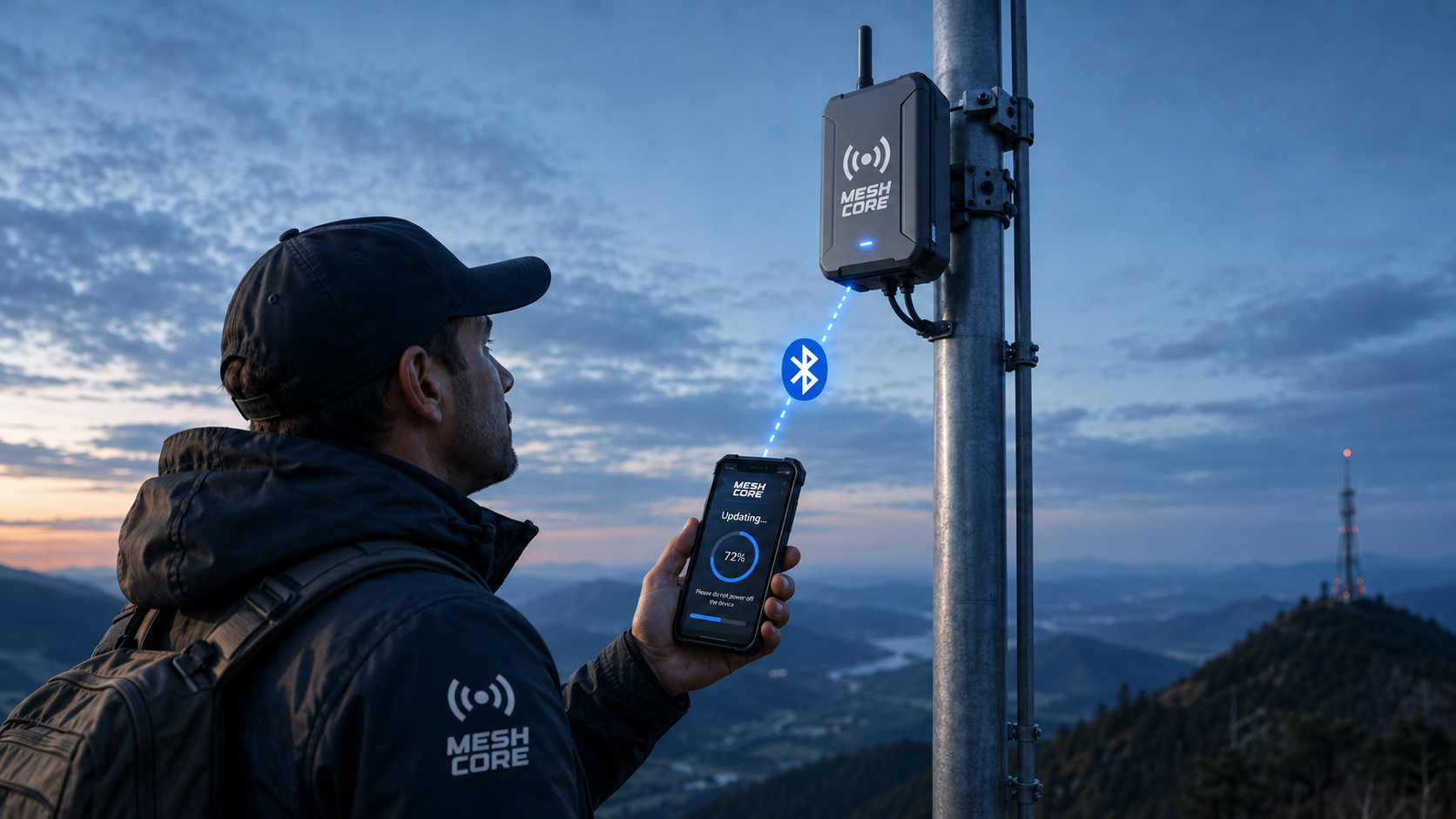
Step-by-Step: OTA Update
Over-the-air (OTA) updating lets you reflash a deployed MeshCore node; a repeater, room server, or companion, without connecting it to a computer over USB. The method depends on the board's chip family: nRF52 boards update over Bluetooth using Nordic's DFU app, while ESP32 boards update over a temporary Wi-Fi access point in your browser. Both are covered below, followed by notes specific to companions.
OTA is convenient for nodes that are hard to reach physically (a repeater on a roof or tower). If a node is within easy reach, a USB flash from flasher.meshcore.io is faster and more reliable than OTA. Reserve OTA for when getting a cable to the device is impractical.
nRF52 Boards
nRF52 boards (RAK4631, Heltec Mesh Node T114, Seeed XIAO nRF52840, and similar) update over Bluetooth LE using Nordic's DFU app. The same process works for repeater, room server, and companion firmware, only the firmware image differs (see the Companions section for the companion firmware-version requirement).
Browser Requirements
The WebSerial API is only available in Chromium-based browsers (the WebSerial API shipped in Chrome/Edge 89 - see MDN/Can I Use):
- Google Chrome (version 89 or later) - recommended
- Microsoft Edge (version 89 or later) - supported
- Firefox, Safari - NOT supported. WebSerial is not implemented in these browsers.
Mobile App Requirements
Download the nRF Device Firmware Update app (you can find it by searching nrf dfu in your app store).
Note: After installation, this app is listed as "DFU" in the apps list, NOT nRF Device Firmware Update.
- Android: https://play.google.com/store/apps/details?id=no.nordicsemi.android.dfu&hl=en-US
- iOS: https://apps.apple.com/us/app/nrf-device-firmware-update/id1624454660
Get the OTAFIX Bootloader
The OTAFIX bootloader (by oltaco: Huw "Taco" Duddy, a MeshCore firmware developer) replaces the stock nRF52 bootloader and makes Bluetooth OTA DFU far more reliable: significantly faster OTA, automatic fallback to OTA DFU mode if an update fails, and the ability to enter OTA DFU mode by holding a button while resetting. It is strongly recommended before doing OTA on nRF52 boards. You install it once, over USB.
- Visit flasher.meshcore.io
- Find your device and select the repeater firmware you run
- Look for the following message:
- We strongly recommend installing OTAFIX Bootloader by @oltaco for more reliable Bluetooth OTA DFU.

- Click the OTAFIX bootloader link to download the bootloader (the file is named something like
update-xxxx.uf2) - Place the device into DFU mode (on most nRF52 boards, double-press the RESET button, twice within about half a second). On the Seeed XIAO nRF52840, press RESET once first; if no drive appears, double-press quickly. The T1000-E and ThinkNode M3 use a magnetic-cable button sequence: see the device's own instructions.
- Verify the device shows up as a drive on your computer
- Windows: In Windows Explorer, look for a new device, such as HT-n5262 (G:)
- macOS: a new removable volume mounts on the desktop, named after the board (e.g. T114 or RAK4631)
- Drag and drop the downloaded bootloader file onto the new device
- The device will reboot and you can now flash the device OTA

Download firmware images to your mobile device
On flasher.meshcore.io, download the firmware image for the device you want to flash. For OTA with the DFU app, choose the DFU package (.zip) variant of the firmware (not the .uf2, which is for USB drag-and-drop).
Flash the Device OTA!
- Open the DFU/nRF Device Firmware Update app on your mobile device
- Find the device you want to flash in the list, tap it
- Select the firmware (the
.zippackage) for the device you want to flash - Ensure the correct device is selected
- Tap Start
Progress is slow. Ensure you have an unobstructed path to the device. External Bluetooth antennas help tremendously.
ESP32 Boards
ESP32 boards (Heltec V3, LilyGo T-Beam and T-Deck, Station G2, RAK11200, and similar) do not use the DFU app or Bluetooth for OTA. Instead, the device hosts a temporary Wi-Fi access point and you upload the firmware to it from a browser. You start this mode with a command, so you need admin access to the node in the MeshCore app.
Requirements
- The node must already be running a MeshCore firmware version that supports OTA. If it is on older firmware, do one USB flash from flasher.meshcore.io first, then future updates can be done OTA.
- A phone or laptop with Wi-Fi and a web browser.
- Admin access to the node in the MeshCore app (you issue the OTA command from its Command Line).
Get the firmware image
- Go to flasher.meshcore.io, select your device and the firmware you run.
- Download the non-merged
.binfile. Do not use the merged.bin: the merged image is only for first-time USB flashing and will not work for OTA.
Start OTA mode on the device
- In the MeshCore app, log into the node and open its Command Line.
- Send the command
start ota. - The device replies with an address such as
Started: http://192.168.4.1/updateand creates a Wi-Fi access point named MeshCore-OTA (depending on firmware it may appear as "MeshCore OTA").
Upload the firmware
- On your phone or laptop, connect to the MeshCore-OTA Wi-Fi network.
- Open http://192.168.4.1/update in a browser.
- Choose the non-merged
.binyou downloaded and start the upload. A progress bar tracks the flash. - When it finishes, the device reboots onto the new firmware and the MeshCore-OTA network disappears. Reconnect your phone/laptop to your normal Wi-Fi.
While in OTA mode the device's only job is hosting this upload page, so it is briefly off the mesh. Keep your phone or laptop close to the node for a stable Wi-Fi link.
Companions
A companion is the node you pair with the MeshCore phone app. Companion firmware updates OTA using the same mechanism as repeaters and room servers. The difference is the firmware image you flash and, on nRF52, a minimum firmware version.
- nRF52 companions (RAK4631, Heltec T114, XIAO nRF52840): update over Bluetooth with the nRF Device Firmware Update (DFU) app, exactly as in the nRF52 Boards section above. The node must already be running companion firmware v1.15 or later to update over OTA. If it is older, flash it once over USB from flasher.meshcore.io to reach v1.15+, after which future updates can be done OTA.
- ESP32 companions (Heltec V3, T-Deck, etc.): update over Wi-Fi using the
start otamethod in the ESP32 Boards section above.
The actual firmware transfer happens in Nordic's DFU app (nRF52) or on the Wi-Fi upload page (ESP32). There is no separate "update firmware" button inside the MeshCore app itself. As always, if the companion is in your hand, a USB flash is the simplest path.
MeshCore Security Architecture
Deep-dive into MeshCore encryption: AES-256-CTR channel traffic, ECDH key exchange for direct messages, channel key derivation, and practical security properties of public vs private channels.
MeshCore Encryption Overview
This page summarizes MeshCore's encryption as verified from the official source code. The key facts: AES-128 symmetric encryption, ECDH key exchange using Ed25519 keys transposed to X25519, and a 2-byte truncated MAC (derived from HMAC-SHA256) for message authentication.
Verified Encryption Summary
| Component | Algorithm | Notes |
|---|---|---|
| Symmetric cipher | AES-128 ECB | 16-byte key (CIPHER_KEY_SIZE=16); zero-padding on final block |
| Message authentication | 2-byte truncated MAC (from HMAC-SHA256) | CIPHER_MAC_SIZE=2; encrypt-then-MAC, MAC prepended before the ciphertext |
| Key exchange | ECDH via X25519 | Ed25519 keys converted to X25519 for DH; AES-128 uses 16 bytes of the 32-byte shared secret, the MAC is keyed with the full 32 |
| Identity keys | Ed25519 | 32-byte public key, 64-byte private key |
| Advertisement signing | Ed25519 signature | Prevents node identity spoofing |
Security Caveats
- ECB mode leaks structure: ECB encrypts each 16-byte block independently, so identical plaintext blocks produce identical ciphertext blocks. A passive listener can detect repeated content, message patterns, and known headers without the key. Do not assume ECB hides patterns in templated or repetitive traffic. (MeshCore embeds a timestamp in each message to partially mitigate this.)
- The 2-byte (16-bit) MAC is weak: A truncated 16-bit MAC is an integrity check, not strong authentication. An active attacker can forge it by brute force in roughly 32,000 attempts. Channel "authentication" is also group-level only: any holder of the channel key can forge messages as any sender.
- No forward secrecy: Identity keys are static, so a single leaked private key decrypts all past and future recorded traffic for that node. There is no key revocation.
- The public/default channel key is publicly documented (
8b3387e9c5cdea6ac9e5edbaa115cd72). Traffic on the public channel is readable by anyone; it is not private or secure against observers.
Common Misconceptions
- Not AES-256: MeshCore uses AES-128, not AES-256. Key length (128-bit) is adequate; the real cryptographic limitations of MeshCore are the ECB cipher mode and the 2-byte (16-bit) truncated MAC described in the Security Caveats above — not the key size.
- Not CTR mode: The implementation uses ECB mode with zero-padding, not CTR or GCM mode.
- The official MeshCore website states "AES-128 encryption" - this matches the source code.
Source: Official MeshCore repository source code. Verified 2026-05-03.
Understanding ECDH Key Exchange in MeshCore
Elliptic Curve Diffie-Hellman (ECDH) is the cryptographic mechanism MeshCore uses to establish a shared secret between two nodes without that secret ever being transmitted over the radio. This page explains the underlying mathematics, describes how MeshCore uses ECDH in practice, and contrasts it with Meshtastic static PSK.
The Diffie-Hellman Principle
The Diffie-Hellman key agreement protocol solves a specific problem: how can two parties who have never met agree on a shared secret while communicating over a channel that an adversary can fully observe?
The classical analogy uses paint mixing. Alice and Bob both start with a public colour (yellow). Alice mixes in her secret colour (red) to get orange and sends orange to Bob. Bob mixes in his secret colour (blue) to get green and sends green to Alice. Alice adds her secret red to the green she received and gets a specific brownish mixture. Bob adds his secret blue to the orange he received and gets the same mixture. Both arrive at an identical colour without either secret colour ever being sent.
The mathematical version replaces paint with modular exponentiation in a finite group. The group structure makes forward computation easy but reversal computationally infeasible: the discrete logarithm problem.
The Elliptic Curve Variant
Classic Diffie-Hellman requires large key sizes (2048-4096 bits) for adequate security. Elliptic Curve DH achieves equivalent security with much shorter keys: a 256-bit ECC key provides roughly the same margin as a 3072-bit RSA key. This matters enormously for embedded LoRa nodes where flash, RAM, and CPU are scarce.
MeshCore node identities are Ed25519 keypairs (Curve25519-family). For the ECDH key exchange, the Ed25519 keys are transposed to their X25519/Curve25519 (Montgomery) form to compute the shared secret. Curve25519 was designed by Daniel J. Bernstein for high-performance constant-time implementation on small processors. It avoids the implementation pitfalls such as timing side channels and weak curve parameters that have plagued other ECC curves. The public key is 32 bytes; the Ed25519 private key is 64 bytes (PRV_KEY_SIZE = 64). The 32-byte public key is stored in NVS and transmitted in advertisement packets.
In Curve25519 ECDH:
shared_secret = scalar_mult(my_private_key, their_public_key)
 = scalar_mult(their_private_key, my_public_key) // identical result
The scalar_mult function is a point multiplication on the elliptic curve. Computing it in the forward direction is efficient; reversing it to recover a private key from a public key and shared secret requires solving the elliptic curve discrete logarithm problem, for which no polynomial-time algorithm is known.
How MeshCore Uses ECDH in Practice
Step 1: Static Keypair Generation
At first boot, each MeshCore node generates an Ed25519 private key (64 bytes) from the platform hardware RNG and derives the corresponding 32-byte public key. Both are written to non-volatile storage and persist across reboots. These are static keypairs because they remain fixed for the lifetime of the firmware installation, as opposed to the ephemeral keypairs used per-session in TLS 1.3.
Step 2: Public Key Advertisement
The public key is included in the node periodic advertisement packet and propagated hop-by-hop across the mesh using MeshCore controlled-flood mechanism. Over successive advertisement cycles, nodes learn the public keys of peers whose adverts they receive and store them in their contact list. No prior direct contact is required before a secure direct message can be sent.
Step 3: Shared Secret Derivation on Demand
When node A wants to send an encrypted direct message to node B, it computes:
shared_secret_AB = Curve25519(A_private_key, B_public_key)When node B receives the message, it computes:
shared_secret_AB = Curve25519(B_private_key, A_public_key)Both operations produce the same 32-byte value. This shared secret is used as the AES-128 key (16 bytes of it) used to encrypt and decrypt the message body; the full 32-byte secret also keys the HMAC. MeshCore uses AES-128, not AES-256. The shared secret is cached in RAM after first derivation to avoid recomputing it on every subsequent message to the same peer.
Step 4: AES Encryption with the Derived Key
The derived AES-128 key encrypts the payload in ECB mode with zero-padding on the final block. MeshCore does not use CTR or GCM mode and there is no per-packet nonce; ECB encrypts each 16-byte block independently. A timestamp embedded in each message body helps vary the plaintext. Note: ECB leaks equality of identical 16-byte plaintext blocks, a known weakness. After encryption, a 2-byte truncated HMAC-SHA256 MAC (encrypt-then-MAC) is prepended to the ciphertext, and the result is placed in the packet payload and transmitted.
Comparison with Meshtastic Static PSK
| Property | MeshCore ECDH (direct messages) | Meshtastic Static PSK |
|---|---|---|
| Key material transmitted over radio | Public keys only; shared secret never transmitted | PSK never transmitted but must be distributed out-of-band to all participants |
| Key uniqueness per pair | Each node pair has a unique shared secret | All nodes in channel share the same key |
| Compromise of one device | Exposes messages to and from that device only | Exposes all channel messages past and future |
| Forward secrecy | None: keys are static (not ephemeral), so disclosure of a private key retroactively decrypts all recorded traffic for that node. | None: historical traffic decryptable if PSK obtained |
| Key rotation | Reflash firmware or clear NVS to generate new keypair | Change PSK on all channel members simultaneously |
| Setup complexity | Automatic: keys generated at boot and exchanged via mesh advertisements | Manual: PSK must be configured identically on all nodes |
| CPU cost per message | AES only after first exchange; ECDH result cached per peer | AES only |
| Effective against passive recording plus later key disclosure | No — keys are static, not ephemeral. If a node's private key is ever recovered, all previously recorded traffic to and from that node can be decrypted. MeshCore direct messages do NOT provide forward secrecy. | No: PSK disclosure retroactively decrypts all recorded traffic |
There is no key-revocation mechanism. If a device is lost or stolen, other nodes continue to trust and encrypt to its public key until each is manually updated. Plan for manual contact-list cleanup after any device compromise. To rotate a node's own keys you must reflash firmware or clear NVS to generate a new keypair.
Practical Implications for Message Privacy
For direct messages, the ECDH model means two nodes can communicate privately without pre-arranging any shared secret. An eavesdropper who captures every radio packet including the advertisement floods carrying both public keys cannot reconstruct the shared secret and cannot decrypt the messages.
The key operational risk is device compromise. The private key stored in NVS flash is the single point of failure for a node message privacy. On platforms without hardware-enforced flash encryption, physical access to a device is equivalent to possessing the private key. Treat any captured or unaccounted-for device as a key compromise event and reflash it with new keys before returning it to service.
The ECDH model also provides an implicit mutual authentication property. Because ECDH produces the correct shared secret only when both private keys are used, impersonating node B to node A requires producing ciphertext derivable from B private key, which is infeasible without that key. An adversary who has only the public key cannot derive the shared secret and so cannot trivially spoof a node identity. Two caveats apply: the on-wire MAC is only 2 bytes (truncated HMAC-SHA256), which gives roughly 1-in-65,536 forgery resistance per attempt and is weak against active forgery attempts; and this authentication is only as good as the public key you hold. MeshCore learns keys automatically from unsigned-name advertisement floods with no out-of-band verification, so an attacker who injects an advert with their own key under a chosen name can be added as a contact. Verify a contact's full public key out-of-band before trusting direct-message authentication.
Channel Security and Private Networks
MeshCore's channel system organizes mesh traffic into communities of interest. Understanding what public and private mean in the MeshCore context is essential for anyone deploying MeshCore in environments where confidentiality matters.
How Channel Keys Work
Each MeshCore channel is identified by a name and protected by a 16-byte (128-bit) secret key. The channel name and channel secret are separate values - the name is a human-readable label, while the secret is the actual cryptographic key used to encrypt and authenticate channel traffic. Channel traffic is encrypted with AES-128 in ECB mode and carries a 2-byte (16-bit) truncated HMAC-SHA256 MAC.
Channel configuration (name + secret) can be shared between devices via QR code, using the format:
meshcore://channel/add?name=ChannelName&secret=<32-hex-chars>
where the secret is a 16-byte value expressed as 32 hexadecimal characters (verify the exact scheme against the MeshCore QR code formats page before hand-constructing a link). Note that the default public channel uses a well-known, publicly documented key (8b3387e9c5cdea6ac9e5edbaa115cd72), so do not confuse the public default key with a private secret you generate.
Public Channels
A public channel uses a well-known channel name and a shared secret that is distributed openly within a community (the default public channel's key is publicly documented). Any node configured with the same channel name and secret can join and read all traffic. Because the key is publicly known, public-channel traffic is readable by anyone in radio range — it is not private or secure against observers.
Public channels are appropriate for:
- General-purpose mesh traffic
- Broad-access community traffic where confidentiality is not required
- Testing environments
- Wide-area mesh backbones carrying routing advertisements
Do not use a public channel for sensitive emergency coordination. Public channels offer no confidentiality (the key is publicly known) and no sender authentication (any participant can forge messages from any name). For emergency nets, use a private channel with a secret key, and treat even that as group-shared, not per-sender authenticated.
Nodes on a public channel broadcast their advertisements including display names and public keys to all other nodes. Traffic analysis (who communicates with whom, at what signal strength) is visible to all participants and to any passive radio receiver tuned to the correct LoRa parameters.
Private Channels
A private channel uses a channel secret that is kept confidential within the intended community. Only nodes configured with the correct channel secret can decode traffic on that channel.
Private channels are appropriate for:
- Closed community networks such as neighbourhood groups, amateur radio clubs, and emergency response teams
- Commercial or industrial deployments requiring channel isolation
- Multi-tenant mesh scenarios where multiple independent groups share physical infrastructure
Configuring a Private MeshCore Channel
- Generate a channel secret: Use a cryptographically random 16-byte value. A password manager or command like
openssl rand -hex 16works well. Avoid predictable values. - Configure the channel in the MeshCore app: Go to channel settings and enter the channel name and secret.
- Share the channel configuration: Use the QR code export feature in the MeshCore app to share the channel with trusted members. Anyone who receives the QR code will have access to the channel.
What Channel Encryption Provides and Does Not Provide
Channel encryption provides:
- Confidentiality of message content from nodes not on the channel (only for private channels with a secret key; the public channel's key is publicly known, so it provides no confidentiality)
- Group-level authentication only — any holder of the channel key can generate valid messages under any display name. There is no per-sender authentication on channel messages, and the 2-byte (16-bit) MAC is forgeable by an active attacker (on the order of ~32k attempts); it is an integrity check, not strong authentication.
Channel encryption does NOT provide:
- Perfect forward secrecy - the same key is used indefinitely; compromise of the key reveals all past and future traffic
- Individual message authentication - unlike direct messages (which use per-pair ECDH keys), channel messages are authenticated only by possession of the shared key, so any key-holder (or anyone who obtained the key from a lost device or leaked QR code) can forge a message attributed to any other member
- Protection against traffic analysis - signal strength, transmission timing, and node identifiers are visible to any receiver tuned to the correct LoRa parameters
For communications requiring stronger guarantees, use direct (unicast) messages, which use per-pair ECDH key agreement providing individual authentication and stronger confidentiality. Note the caveats: direct messages still use AES-128-ECB, a 16-bit (2-byte) MAC, and static keys (no forward secrecy), and their authentication depends on having verified the peer's public key out-of-band.
Source: MeshCore QR code format documentation (github.com/meshcore-dev/MeshCore)
MeshCore Routing Deep Dive
Technical deep-dive into MeshCore path-based routing: RREQ/RREP protocol mechanics, comparison with Meshtastic flooding, and optimization guidance for large-scale deployments.
MeshCore Routing: Flood-First, Direct-Route-After
This page describes MeshCore's routing mechanism as verified from docs/packet_format.md (for the packet/route-type structure) and the firmware source and CLI docs (for the routing behaviour) in the official MeshCore repository. Note: MeshCore's hybrid flood/direct scheme is not the AODV protocol - earlier versions of this page incorrectly used AODV terminology (path discovery/acknowledgment), which does not match how MeshCore works.
How MeshCore Routing Actually Works
MeshCore uses a flood-first, direct-route-after mechanism:
Step 1: Flood Routing (First Message)
When a node sends a message to a destination it has no path for, the packet uses ROUTE_TYPE_FLOOD. Every repeater in range re-broadcasts the packet (subject to flood limits); Companion/client nodes do not repeat. The destination node receives the message through whatever path it arrived on.
Step 2: Path Return
The destination node responds by sending back a PAYLOAD_TYPE_PATH packet. This packet contains the complete list of repeaters through which the original flooded message arrived. The path travels back to the original sender.
Step 3: Direct Routing (Subsequent Messages)
Armed with the learned path, the sender now uses ROUTE_TYPE_DIRECT for subsequent messages. The packet embeds the repeater list, and only those specific repeaters forward it. All other repeaters ignore the packet entirely.
Why This Is More Efficient Than Pure Flooding
- After the initial flood, all subsequent messages in a conversation use direct routing - dramatically less channel airtime
- A busy network with many established conversations generates far less channel overhead than a pure flood mesh
- Path re-learning happens automatically if a direct-routed message fails (falls back to flood)
Route Types Reference
| Route Type | When Used |
|---|---|
ROUTE_TYPE_FLOOD | Initial contact; all group/channel messages |
ROUTE_TYPE_DIRECT | Point-to-point after path is known |
ROUTE_TYPE_TRANSPORT_FLOOD | Flood with regional transport code |
ROUTE_TYPE_TRANSPORT_DIRECT | Direct-routed with regional transport code |
Source: docs/packet_format.md (route-type table and packet structure) plus the firmware source (Mesh.cpp) and CLI docs (path-return and re-learning behaviour) in the official MeshCore repository. Verified 2026-05-03.
Optimizing MeshCore for Large Networks
Deploying MeshCore at scale of 50 or more nodes requires deliberate planning of repeater placement, advertisement strategy, and congestion avoidance.
Repeater Placement for Path Diversity
Path diversity is the single most important design principle for a resilient large-scale MeshCore network. Without path diversity, a single repeater failure can partition the network.
Place at least two independent elevated repeaters within mutual radio range for backbone redundancy. A backbone arranged as a ring (each node connected to two neighbours so they form a single cycle) is 2-edge-connected: it stays connected after any single link fails. Note that minimum degree 2 at every node is necessary but not sufficient for 2-edge-connectivity on its own (e.g., two loops joined by a single bridge link still has a single point of failure).
Gateway repeaters bridging two disconnected clusters should always have a backup gateway repeater or a direct link if path loss permits.
Use a network graph tool to identify any repeater whose removal disconnects the graph. These cut vertices require remediation through additional repeater placement.
Minimum Viable Topology for 50 Nodes
- 4-6 elevated backbone repeaters, each with at least 2 other backbone repeaters in range
- 10-15 mid-tier repeaters, each within range of at least 2 backbone repeaters
- 30+ client nodes connecting to the nearest mid-tier repeater or directly to backbone
Advertisement Flood Strategy
In large networks, poorly tuned advertisement intervals become a significant source of congestion. MeshCore supports two advert modes: a flood advert (propagated hop-by-hop to all reachable nodes; CLI advert) and a zero-hop advert (broadcast to in-range neighbours only, not repeated; CLI advert.zerohop). Cadence is set with set flood.advert.interval <hours> for flood adverts and set advert.interval <minutes> for zero-hop adverts.
Recommended: backbone repeaters use flood adverts; mid-tier repeaters use flood adverts with a reduced interval; fixed client nodes use a long flood interval or zero-hop adverts; mobile client nodes use zero-hop or more frequent flood adverts; temporary nodes use zero-hop adverts to avoid polluting neighbour tables.
Advertisement Interval Tuning
Advert intervals must be entered in the units the firmware uses. The flood advert interval (set flood.advert.interval) is in hours (range 3-168, default 12). The zero-hop advert interval (set advert.interval) is in minutes (range 60-240). These repeater CLI settings apply to repeater/room-server nodes; the advert cadence for non-repeating client/companion nodes is controlled in the companion app, not via these CLI settings.
- Backbone repeaters (flood adverts): toward the shorter end of the range, e.g. 6-12 hours in busy networks
- Mid-tier repeaters (flood adverts): a moderate interval, e.g. 12 hours (the default)
- Fixed client nodes: a long interval, or app-controlled adverts for non-repeating nodes
- Mobile client nodes: more frequent app-controlled adverts; the repeater zero-hop CLI minimum is 60 minutes
Path Learning and Re-discovery
MeshCore uses a flood-first / direct-route-after model rather than a user-tunable route cache. The first message to a destination is flooded and the working path is learned as a byproduct; later messages reuse that learned path until it goes stale and a re-flood occurs. There is no route-cache-timeout setting or named "route cache" tuning profile in the firmware, so there are no minute-based cache lifetimes to configure. In high-mobility or rapidly-changing deployments, expect more frequent re-floods as learned paths break and are rediscovered.
Congestion Avoidance
LoRa is half-duplex: no node can transmit and receive simultaneously. Congestion manifests as elevated packet loss, increased delivery latency, and packet collisions. For flood retransmits, MeshCore uses a random backoff window (scaled by the txdelay / direct.txdelay factors) so that repeaters hearing the same flood packet do not retransmit simultaneously; this is a random-backoff scheme rather than full carrier-sense CSMA/CA on the mesh routing path. (The separate KISS-modem firmware does implement p-persistent CSMA.)
Key mitigations: (1) reduce advertisement flood frequency -- the highest-leverage tuning parameter; (2) segment with frequency separation across two independent LoRa channels bridged by backbone repeaters; (3) on a sparse, long backbone link a higher spreading factor improves link budget and sensitivity, but note that all nodes on a MeshCore channel must share one SF/BW/CR to interoperate -- you cannot raise SF on individual links while staying on the same channel, and each +1 SF roughly doubles symbol airtime, which worsens congestion (current USA/Canada guidance actually uses a low SF7 / BW62.5 / CR5 preset on purpose); (4) use zero-hop adverts for high-density client clusters.
Monitoring Network Health with MeshCore Statistics Commands
neighbors
stats-core
stats-radio
stats-packets
advert
MeshCore does not expose AODV-style metrics such as a "route cache hit rate" or "RERR rate" -- it has no route-error (RERR) packets and no route table, because routing is flood-first / direct-route-after rather than reactive AODV. Monitor only the signals the firmware actually reports: the neighbors list (limited to the 8 most recent adverts, each encoded as {pubkey-prefix}:{timestamp}:{snr*4}), and the counters in stats-core, stats-radio (RSSI, SNR, noise floor) and stats-packets (packet counts, RX errors, airtime). When judging link quality, keep RSSI (an absolute received-power figure in dBm) separate from SNR (in dB relative to the noise floor); LoRa can decode several dB below the noise floor depending on spreading factor.
For persistent monitoring, you can build community tooling on top of the MeshCore Python companion API running on a Raspberry Pi attached to a local node. Note that the companion protocol talks to the locally-connected node, not arbitrarily to "all reachable repeaters" -- pulling stats from a remote repeater requires authenticated login/cmd queries over the mesh. Any InfluxDB/Prometheus/Grafana pipeline is a custom build, not a feature that ships with MeshCore.
Advanced MeshCore Topics
MeshCore Path Discovery Deep Dive
A detailed look at MeshCore's flood-first / direct-route-after path learning, derived from docs/packet_format.md and the firmware source. MeshCore does not use a dedicated route-discovery protocol (there is no AODV, Route Request, or Route Error); paths are learned as a byproduct of the initial flood.
The Core Mechanism
MeshCore's routing uses two phases that together reduce the channel waste of pure flooding. Note that only the initial flood has path redundancy: once a direct path is learned, subsequent messages follow that single path with no alternate-route redundancy.
Phase 1: Flood with Path Recording
As a ROUTE_TYPE_FLOOD packet (route type 0x01) traverses repeaters, each forwarding repeater appends its path-hash to the packet's path field, so the destination receives the full ordered path carried inside the packet itself. The path is tracked in the flooded packet, not recorded separately at the destination.
Phase 2: Path Return via PAYLOAD_TYPE_PATH
The destination sends a PAYLOAD_TYPE_PATH response back to the original sender. This packet contains the ordered list of repeaters from the flood path. The path packet itself uses direct routing if a reverse path is known, otherwise floods back.
Phase 3: Stored Direct Routes
The sender stores the learned path and uses it for all subsequent messages to that destination using ROUTE_TYPE_DIRECT. The path remains valid until a direct-routed message fails (no acknowledgement within timeout), at which point the sender falls back to flooding and re-learns the path. Because a direct-routed message follows a single learned path with no redundancy, if one repeater on that path fails, messages are silently lost until the timeout triggers a re-flood — only the initial flood has path redundancy.
Path Hash Modes
MeshCore supports configurable path hash modes via the set path.hash.mode {0|1|2} CLI command, which selects the advert path-hash size (0 = 1 byte, 1 = 2 byte, 2 = 3 byte). The default is 0 (1-byte). This setting affects only the size of the path-hash a repeater uses in its own advert broadcasts; it does not change how path uniqueness is determined, how the routing table is managed, or what packet ID/hash size this repeater forwards. The feature requires firmware ≥ 1.14.
Flood Limits
To prevent unbounded flooding, MeshCore allows configuration of flood.max (the maximum hop count a repeater will forward a flood packet to, related to the 64-hop firmware ceiling) and flood.advert.interval (the flood-advert cadence in hours). These limit worst-case channel usage.
Regional Scoping
Transport route types (ROUTE_TYPE_TRANSPORT_FLOOD and ROUTE_TYPE_TRANSPORT_DIRECT) include a 2-byte transport code that allows multi-region networks to scope traffic appropriately. This transport code is calculated from the region scope — a user-defined named scope (e.g. #Europe, #USA) hashed into the 2-byte value — not an ISO country code.
Sources: route types, the path field, transport codes, and MAX_PATH_SIZE (64) are per docs/packet_format.md. CLI parameters (path.hash.mode, flood.*, region scopes) are per the MeshCore CLI docs. Verified 2026-05-03.
MeshCore Network Troubleshooting Reference
A systematic approach to troubleshooting MeshCore network issues saves time and frustration. This reference covers the most common problems and their diagnostic approaches.
Diagnostic Framework
When a problem is reported, ask these questions in order:
- Is the problem isolated to one node pair, or affecting all nodes?
- Is the problem one-directional or bidirectional?
- Did it work before? What changed?
- Is the issue at the RF layer (no signal) or the protocol layer (signal present, no delivery)?
Problem: Node Not Seen by Others
Symptoms: A node is powered on but doesn't appear in other nodes' neighbor lists or can't communicate with anyone.
Diagnostics:
- Check: Is the node's LoRa radio reporting healthy state? (Serial CLI:
stats-corefor battery/uptime/queue length andstats-radiofor noise floor, last RSSI/SNR, airtime and receive errors) - Check: Is the frequency/preset matching other nodes? (Verify with
get radio, which shows freq/bw/sf/cr, orget freq) - Check: Is the antenna connected? (Operate with an antenna or dummy load attached; transmitting into an open or badly mismatched port can stress the power amplifier on some boards)
- Check: Is the channel key matching? (Different key = nodes don't recognize each other's packets)
- Check: Is there a hardware failure? (Try a different known-good node at the same location)
Problem: Messages Not Delivered
Symptoms: Nodes can see each other but messages don't arrive, or arrive with high latency.
- Low SNR (link near the demodulation floor): LoRa's minimum decodable SNR depends on the configured spreading factor — roughly -7.5 dB at SF7 down to about -20 dB at SF12 (per Semtech SX126x datasheets). If the measured SNR is near or below the floor for your SF, the link is marginal: raise the spreading factor, improve antennas, or add a repeater. A single flat threshold (such as "-15 dB") is misleading because it is undecodable at low SF yet still usable at SF12.
- High channel utilization: Too many nodes flooding the network. Check for misconfigured flooding, reduce hop limit.
- Path discovery failure: path discovery flood is flooding but path response is not returning. One-way link - the return path may be blocked by terrain or a directional antenna pointing wrong way.
- Room server not receiving messages: Check that room server's attached LoRa node is on the correct channel and hearing the network.
Problem: Room Server Clients Not Syncing
Symptoms: App connects to room server but doesn't show recent messages or shows empty history.
- Check that the room server is actually hearing the mesh: connect to its serial console and run
stats-radio(noise floor, last RSSI/SNR, receive errors) andstats-packets(received/sent packet counters). - Check the access control list with
get aclto confirm the connecting client is permitted. - Check key: Room key (and admin password) must match between app configuration and server configuration. The default admin password is
passwordand should be changed. - Note: a MeshCore room server is LoRa firmware running on an embedded radio device — it is not a Linux daemon listening on a TCP port. There is no firewall/IP port to open for the room server itself. (For reference, the
meshcore-clihost tool's TCP companion connection defaults to port 5000, not a room-server port.)
Problem: Repeater Goes Offline Periodically
Symptoms: A backbone repeater disappears from the network at irregular intervals, then reappears.
- Power issue: Insufficient solar charging, battery capacity degradation. Check voltage logs.
- Firmware watchdog: nRF52840 watchdog timer should prevent lockups but may be triggering reboots on firmware bugs. Check for panic/reset logs in serial output.
- Thermal issue: Summer heat causing processor throttling or thermal shutdown. Check enclosure temperature.
- Stability over long uptime: If a periodic reboot reliably resolves the symptom, update to the latest firmware first. A scheduled reboot can serve as a generic mitigation while you isolate the cause; if you can reproduce a specific fault, file it against the firmware repo with the version and serial logs.
Useful CLI Diagnostic Sequence
# Connect to node serial console (device path varies:
# /dev/ttyUSB0 or /dev/ttyACM0 on Linux, COMx on Windows; 115200 baud is correct)
screen /dev/ttyUSB0 115200

# Health and radio state:
stats-core      # Battery, uptime, queue length, debug flags
stats-radio     # Noise floor, last RSSI/SNR, airtime, receive errors
get radio       # Current freq/bw/sf/cr

# Heard nodes and packet counters:
neighbors       # List recently-heard neighbors (encoded as pubkey-prefix:timestamp:snr*4)
stats-packets   # Packet counters (Received, Sent)

# Firmware version:
ver             # Firmware version string

# Room server access control:
get acl         # View the room server's access control list